


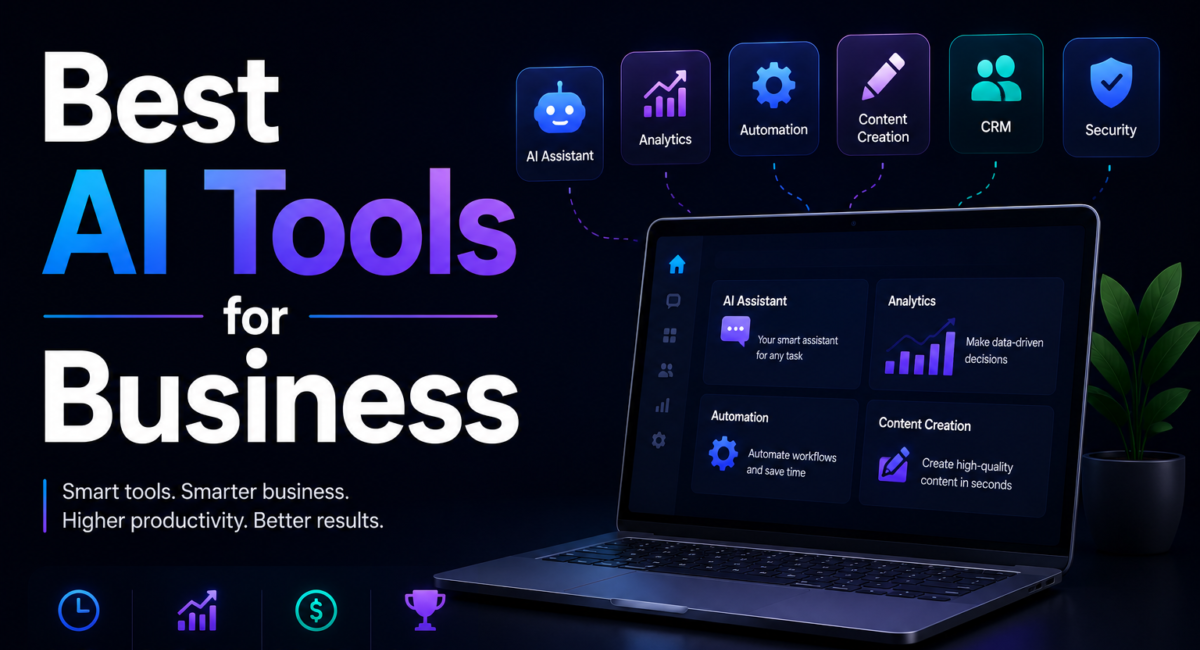
How we compare: Our editors evaluate business AI tools hands-on against a consistent rubric — real-task capability, ease of adoption, integration depth, data-handling and governance, and price-to-value — and cross-check every claim against vendor documentation and independent research from sources such as McKinsey. Affiliate disclosure: some links may earn TechieHub a commission at no extra cost to you; it never changes our rankings or which tools we recommend.
Related: many teams pair these with a low-code AI platform and hire out overflow work using the freelancer AI stack.
The best AI tools for business are ChatGPT and Claude for general work, Salesforce and HubSpot for CRM and sales, Jasper and Surfer SEO for marketing, Zapier and Make for automation, and Power BI for analytics.
Business AI tools are software products that use large language models and machine learning to automate or accelerate specific work — writing, analysis, customer conversations, forecasting and multi-step workflows — inside the systems a company already runs on. This guide organizes the landscape by function so you can match a tool to your bottleneck rather than chasing hype.
Table of Contents
Quick answer: The best AI tools for business are chosen by function, not by brand: a reasoning assistant for knowledge work, a copilot inside your existing CRM, an automation platform to connect systems, and a support agent trained on your own documentation. Most businesses over-buy on tools and under-invest in the process changes that make them pay back.
Why AI tools for business matter in 2026
The upside is large enough to explain the rush. McKinsey estimates that generative AI could add the equivalent of $2.6 trillion to $4.4 trillion in annual value across the global economy, with about 75% of it concentrated in four areas — customer operations, marketing and sales, software engineering, and R&D.
The gap between that number and most companies’ experience is the part worth understanding. The value is real but it is not evenly captured: a minority of organisations reach measurable financial impact while the majority stall at isolated efficiency gains. The difference is rarely the tool. It is whether one workflow was changed end to end, or a licence was bought and left to individual initiative.
How to think about business AI before you buy
The most common mistake is buying tools before naming the problem. The smarter approach starts with your team’s biggest time sink — the repetitive, high-volume task eating the most hours — and picks one tool that directly attacks it.
Three questions settle it before you look at a single product page. What is the task, in hours? If you cannot state how many hours a week it consumes, you cannot tell whether the tool paid for itself. Who owns the change? A tool without a named person responsible for adoption becomes shelfware regardless of quality. What happens when it is wrong? Where a mistake is cheap, let the tool run; where it is expensive, budget for the review step and count that time in the cost.
The best AI tools for business by category
Here are the leading tools in each major function. Most offer free tiers or trials, so you can test on real work before committing budget.

- General assistants — ChatGPT, Claude, Gemini, Microsoft Copilot. The Swiss Army knives of business AI, handling drafting, analysis and research across every department. ChatGPT Business runs about $25 per seat monthly (a two-seat minimum), while Claude Team is similarly $25 per standard seat with a five-seat minimum — both cheaper than the hours they return.
- CRM & sales — Salesforce, HubSpot, Apollo. Salesforce embeds AI directly into the customer record for email drafting and summarization; HubSpot’s Breeze agents price per outcome and tell you what to do with each contact. For the full funnel, see our guide to the best AI sales tools.
- Marketing & content — Jasper, Surfer SEO. Jasper keeps brand voice consistent across campaigns with 100-plus specialized agents; Surfer optimizes content to rank in search.
- Automation — Zapier, Make, n8n. Zapier connects thousands of apps (Professional from about $30/month on task-based pricing) and now runs AI agents across your stack. Compare the field in our guide to the best AI automation tools.
- Productivity — Notion AI, Superhuman. Notion’s Business plan bundles its AI at about $20 per user monthly; Superhuman triages and drafts email, reportedly saving heavy users several hours a week.
- Analytics & BI — Power BI, Tableau. Power BI Pro is $14 per user monthly, though its Copilot features require paid Fabric capacity. For the analyst’s toolkit, see AI tools for data analysis.
The productivity layer deserves its own mention, because it is where individual employees feel the difference daily. These tools rarely make headlines, but by attacking the blank page, the cluttered inbox and the slide deck due tomorrow, they often deliver the fastest, most visible ROI of anything on this list — frequently paying for themselves within the first week of real use.
| Function | Leading tools | Indicative 2026 price |
|---|---|---|
| General assistants | ChatGPT, Claude, Gemini, Microsoft Copilot | ChatGPT Business ~$25/seat (2 min); Claude Team ~$25/seat (5 min) |
| CRM and sales | Salesforce, HubSpot, Apollo | Bundled into CRM seats; HubSpot Breeze priced per outcome |
| Marketing and content | Jasper, Surfer SEO | Mid-tier SaaS, typically $50–$120/mo per seat |
| Automation | Zapier, Make, n8n | Zapier Professional from ~$30/mo, task-based; n8n self-hostable |
| Productivity | Notion AI, Superhuman | Bundled into Notion Business; Superhuman per seat |
Which AI tools fit your business size?
The right stack depends on your size and resources. Solo operators and small teams get most of the way with a single general assistant plus one function-specific tool — typically a CRM or a marketing tool — and that combination delivers immediate ROI.
The principle holds at every size: adopt deliberately, prove value, then expand — rather than buying a dozen tools and using none of them well. A focused two-tool stack your team uses every day will always beat a sprawling collection of idle subscriptions. If you run a lean operation, our companion guide to the best AI tools for small business maps affordable starting stacks tool by tool.

Where AI delivers the highest ROI: sales, support and research
Sales is one of the highest-ROI areas for AI, which is why McKinsey concentrates so much projected value there. AI sales tools automate the grind — prospecting, lead scoring, data entry, follow-ups — and surface which deals are most likely to close.
Customer support is the most visible business application. Modern AI chatbots resolve issues end to end, draft personalized replies and operate around the clock in many languages — cutting response times and cost at once.
Research is transformed too. Instead of reading hundreds of papers, patents or reports, teams use AI to search, summarize and synthesize in minutes.
A real-world use case: AI in a small marketing team
Consider Rania, a two-person marketing lead at a B2B software startup with no budget for a large content team. Her biggest time sink is turning each product update into a blog post, a set of social captions and a customer email — work that used to swallow two full days per launch.
Her workflow is concrete. She drops the raw engineering release notes and a short brief into Claude and asks for a structured draft in the company’s voice; she pastes the draft into Surfer to check it against the terms competitors rank for and tightens the headings; then a Zapier automation watches the folder where she saves the final copy and fans it out into a Buffer queue and a HubSpot email draft for her review.
The outcome is not a headline statistic; it is a reclaimed afternoon. What took two days now takes a focused morning, which means launches ship on time and Rania spends the recovered hours on positioning and customer interviews.
This example is a composite of the small-team rollouts we see most often, not a single client account; the figures are typical rather than measured from one engagement.
How to choose, adopt and measure AI ROI
That makes adoption the decisive factor, and it explains McKinsey’s value gap. A proven rollout pattern works well: pick one team and one painful workflow, run a 30-day pilot with clear before-and-after metrics, designate an internal champion who learns the tool deeply, and document the prompts and processes that work so knowledge spreads.
What to actually measure
Pick metrics before the pilot starts, because retrofitting them never works. Four hold up across functions. Hours returned per person per week on the specific task, measured the fortnight before and the fortnight after — not self-reported satisfaction. Cycle time for the workflow end to end, which catches the case where a step gets faster but the handoffs do not. Output volume at constant quality, with someone reviewing a sample rather than assuming quality held. And cost per unit of work, all-in: licence plus the review time the output now needs.
The number that decides renewal is weekly active use after the novelty fades — typically week six onwards. A tool nobody opens has an ROI of exactly minus the licence fee, and this is where most of the value gap sits. If fewer than half the licensed seats are active by week eight, the problem is fit or training, not the tool.
Frequently Asked Questions
What are the best AI tools for business?
The best AI tools for business include ChatGPT and Claude for general work, Salesforce and HubSpot for CRM and sales, Jasper and Surfer SEO for marketing, Zapier and Make for automation, and Power BI for analytics. The best choice depends on your biggest bottleneck, so start there.
What AI tool should a small business start with?
Most small businesses should start with a general assistant like ChatGPT or Claude, which helps with writing, research and analysis across every function at low cost. From there, add one function-specific tool — usually a CRM or marketing tool — that targets your biggest time sink.
Are AI tools for business worth the cost?
For most companies, yes. McKinsey estimates generative AI could add $2.6–$4.4 trillion in annual value, much of it in sales and marketing. A tool costing $20–$50 monthly that saves five hours easily pays for itself. The bigger risk is buying tools your team never fully adopts.
What is the best free AI tool for business?
Several leading tools offer capable free tiers. ChatGPT, Claude and Gemini all have free versions for general work, and many CRM, marketing and automation platforms include free plans or trials. Starting free is the smart way to test real value before committing any budget.
How do AI tools improve business productivity?
AI tools automate repetitive, time-consuming work — drafting content and emails, summarizing meetings, researching prospects, building reports and answering routine questions. That frees employees for higher-value work like strategy and relationships, so a small team can produce the output that once required a much larger one.
How many AI tools does a business need?
Fewer than most assume. Many companies overspend on overlapping tools they never fully use. A strong starting stack is one general assistant plus one or two function-specific tools targeting your biggest bottlenecks. Add more only as each proves measurable value — adoption matters far more than tool count.
What is the best AI software for business?
For most companies the best AI software for business starts with one general assistant, such as ChatGPT Business or Claude Team at about $25 a seat, then adds one business AI tool per function: Salesforce or HubSpot for sales, Jasper or Surfer SEO for marketing, and Zapier, Make or n8n for automation. Buy for your biggest bottleneck first.
Conclusion
The best AI tools for business are not about owning the most software — they are about removing your biggest bottleneck and giving your team time back. Start with a general assistant like ChatGPT or Claude, add function-specific tools for sales, marketing, support or research as you grow, and treat AI as an accelerator for judgment rather than a replacement for it. Adopt one tool well, measure the gain, and expand from there.
Related: sales teams should also see our Gong vs Chorus comparison and the best AI phone call agents.
Related: businesses protecting IP should see our AI patent research tools guide.

61 Comments
Pingback: How to Speed Up Your Website Best SEO & Performance Tips
Pingback: Generative AI for Content Creation: Complete Guide 2026
Pingback: What is Claude? Complete Guide to Anthropic's AI Assistant 2026
Pingback: 15 Best Agentic AI Tools & Platforms for Autonomous Agents 2026
Pingback: Best AI Agents for Cross-Border Loan Servicing [2026]
Pingback: What is Optimization in Engineering? Complete AI Guide [2026]
This guide is incredibly helpful for businesses looking to integrate AI in a streamlined and cost-effective way. One of the biggest challenges, as you mentioned, is figuring out which tools actually move the needle. I love how you’ve broken down the process with practical examples!
Thank you for taking the time to share your thoughts! We truly appreciate the support and are glad you found value here. Stay connected there’s more helpful content coming your way.
Thank you for taking the time to share your thoughts! We truly appreciate the support and are glad you found value here. Stay connected—there’s more helpful content coming your way.
The breakdown of AI tool selection based on business size and goals really resonates—especially how it emphasizes stitching tools together without burning resources. It’s easy to get overwhelmed by the hype, but this guide offers a practical, scalable approach that actually helps teams prioritize what moves the needle. Great to see the focus on real-world implementation rather than just theory.
Thank you for taking the time to share your thoughts! We truly appreciate the support and are glad you found value here. Stay connected—there’s more helpful content coming your way.
Pingback: Agentic AI Applications – Top Use Cases & Examples
Pingback: AI and Analytics: The Complete Guide to AI Data
Pingback: Best AI Code Documentation Tools That Write Docs for You
Pingback: What Are AI Hallucinations? Complete Guide 2026 | TechieHub
Pingback: AI in Business Analytics Is Changing How Leaders Decide
Pingback: AI Patent Drafting Tools Comparison to Pick the Best
Pingback: Best AI Sales Forecasting Tools to Predict Revenue
Pingback: AI Sentiment Analysis That Reads Emotions Instantly
Pingback: Best AI Tools for Academic Research That Save Time
Pingback: AI Tools for Business Analyst to Work 10x Faster
Pingback: AI Tools for Data Analysis That Save Hours Daily
Pingback: Best Agentic AI Tools – Top Picks [Tested & Ranked]
Pingback: Best AI Agent – Top Picks Tested & Compared
Pingback: Best AI Agents for Security Questionnaires
Pingback: Best AI APIs for Developers 2026: Complete Comparison Guide
Pingback: Best AI Caption Generator for Video in Minutes
Pingback: Best AI Chatbot for WordPress to Boost Engagement
Pingback: Best AI Coding Tools: Best for Developers
Pingback: Best AI Models 2026: GPT-5.5 vs Claude vs Gemini vs DeepSeek
Pingback: Best AI Research Tools - Techiehub
Pingback: Best AI Sales Tools - Techiehub
Pingback: 10 Best AI Search Monitoring Tools 8 tools
Pingback: Will AI Take Over Data Analytics – Truth Revealed
Pingback: What is Prompt Engineering? A Complete Beginner Guide
Pingback: Fine-Tuning vs RAG: Which AI Approach Wins in 2026?
Pingback: Best AI Tools for YouTube Automation – Top Picks [Free & Paid]
Pingback: Who Created Generative AI – The Full Story Explained
Pingback: Generative AI for Content Creation That Saves Hours
Pingback: Generative AI Tools for Content Creation Worth Using
Pingback: Best AI Tools Like ChatGPT You Need to Try Now
Pingback: Generative Engine Optimization to Dominate AI Search
Pingback: Best Answer Engine Optimization Tools That Actually Work
Pingback: Best AI Patent Research Tools 2026: Top 8 for IP Teams
Pingback: LLMEO Strategies: Complete Guide for AI SEO Success
Pingback: Gong vs Chorus Comparison to Pick the Right One Fast
Pingback: Best Low-Code AI Platforms to Build Apps Without Coding
Pingback: Best AI Video Generator to Create Stunning Videos Fast
Pingback: BI and AI Together Will Transform Your Business Forever
Pingback: Big Data AI – How It Works & Why Your Business Needs It
Pingback: Why is Generative AI Important – And Why You Should Care
Pingback: How Does Generative AI Work – Simply Explained
Pingback: Best Generative AI Tools – Top Picks [Free & Paid]
Pingback: Optimization in Engineering – Methods & Real Use Cases
Pingback: Best AI Medical Research Tools for Faster Discoveries
Pingback: Best AI Cover Letter Generators (and How to Use Them Right)
Pingback: Best AI Tools for Freelancers (and How to Use Them Well)
Pingback: Best AI Tools for Excel (and How to Use Them Well)
Pingback: Best AI Tools for Ecommerce (and How to Use Them Well)
Pingback: Best AI Tools for Designers (and How to Use Them Well)
Pingback: Claude AI – What It Is, Features & How It Works