


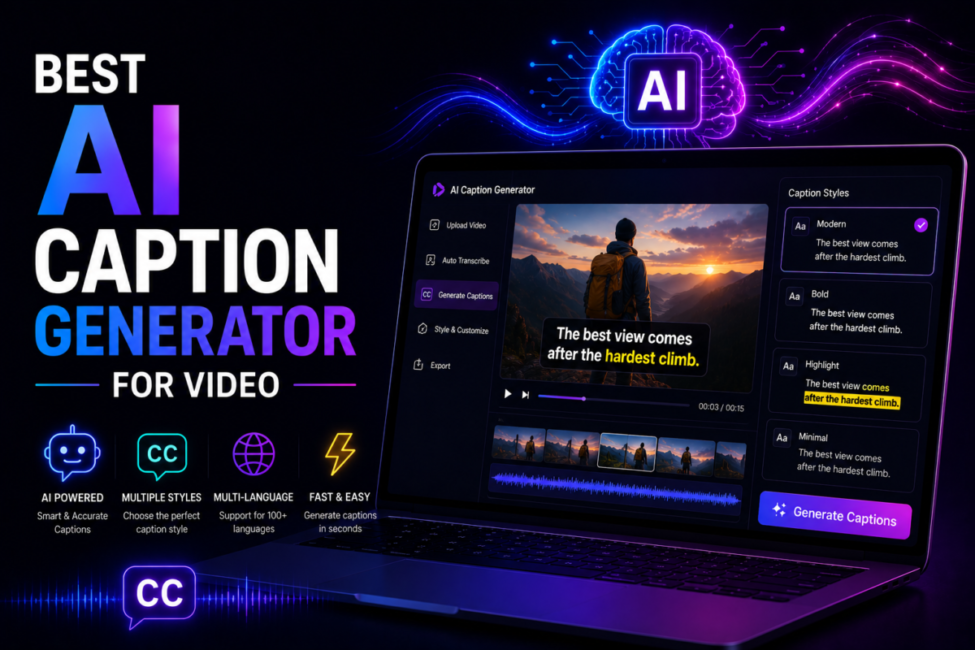
Somewhere around your tenth video, captioning stops being a finishing touch and becomes the bottleneck. Typing subtitles by hand for a three-minute clip can take longer than shooting it, and repeating that across YouTube, TikTok, Reels and LinkedIn is nobody’s idea of creative work. The awkward part in 2026 is that the leading tools are no longer meaningfully different at transcribing clean English speech. They diverge on styling, export freedom, language coverage and what happens when the audio gets messy, so this guide is organised around those four fault lines rather than around a leaderboard.
Affiliate disclosure: some links in this article may be affiliate links. If you buy through them we may earn a commission at no extra cost to you. It never changes which tools we recommend or how we rank them.
| Quick answer: For styled short-form captions, Submagic is the strongest paid pick. CapCut is the best free option if you already edit there, YouTube Studio handles single-language YouTube uploads at no cost, Descript suits people who edit video like a document, and Rev is the choice when accuracy is contractual. Choose by export needs first. |
Table of Contents
Why do captions decide whether your video gets watched at all?
Silent autoplay is the default on every major feed, and the research matches your own scrolling habits. A Verizon Media and Publicis Media study of 5,616 US consumers found that 80% of viewers are more likely to watch a video to the end when captions are available, and that 69% watch with the sound off in public places. On-screen text buys you the two seconds a viewer needs to decide to stay.
The accessibility case is bigger than the engagement one. The World Health Organization estimates that over 430 million people currently require rehabilitation for disabling hearing loss, and nearly 2.5 billion will live with some degree of hearing loss by 2050. For video you host on your own site, captions are also a baseline standard rather than a bonus: WCAG success criterion 1.2.2 makes captions for prerecorded audio a Level A requirement, the lowest conformance rung that exists.
There is a quieter third reason: a caption file is a machine-readable transcript, which is how search engines and AI answer engines learn what your video actually says. Uploading your own subtitle file keeps that text under your control.
What separates the tools now that transcription itself is solved?
Export freedom. Can you get an SRT or VTT file out without paying? Some free tiers burn captions into the video and keep the text hostage, which forces you to re-caption the same clip for every destination.
Styling engine. Word-by-word highlighting, safe-zone awareness, brand fonts and colours. This is where short-form specialists earn their subscription; general transcription services barely try.
Language coverage versus translation. These are two different numbers: a tool may transcribe roughly 48 languages natively while translating into 100 or more, and vendors reliably quote the bigger one.
Messy-audio behaviour. Overlapping speakers, strong accents, music beds and product names are where accuracy claims quietly stop being true.
Where it lives. A captioner inside the editor you already use beats a marginally better one that adds an export-import round trip to every single video.
How we compare: we prioritise things you can verify — published language counts, export formats, and prices read directly from vendor pricing pages on 2 October 2026 (CapCut’s page would not load for us, so its figure is the publicly reported one) – over vendor accuracy percentages, which are almost never published with a methodology. Rankings are editorial and unpaid.
Which is the best AI caption generator for video in 2026?
There is no single winner, so the honest answer is a shortlist with clear boundaries.
Submagic — best for styled vertical video
Submagic is the pick for styled vertical video. It is captions-first rather than an editor with captions bolted on: animated templates, auto-emoji, B-roll suggestions and 9:16, 1:1 and 16:9 exports with a brand kit. It publishes a 99% accuracy figure across 48 languages, with translation reaching further.
CapCut — the free default for social clips
CapCut is the free default. Auto Captions produce the familiar word-by-word highlight style in seconds and the free tier exports at 1080p, but SRT export sits behind Pro, which is the single most important line in its pricing table.
YouTube Studio — free and native to the platform
YouTube Studio costs nothing, captions automatically after upload and lets you fix the transcript in the browser. Auto-translation reaches 100+ languages even though native auto-captioning covers far fewer. Publishing long-form in one language? Start here and stop.
Descript — best when editing is the real job
Descript is for people whose real problem is editing rather than captioning: delete a sentence in the transcript and it disappears from the video. It is the strongest fit for podcasts, interviews and course material.
Rev — best when accuracy is contractual
Rev is the escape hatch when accuracy is contractual, pairing cheap per-minute AI captions with human-reviewed transcription for the moments when a mistake becomes a compliance problem. For translation-heavy work, Maestra and Happy Scribe are the specialists; for browser-based team editing, Kapwing and VEED.io. If captioning is one step in a larger pipeline, our guide to the best AI tools for YouTube automation covers the surrounding stack, while the best AI video generator comparison covers what happens upstream.
| Tool | Best for | Free SRT export | Price signal (October 2026) |
| Submagic | Styled short-form | No | $19–$69/mo, or $12–$41 annual |
| CapCut | Free editing plus captions | No, Pro only | Free; Pro around $20/mo |
| YouTube Studio | Long-form YouTube | Yes | Free |
| Descript | Transcript-style editing | On paid plans | From about $16/user/mo annual |
| Rev | Compliance accuracy | Yes | ~$0.25/min AI, ~$1.99/min human |
| Maestra | Translation and dubbing | On paid plans | Subscription tiers |
What does captioning actually cost once you publish at volume?
Submagic‘s tiers, read from its pricing page on 2 October 2026, are Starter at $19 a month or $12 billed annually for 15 videos, Pro at $39 or $23 for 40 videos, and Business at $69 or $41 for 100 videos with 4K export.
CapCut Pro is reported at roughly $20 a month, with a cheaper standard tier beneath it. Descript starts at $16 per user per month billed annually ($24 monthly). Rev has moved its AI captions onto subscription allowances rather than a per-minute rate: the free plan carries 45 AI transcription and caption minutes a month, Essentials 5,000 per user and Pro 10,000, while human captions still start at $1.99 a minute. Human work costs many times more and takes hours instead of seconds, so the only real question is whether one caption error would cost you more than the gap.
The trap to avoid is credit-based pricing, where one video consumes an unpredictable number of credits. Per-video or per-minute pricing is far easier to forecast when your output is spiky.
How accurate does an AI caption actually need to be?
Accuracy claims are the least trustworthy part of this category. Nearly every vendor quotes a number, almost none publishes the test set, and the figures are measured on clean, single-speaker audio.
It helps to know what the regulatory bar really says. US caption rules at 47 CFR § 79.1(j)(2) require captions to be accurate, synchronous, complete and appropriately placed, permitting only de minimis errors in prerecorded programming — a qualitative standard, not a percentage. The familiar 99% figure is an industry convention layered on top, and it is still a useful model: 99% means about three wrong words in a 300-word script, and they will not be random. Errors cluster on proper nouns, brand names, jargon and overlapping speech — exactly the words that carry meaning.
So budget a review pass. Reading a two-minute transcript takes about a minute. If you work in batches, a general-purpose model such as Claude Opus 5.5 can pre-flight an exported SRT against a glossary of your product and people names, leaving you a much shorter list to eyeball.
Real-world use case: 40 vertical clips a week for one fintech client
Take Dana Whitfield, who runs a two-person video studio in Leeds and is a composite of the small teams we hear from. Her studio turns a weekly fintech webinar into roughly 40 vertical clips for TikTok, Reels, Shorts and LinkedIn. The old process: export to CapCut, generate auto-captions, restyle every clip by hand, then retype the same product names the model mangled every time.
What fixed it was not a smarter transcriber but three decisions. First, a brand kit in a styled tool, so caption typography stopped being a per-clip choice. Second, one master subtitle file generated from the full webinar and reused across clips instead of 40 independent transcriptions, so the same names were corrected once. Third, a glossary pass for the ten terms the model always got wrong.
The outcome: captioning fell from roughly four hours a week to about 40 minutes, and the client stopped flagging misspelled product names. Tooling spend rose by about $23 a month. The pattern generalises — fix the source transcript once, then style; doing it the other way round is what makes captioning feel endless. Teams working vertical-first will recognise the same logic in our best AI video generator for TikTok breakdown.
Frequently Asked Questions
What is the best AI caption tool for video overall?
There is no universal winner. Submagic leads for styled short-form captions, CapCut is the strongest free option, YouTube Studio covers single-language long-form at no cost, Descript wins for transcript-based editing, and Rev is the safe choice when an error carries compliance consequences. Pick by export needs first.
Are free AI caption generators good enough?
For transcription, yes. Free tools handle clean single-speaker English about as well as paid ones do. The limits appear elsewhere: locked SRT export, watermarks on premium templates, fewer animation styles and no brand kit. Publishing to one platform in one language? Free is genuinely sufficient.
Do AI captions really hit 99% accuracy?
On clean audio the best ones get close. In noisy, accented or multi-speaker recordings they do not, and the remaining errors concentrate on names and technical terms rather than common words. Treat published accuracy percentages as marketing, and always read the transcript before publishing.
Should I burn captions in or upload a subtitle file?
Both, ideally. Burned-in captions guarantee visibility on autoplay feeds that ignore subtitle tracks. An uploaded SRT gives viewers language options, respects accessibility settings and hands platforms a machine-readable transcript of your video. Short-form gets burned-in captions; long-form uploads deserve both.
Can one tool caption and translate into other languages?
Yes, but check which number the vendor is quoting. Native transcription language counts are usually far smaller than translation counts, so a tool may transcribe around 48 languages while translating into 100 or more. Machine translation of idioms and product names still needs a native reviewer.
How long does AI captioning take per video?
Seconds to a couple of minutes for typical short-form clips, and a few minutes for long-form uploads while the platform processes your file. The real time cost is the review pass rather than the generation, so build that correction step into your workflow instead of treating it as optional.
Do captions help a video rank or get discovered?
Yes, but through two different mechanisms worth separating. The first is behavioural: a large share of social video is watched muted, so captions decide whether someone keeps watching — and watch time is what every platform’s ranking actually rewards. The second is textual: an uploaded subtitle file gives YouTube and search engines a full transcript to index, which burned-in captions do not, because pixels are not text. If discovery matters, upload the .srt rather than only burning captions into the frame. Doing both — burned-in for retention, subtitle file for indexing — is the version that covers each mechanism.
Are AI captions accurate enough for accessibility compliance?
Usually not on their own. Accessibility standards expect captions that are accurate, synchronised and identify the speaker — WCAG treats captions as equivalent to the audio, which auto-generated output rarely is on first pass. Real-world AI accuracy drops sharply with accents, overlapping speech, background noise and technical vocabulary, and it is precisely proper nouns and numbers that get mangled. For internal or social content, edited AI captions are normally fine. Where compliance is a legal obligation or contractual, use an AI-plus-human service such as Rev rather than raw AI output, and keep the reviewed transcript on file.
Conclusion
Caption generation is no longer the hard part; caption governance is. Once transcription is commoditised, the decision comes down to whether you can take the text with you, whether styling matches your brand without per-clip fiddling, and whether the tool sits inside a workflow you already have. For a wider comparison that works out the cost per finished hour of audio, see our guide to the best AI voice generator.
A sensible sequence: start free with CapCut or YouTube Studio for a month and see where it hurts. If the pain is styling and volume, a styled specialist pays for itself in one reclaimed hour. If it is accuracy in regulated content, buy human review and stop optimising. If it is languages, buy a translation specialist. Whatever you choose, review before publishing and keep your subtitle files. For the wider stack this sits inside, start with our generative AI tools pillar.

9 Comments
Pingback: Best AI Video Generator for TikTok 2026 - Techiehub
Pingback: Best AI Video Generator for YouTube 2026 - Techiehub
Pingback: 10 Best Local AI Video Generators in 2026 (Tested & Ranked)
Pingback: Best AI Phone Call Agents for Business Communication [2026]
Pingback: Best AI Phone Call Agents with Noise Cancellation [2026]
Pingback: Best AI Tools for YouTube Automation – Top Picks [Free & Paid]
Pingback: Best AI Video Generator to Create Stunning Videos Fast
Pingback: Best AI Video Generator for TikTok to Go Viral Easy
Pingback: Best AI Video Generator for YouTube to Grow Faster