



Nearly every roundup of AI video tools opens with sample clips. That is the wrong place to start. In 2026 the quality gap between the top four models is narrower than the price gap between them — often by an order of magnitude. The number that decides your tool is not resolution. It is how many usable seconds you can generate before the credits run out, and how many failed attempts each one costs you.
How we compare: we price every tool from its own published plan page, convert credit systems into seconds of flagship-model output so tiers are comparable, and re-verify monthly. Every rate below was re-checked against the vendor’s own pricing page on 3 October 2026. One exception: Kling’s membership page renders only in a browser, so its figures are the rates it last published rather than a same-day read. Disclosure: TechieHub is reader-supported and some links here are affiliate links, so we may earn a commission if you subscribe. It never changes the ranking — we pay for the accounts we test.
| Quick answer: Google Veo 3.1 is the best AI video generator overall, pairing 4K output with native synchronized audio in a single pass. Runway Gen-4.5 wins on creative control, and Kling 3.0 at roughly $0.08–$0.17 per second no longer wins on cost outright now that Veo 3.1 Lite lists at $0.05 a second, so the value call depends on whether you need Kling’s lip-sync and multi-shot work or just cheap frames. Synthesia or HeyGen lead for scripted avatar video. Budget creators should start on Pika or Luma. Every tool here is cloud-hosted and billed by the second or by credit; if you would rather generate on your own GPU with no per-second cost and no upload, that is a different shortlist entirely – see our guide to the best local AI video generator, which covers the open-weight models and the VRAM each one needs. |
Table of Contents
What actually changed in AI video this year?
Three things, and only one of them is about picture quality.
The first is native audio. Until recently every generated clip arrived silent and you rebuilt the soundtrack in post. Google’s model page now states plainly that Veo generates sound effects, ambient noise and dialogue natively alongside the picture, in one pass. Kling 3.0 and ByteDance’s Seedance do the same. That removes an entire production step — and, importantly, roughly doubles the credit cost per second on most platforms, because you are generating two things at once.
The second is multi-shot consistency: keeping the same face, wardrobe and lighting across several camera angles. That is what turns a one-clip novelty into something you can cut a narrative from, and it is where Kling 3.0 and Runway have pulled ahead.
The third is that the audience caught up. Wyzowl’s State of Video Marketing 2026 reports that 63% of marketers now use or have used AI tools to create marketing content, with 91% of businesses using video at all. AI video stopped being a demo reel and became a line item. If you are mapping the wider landscape, our generative AI tools pillar covers how video fits alongside text, image and audio models.
Which is the best AI video generator right now?
Google Veo 3.1 — best overall
Veo outputs 1080p and true 4K with synchronized 48kHz audio generated in the same pass, and its scene-extension feature stitches its native eight-second sequences into continuous runs past a minute. Prompt adherence is the most reliable in the category: describe a camera move in plain English and you usually get it. The catch is distribution. Veo lives across Gemini, Google Flow, AI Studio and the Gemini API rather than in one dedicated app, so pricing and entry points are genuinely confusing. Google now publishes three Veo 3.1 tiers per second of output: Standard at $0.40 for 720p or 1080p with audio and $0.60 at 4K, Fast at $0.10 for 720p, $0.12 for 1080p and $0.30 at 4K, and a Lite tier at $0.05 for 720p and $0.08 for 1080p. Fast at $0.12 is the tier most people mean by “Veo pricing”, and Lite at $0.05 a second now undercuts every other hosted model on this list.
Runway Gen-4.5 — best for control
Runway remains the professional’s pick for motion control, image conditioning and post-generation editing. Be careful with its credit math, though. Gen-4.5 burns 25 credits per second, and Runway’s published plans give the $15/month Standard tier 625 credits — that is 25 seconds of flagship output for the whole month. Max, at $95/month ($76 annually), buys 9,500 credits, or roughly 380 seconds. The old Unlimited tier and its free Explore queue are gone. A free-forever plan remains, but it is a one-time grant of 125 credits rather than a queue, so there is no longer an unmetered way to experiment. Standard is $15 a month or $12 billed annually, Pro $35 or $28, and Max $95 or $76. Runway also does not generate audio.
Kling 3.0 — best value
Kuaishou’s model delivers near-frontier realism, the strongest lip-sync in this group on published comparisons, native audio and multi-shot sequences at $0.084 per second silent, rising to about $0.168 per second in Pro mode with audio. Paid tiers on Kling’s own membership page start at $6.99 for a first month and renew around $8.80. Two honest caveats: native clips run 5–15 seconds, so anything longer is extended or stitched, and unused credits expire monthly.
Synthesia and HeyGen — best for talking heads
Different category entirely: you paste a script and an avatar delivers it in dozens of languages. Synthesia has a free Basic tier with 10 minutes, then Starter at $29 a month ($18 a month billed annually) and Pro at $89 ($64 annually), metered in minutes, which most teams find easier to budget than HeyGen’s credit pool (free for 3 videos a month, $29 Creator for 600 credits, $49 Pro for 1,000, $149 Business for 1,500 plus $20 a seat). Neither makes cinematic footage. If the voice matters more than the face, compare them against a dedicated AI voice generator paired with stock or generated B-roll.
Luma and Pika — once the free starting point, no longer
Both of these changed in 2026, and the change goes the wrong way for anyone starting free. Luma Dream Machine now sits under Luma Agents and its pricing page documents no free tier at all — paid starts at $30 a month ($25 billed yearly) for 10,000 credits. Pika still has a free account but it grants 0 monthly credits (packs only), though it uniquely never watermarks at any tier; paid runs $10 to $95 a month. Both sit a notch below the frontier models, but they are the right place to learn what a good prompt looks like before you pay by the second.
What do these models really cost per finished minute?
| Model | Best for | Published entry price | Native audio |
| Google Veo 3.1 | Cinematic 4K, prompt accuracy | $0.05 Lite / $0.12 Fast / $0.40 Standard per sec (1080p) | Yes, 48kHz |
| Runway Gen-4.5 | Motion control and editing | $15/mo (625 credits ≈ 25 sec) | No |
| Kling 3.0 | Realistic humans, lip-sync, volume | $0.084–$0.168/sec | Yes |
| Synthesia | Training and explainer avatars | $22/mo annually, metered in minutes | Yes (speech) |
| HeyGen | Avatar video, translation | $29/mo (600 credits) | Yes (speech) |
| Luma / Pika | Free experimentation, short-form | Free tier; $8–$30/mo | Limited |
Now apply the multiplier nobody advertises. Generation is probabilistic, so a realistic hit rate on a specific shot is one usable clip in three to five attempts. At Kling’s Pro-with-audio rate, sixty finished seconds of footage therefore costs roughly $30–$50 in raw generation. On Veo Fast at 1080p the same minute is nearer $22–$36, and on the Lite tier $9–$15, though Lite trades resolution and polish for that. On Runway’s Standard plan you would exhaust the month’s entire credit allowance producing about eight seconds of keeper footage.
That single calculation reorders the rankings for most people. Quality leadership matters for the three or four hero shots in a project; for the other forty seconds, cost per attempt is the whole decision.
Why did Sora vanish, and what should you do about it?
OpenAI’s Sora produced some of the most striking output the category had seen, and it is effectively gone. The consumer web and mobile experience was wound down in April 2026, the apps were pulled from the stores for new users before that, and the Sora 2 API is scheduled to shut off on 24 September 2026. Sora 2 Pro was also the most expensive option on the board at roughly $0.75 per second.
The lesson is not that OpenAI misjudged the market. It is that a hosted video model is infrastructure you do not own. If your process depends on one platform’s prompt syntax, seed behaviour and export presets, a shutdown notice becomes a rebuild. Two practical defences: keep prompts and reference images in your own store rather than only inside a vendor’s project history, and favour multi-model aggregators that let you swap the underlying engine without re-learning a UI. For work you genuinely cannot afford to lose access to, running weights on your own hardware is now viable — our guide to the best local AI video generator covers the open models and the GPU you need to drive them.
How does a working editor use these tools in one week?
Consider a freelance brand-video editor delivering roughly one 45-second product film a week for e-commerce clients – an illustrative workflow, not a named customer. The stack is not one tool; it is three, chosen by which stage the work is at.
Monday and Tuesday: explore on the cheap tier
Monday and Tuesday are exploration. The drafting happens on Kling at the cheaper silent rate, generating eight or ten variations of each beat purely to find the composition and camera move that works. Nothing here is meant to ship, so paying frontier prices for it would be waste. She keeps every prompt in a plain text file with its seed.
Wednesday: the hero shot
Wednesday is the hero shot. The two or three moments that carry the film — the pack shot, the reveal — go to Veo 3.1 in 4K with native audio, because prompt adherence is worth the premium when a product has to look exactly right. If a shot needs a precise camera push or an element removed after the fact, that one goes to Runway instead.
Thursday: assembly and delivery
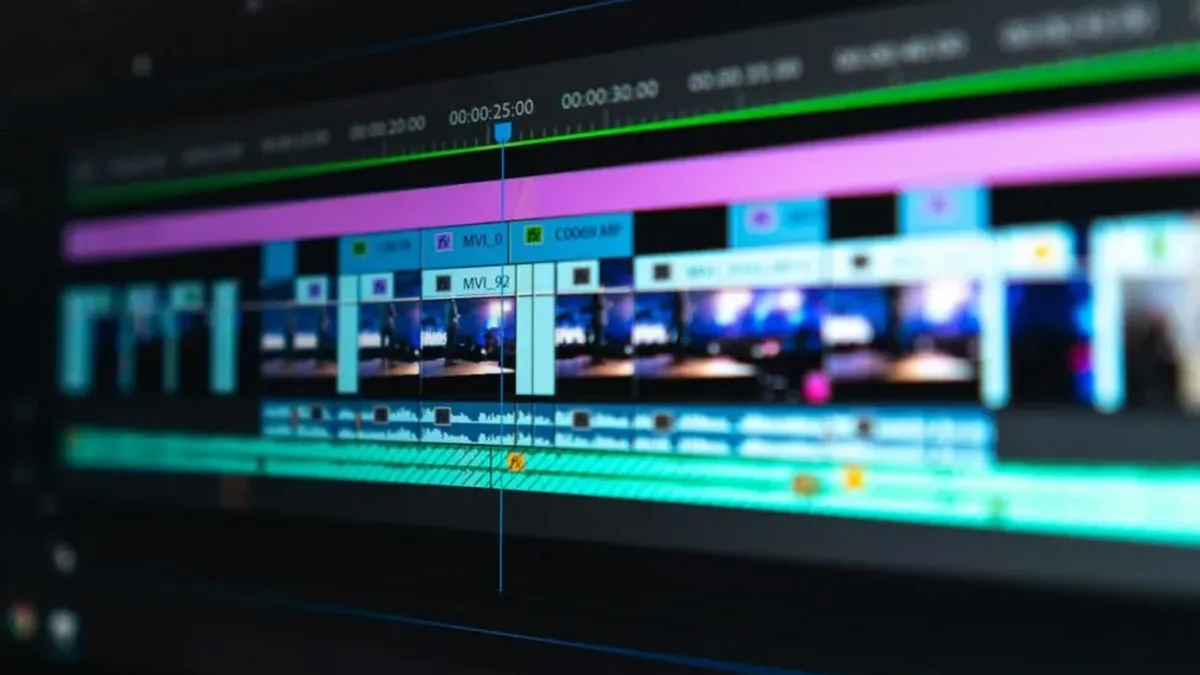
Thursday is assembly and delivery. She cuts the clips together, replaces Veo’s generated ambience where a client has brand audio, and exports a 9:16 cutdown; her vertical workflow follows our notes on the best AI video generator for TikTok, since aspect ratio and hook timing change which model she reaches for.
The monthly spend sits near $95 across three subscriptions — less than a single day of a two-person shoot, and the reason the economics work is the split itself. Drafting cheaply and finishing expensively is the pattern almost every profitable AI video workflow converges on.
Frequently Asked Questions
What is the best AI video generator overall in 2026?
Google Veo 3.1 leads for most users, combining true 4K output with synchronized native audio and the most reliable prompt adherence in the category. Runway Gen-4.5 is stronger if you need granular motion control and post-generation editing, while Kling 3.0 delivers close-to-frontier quality at roughly a quarter of the per-second cost.
How much does AI video generation actually cost?
Published rates run about $0.08 to $0.17 per second on Kling, and on Veo $0.05 a second on Lite, $0.12 on Fast at 1080p and $0.40 on Standard, with subscriptions from $8 to $95 a month. Budget three to five generations per usable clip, which puts a realistic finished minute somewhere between $27 and $50 in raw generation spend.
Which AI video generators produce sound?
Veo 3.1, Kling 3.0 and Seedance generate synchronized dialogue, effects and ambience directly from the prompt in a single pass. Runway and Pika still require you to add audio afterwards. Avatar tools like Synthesia and HeyGen produce speech but not cinematic sound design, so plan post-production accordingly.
How long can a single AI-generated clip be?
Most flagship models generate natively in short bursts — Veo produces eight-second sequences and Kling 3.0 runs five to fifteen seconds. Longer pieces come from scene extension or stitching clips in an editor. Treat anything past twenty seconds as an assembly job rather than a single generation.
Is there a genuinely free AI video generator?
Less than in 2026. Luma no longer documents a free tier, and Pika’s free plan dropped to 0 monthly credits (packs only), so the reliably free options are Hailuo’s signup credits, Kling and Seedance’s daily caps, and Google’s daily Veo quota. Open-weight models such as Alibaba’s Wan cost nothing per clip if you own a capable GPU, trading subscription fees for setup effort.
Can I use AI-generated video commercially?
It depends entirely on the plan. Most free tiers, including Luma’s, explicitly exclude commercial use and apply watermarks, while paid tiers usually grant it. Always read the specific tier’s terms before a client delivery, and avoid prompting for recognisable people or trademarked characters regardless of plan.
How many seconds of video do Runway’s credits actually buy?
Far fewer than the plan names suggest. Gen-4.5 burns 25 credits per second. The $15/month Standard tier includes 625 credits — 25 seconds of flagship output for the entire month. The $95/month Max tier ($76 annually) buys 9,500 credits, or roughly 380 seconds. The old Unlimited tier and the free Explore queue have both been retired. A free-forever plan remains, but it grants 125 credits once rather than refilling, so there is no longer an unmetered way to experiment.
Veo 3.1 vs Runway: which should you choose?
Veo for output, Runway for control. Veo 3.1 wins on raw quality, prompt adherence and synchronised audio in the same pass, at $0.12 a second on Fast at 1080p, $0.40 on Standard, or $0.05 on the new Lite tier. Runway wins when you need motion control, image conditioning and post-generation editing — but it generates no audio, and its credit pricing works out far more expensive per finished second. Choose Runway only if the editing controls are the reason you are there.
Conclusion
The honest state of play in October 2026: Veo 3.1 for quality, Runway Gen-4.5 for control, and cost now split between Kling 3.0 and Veo’s $0.05 Lite tier, Synthesia and HeyGen for scripted avatars, and Luma or Pika to learn on for free. But the ranking matters less than the workflow. The creators getting real value are not the ones who picked the best model; they are the ones who draft on a cheap model and finish on an expensive one, and who keep their prompts portable enough to survive the next shutdown notice. Sora’s exit was the reminder. Test broadly, commit narrowly, and re-check the pricing pages before your next renewal — this category rewrites itself roughly every quarter.
Going deeper on a specific route: free image-to-video tools if you are animating a still, open source models if you want the weights, and local generation if you have the GPU for it.

18 Comments
Pingback: Best AI Caption Generator for Video 2026: 12 Tools Compared
Pingback: Best AI Video Generator for TikTok 2026 - Techiehub
Pingback: Best Open Source AI Video Generator 2026 - Techiehub
Pingback: Best Free AI Image to Video Generator 2026 - Techiehub
Pingback: Best AI Video Generator for YouTube 2026 - Techiehub
Pingback: Best Local AI Video Generator 2026: Run Offline - Techiehub
This post will help the internet viewers for building up new
website or even a blog from start to end.
Thank you for taking the time to share your thoughts! We truly appreciate the support and are glad you found value here. Stay connected—there’s more helpful content coming your way.
Pingback: Best AI Caption Generator for Video in Minutes
Pingback: Best AI Tools for YouTube Automation – Top Picks [Free & Paid]
Pingback: Generative AI Tools for Content Creation Worth Using
Pingback: 10 Best AI Tools for Generating Images in 2026-27
Pingback: Best AI Video Generator for TikTok to Go Viral Easy
Pingback: Best Open Source AI Video Generator You Can Use Free
Pingback: Best Free AI Image to Video Generator Worth Trying
Pingback: Best AI Video Generator for YouTube to Grow Faster
Pingback: Best Local AI Video Generator You Can Run Offline
Pingback: Best Generative AI Tools – Top Picks [Free & Paid]