Create Viral Short-Form Content with 10 AI Tools Optimized for TikTok
Table of Contents
1. Introduction: Why AI Video for TikTok Matters in 2026
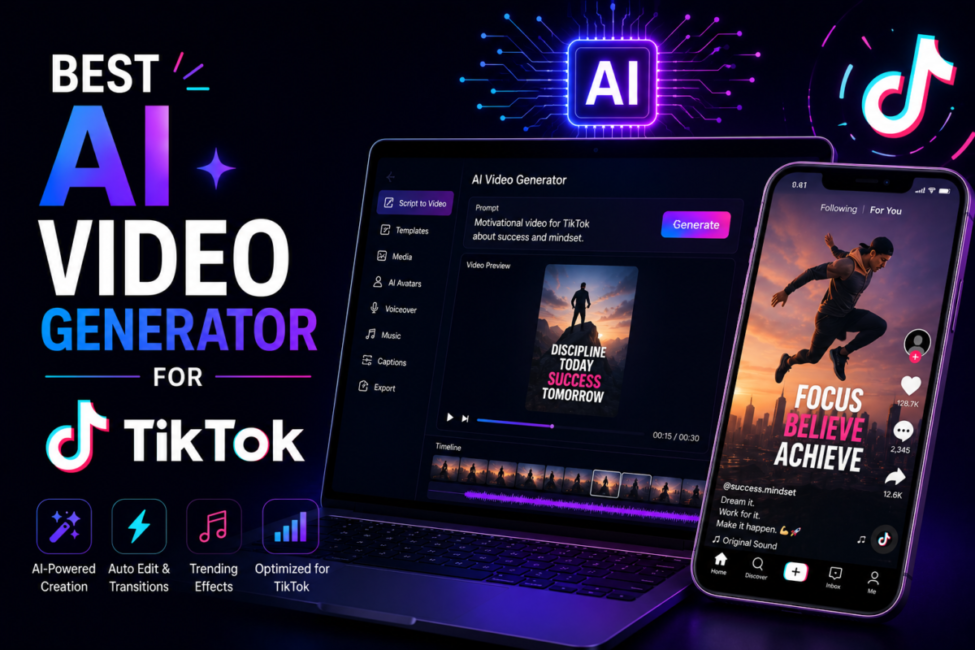
Finding the best AI video generator for TikTok is essential for creators looking to scale content production in 2026. TikTok’s unique 9:16 vertical format, trend-driven culture, and algorithm that rewards consistent posting make AI tools particularly valuable for maintaining competitive output without burning out.
The platform has evolved from a dancing app to a full-fledged discovery engine where users spend more time than any other social network. With the algorithm favoring fresh, engaging content posted multiple times daily, creators who leverage AI video generation gain a significant competitive advantage.
π Key Finding: TikTok maintains the highest engagement rate of any social platform at 2.5% by follower count, despite overall engagement declining across social media. Users spend an average of 58 minutes per day on the platform. β Sprout Social 2024
AI video generators help creators overcome the biggest challenges on TikTok: the time required to produce multiple videos daily, the need for trending effects and sounds, and maintaining quality while scaling output. The right tool can transform hours of editing into minutes of generation.
For broader video generation options beyond TikTok, see our comprehensive Best AI Video Generator 2026 guide covering all platforms and use cases.
1.1 Why TikTok Demands AI Tools
- Volume Requirements: Top creators post 3-5 times daily; AI enables this output sustainably
- Trend Speed: Trends last 3-7 days maximum; AI accelerates production to catch viral moments
- Format Specificity: Native 9:16 vertical format requires specialized generation
- Sound-Off Viewing: 80%+ watch without sound, requiring auto-captions and visual storytelling
- Algorithm Rewards: Consistent posting signals active creator status to the algorithm
- Competition Intensity: 23 million videos uploaded daily demands differentiation
2. TikTok Market Statistics 2024-2025
Understanding TikTok’s scale and user behavior helps creators appreciate why AI video generation has become essential. These statisticsβsourced from industry researchβdemonstrate the platform’s dominance and the opportunity for AI-powered creators.
2.1 Platform Size & Growth
π 1.04 billion monthly active users worldwide as of May 2024 β eMarketer via Backlinko
π 1.59 billion users reachable via TikTok ads (19.4% of global population) β WARC 2025
π 875 million app downloads in 2024 alone β Sprout Social
π $23 billion TikTok revenue in 2024 (42.8% YoY increase) β The Frank Agency
π $34.8 billion projected ad revenue by 2026 β Sprout Social
π 5th most-used social network globally as of February 2025 β Statista via Backlinko
2.2 User Engagement Statistics
π 2.5% average engagement rate by follower count (highest of all platforms) β Sprout Social 2024
π 58 minutes average daily usage in the US (95 minutes globally) β Backlinko/eMarketer
π 54% of users engage with brand content at least once daily β Sprout Social Content Strategy Report
π 17.96% engagement rate for micro-influencers (<15K followers) β ElectroIQ
π 16,000 new videos uploaded per minute (23 million daily) β Statista 2025 via DesignRush
2.3 Commerce & Marketing Impact
π 45.5% of US users expected to make purchase on TikTok in 2025 (highest of all platforms) β Hootsuite
π 39% of purchases influenced by TikTok content β ElectroIQ
π 33% of users purchased product after seeing it on TikTok β Metricool
π TikTok Shop added 11.9 million US buyers in 2024 β DesignRush
π 50% of TikTok shoppers buy monthly (highest frequency of all platforms) β DesignRush
π 193% boost in view-through-rate when partnering with TikTok creators β Metricool
2.4 Demographics & Behavior
π 55% of users are under 30 (25% aged 18-24, 30% aged 25-34) β Fashion Dive via DesignRush
π 64% of Gen Z use TikTok as a search engine (replacing Google for many queries) β Statista 2024
π 67% of users prefer brand content with trending music β The Frank Agency
π 90% of consumers use social media to keep up with trends and cultural moments β Sprout Social Index 2025
π‘ Pro Tip: With 23 million videos uploaded daily and users spending 58+ minutes on the platform, AI video generation isn’t a shortcutβit’s a necessity for creators who want to compete at scale.
3. Essential TikTok-Optimized Features
When evaluating the best AI video generator for TikTok, certain features are non-negotiable for success on the platform. Understanding these requirements helps you choose tools that genuinely optimize for TikTok rather than just supporting the format.
3.1 Format & Technical Requirements
- 9:16 Vertical Native: True vertical generation, not cropped horizontal (1080×1920 pixels)
- 15-60 Second Optimization: AI that understands short-form pacing and hook placement
- High Frame Rate: 30fps minimum, 60fps preferred for smooth scrolling appearance
- Quick Render Times: Under 5 minutes for trend-responsive content creation
- Mobile Preview: Accurate representation of how content appears on mobile devices
3.2 Content Features
- Auto-Captions: Essential since 80%+ watch without sound; animated styles preferred
- Trending Sound Library: Access to viral audio or ability to add custom sounds
- Hook Optimization: AI that front-loads engaging content in first 1-3 seconds
- B-Roll Integration: Stock footage and transitions that match TikTok aesthetics
- Face Tracking: Keeps subjects centered during movement and transitions
- Effect Library: Filters, transitions, and effects matching current platform trends
3.3 Workflow Features
- Text-to-Video: Generate complete videos from script or prompt
- Image-to-Video: Animate static images for product showcases and storytelling
- Video-to-Clips: Extract viral moments from long-form content automatically
- Batch Generation: Create multiple variations for A/B testing
- Direct Publishing: Post to TikTok without downloading and re-uploading
- Mobile App: Create and edit on-the-go for immediate trend response
π― Algorithm Insight: TikTok’s algorithm favors videos watched to completion. AI tools that optimize for retention through pacing, hooks, and visual variety directly improve distribution.
4. 10 Best AI Video Generators for TikTok 2026
We tested the leading AI video generators specifically for TikTok content creation, evaluating vertical format support, generation speed, trend compatibility, and overall quality. Here are comprehensive reviews of the 10 best tools.
4.1 CapCut β Best Overall for TikTok
π EDITOR’S CHOICE β #1 AI Video Generator for TikTok
CapCut is the definitive best AI video generator for TikTok, developed by ByteDance (TikTok’s parent company). This deep integration means CapCut understands TikTok’s requirements better than any competitorβfrom trending sounds to optimal formats to direct publishing workflows.
The platform is completely free with no watermarks, making it accessible to creators at any level. CapCut’s AI features include auto-captions in 99+ languages, AI-powered editing suggestions, background removal, and text-to-video generation. The mobile app mirrors desktop functionality, enabling creation anywhere.
What truly sets CapCut apart is its trend integration. The app surfaces trending sounds, effects, and templates directly from TikTok’s ecosystem, helping creators stay current without manual research. One-tap export to TikTok eliminates friction in the posting workflow.
Key Features
- 100% free with no watermarks on any exports
- Direct TikTok integration with one-tap publishing
- Trending sound library synced with TikTok’s viral audio
- 99+ language auto-captions with animated styles
- AI video generation from text prompts
- AI background removal and replacement
- Green screen and chroma key support
- Speed ramping and velocity editing
- Full-featured mobile app with desktop parity
- Cloud sync across all devices
Pricing
- Free: Full features, no watermark, unlimited exports
- Pro: $9.99/month (additional effects, 100GB cloud storage, priority export)
π CapCut
β Pros
β’ Completely free with full features
β’ No watermarks ever
β’ Deep TikTok integration
β’ Trending sound library
β’ Excellent mobile app
β’ 99+ language captions
β’ ByteDance ecosystem advantages
β Cons
β’ Limited AI generation compared to dedicated AI tools
β’ Some advanced effects require Pro
β’ ByteDance ownership concerns for some users
β’ Cloud features need account
4.2 Pika β Best for Viral Creative Effects
π₯ RUNNER-UP β Viral Pikaffects for Instant Engagement
Pika has become a TikTok sensation with its viral ‘Pikaffects’βcreative transformations that melt, explode, crush, inflate, and transform subjects in eye-catching ways. These effects have driven millions of views across the platform as creators showcase impossible transformations.
The image-to-video and video-to-video capabilities make Pika particularly powerful for product reveals, before-after content, and attention-grabbing hooks. The AI understands physical properties, creating realistic-looking transformations that stop scrollers in their tracks.
Pika’s lip-sync feature enables creators to add realistic mouth movements to static images, opening creative possibilities for character-driven content and meme formats that perform exceptionally well on TikTok.
Key Features
- Pikaffects: Melt, explode, crush, inflate, cake, deflate transformations
- Image-to-video with motion and camera control
- Video-to-video transformation and style transfer
- Lip-sync capability for static images
- 9:16 vertical output native support
- Text-to-video generation
- Camera movement controls (pan, zoom, rotate)
- 4-second clips extendable to longer durations
Pricing
- Free: 250 credits, watermarked exports
- Basic: $8/month (700 credits, no watermark)
- Standard: $28/month (2,100 credits)
- Pro: $58/month (unlimited credits)
π Pika
β Pros
β’ Viral Pikaffects unique to platform
β’ Excellent image-to-video quality
β’ Lip-sync for static images
β’ Creative transformations
β’ Active development with new effects
β’ Browser-based (no download)
β Cons
β’ Limited free tier
β’ 4-second base clips require extension
β’ No mobile app
β’ Credit system can be limiting
β’ No direct TikTok posting
4.3 InVideo AI β Best for Faceless Content
π BEST FACELESS β Text-to-Video Automation
InVideo AI excels at creating faceless TikTok contentβthe increasingly popular format where creators build channels without appearing on camera. Simply provide a topic or script, and InVideo AI generates complete videos with stock footage, voiceovers, captions, and music.
The AI understands context and narrative, selecting relevant B-roll footage that matches your script’s tone and subject matter. This makes it ideal for educational content, listicles, motivational videos, and niche topic channels that have found massive success on TikTok.
InVideo AI’s workflow is remarkably simple: type what you want, select a style, and receive a complete video in minutes. The AI handles scriptwriting, footage selection, voiceover generation, caption timing, and musicβrequiring minimal editing for most use cases.
Key Features
- Complete text-to-video from topic or script
- AI scriptwriting from single topic prompt
- 8 million+ stock footage library
- AI voiceover in multiple voices and languages
- Automatic caption generation and styling
- Royalty-free music library
- 9:16 TikTok-optimized templates
- Brand kit for consistent styling
- Mobile app for on-the-go creation
Pricing
- Free: 2 exports/week with watermark
- Plus: $25/month (60 exports, no watermark)
- Max: $60/month (unlimited exports, premium stock)
π InVideo AI
β Pros
β’ Best for faceless content creation
β’ Complete automation from topic
β’ Massive stock library
β’ AI scriptwriting included
β’ Multiple voiceover options
β’ Mobile app available
β Cons
β’ Stock footage can feel generic
β’ Limited creative control vs manual editing
β’ Watermark on free tier
β’ AI voice quality varies
4.4 Opus Clip β Best for Repurposing Long-Form
βοΈ BEST REPURPOSING β AI Viral Moment Detection
Opus Clip transforms long-form content into TikTok-ready clips using AI that identifies the most engaging moments. Upload a YouTube video, podcast, or webinar, and Opus Clip’s AI analyzes for hooks, emotional peaks, and shareable segmentsβthen automatically creates multiple short clips.
The viral score prediction feature helps creators prioritize which clips to post first based on AI analysis of what performs well on short-form platforms. This data-driven approach removes guesswork from repurposing strategy.
For creators with existing long-form content libraries, Opus Clip is transformative. Hours of editing become minutes of AI processing, enabling consistent TikTok presence from content that already exists.
Key Features
- AI viral moment detection and extraction
- Virality score prediction for each clip
- Auto face tracking and reframing for vertical
- Auto-captions with multiple styles
- B-roll generation from keywords
- Batch processing multiple videos
- Brand templates for consistency
- Direct posting to TikTok
- 1080×1920 native vertical output
Pricing
- Free: 60 minutes/month processing
- Starter: $19/month (200 minutes)
- Pro: $49/month (600 minutes)
- Business: $149/month (1,800 minutes)
π Opus Clip
β Pros
β’ Best viral moment detection
β’ Virality score prediction
β’ Excellent face tracking
β’ Batch processing
β’ Time-saving for repurposing
β’ Direct TikTok posting
β Cons
β’ Requires existing long-form content
β’ Free tier limited to 60 min/month
β’ Quality depends on source video
β’ No original generation capability
4.5 Kling AI β Best for Image Animation
πΌοΈ BEST IMAGE-TO-VIDEO β Cinematic Animation Quality
Kling AI from Kuaishou (TikTok’s major competitor in China) produces some of the highest quality image-to-video results available. The AI excels at adding realistic motion, physics, and camera movements to static imagesβcreating cinematic results perfect for TikTok’s visual-first environment.
The 5-second generation at high quality makes Kling ideal for product showcases, artistic content, and attention-grabbing hooks. The AI understands depth and movement, creating parallax effects and camera sweeps that feel professionally produced.
Kling’s lip-sync feature enables realistic mouth movements on static images, enabling character-driven content and creative formats. Combined with image-to-video, creators can bring any concept to life.
Key Features
- High-quality image-to-video animation
- 5-10 second video generation
- Realistic motion and physics
- Camera movement controls
- Lip-sync for static images
- Text-to-video generation
- 9:16 vertical native support
- Professional output quality
- Mobile app available
Pricing
- Free: Daily credits (66 points)
- Standard: $5.99/month (660 points)
- Pro: $28.99/month (3,000 points)
- Premier: $75.99/month (8,000 points)
π Kling AI
β Pros
β’ Highest quality image-to-video
β’ Realistic motion and physics
β’ Excellent lip-sync
β’ Daily free credits
β’ Mobile app
β’ Cinematic output quality
β Cons
β’ Credit system limiting
β’ Generation queue during peak
β’ Based in China (data concerns)
β’ Limited text-to-video vs image-to-video
4.6 Submagic β Best for Viral Captions
π¬ BEST CAPTIONS β Animated Subtitles for Virality
Submagic has become essential for TikTok creators who understand that captions aren’t just accessibilityβthey’re engagement drivers. The platform’s animated caption styles have been featured in countless viral videos, with word-by-word highlighting, emoji integration, and trendy fonts that match TikTok’s aesthetic.
With 80%+ of TikTok users watching without sound, Submagic’s captions ensure your message lands regardless of audio. The AI transcription achieves 97%+ accuracy, and editing any mistakes takes seconds in the intuitive interface.
Beyond captions, Submagic offers B-roll suggestions, magic clips for repurposing, and AI-generated descriptionsβmaking it a comprehensive short-form video optimization platform.
Key Features
- 50+ animated caption templates
- Word-by-word highlighting effects
- Auto keyword highlighting with colors
- Emoji integration matching content tone
- 97%+ transcription accuracy
- 48+ language support
- B-roll suggestions from stock library
- Magic clips for content repurposing
- AI video descriptions
- One-click export for TikTok
Pricing
- Starter: $27/month (10 videos)
- Pro: $45/month (30 videos, B-roll)
- Business: $90/month (100 videos, API)
π Submagic
β Pros
β’ Best animated caption styles
β’ Viral-optimized templates
β’ 97%+ accuracy
β’ Emoji integration
β’ B-roll suggestions
β’ Fast processing
β Cons
β’ No free tier
β’ Limited video count on plans
β’ Caption-focused (not full generation)
β’ Premium pricing
4.7 Vizard.ai β Best for Podcast & Interview Clips
ποΈ BEST FOR PODCASTS β Talking Head Optimization
Vizard.ai specializes in transforming podcast and interview content into TikTok-ready clips. The AI identifies compelling moments, adds dynamic captions, and optimizes framing for the speakersβsolving the unique challenges of converting horizontal talking-head content to vertical format.
The speaker detection and automatic reframing ensures faces stay centered even in multi-person conversations. Dynamic captions respond to speech patterns, creating visual rhythm that maintains viewer attention.
For podcasters and interviewers looking to expand to TikTok, Vizard.ai streamlines a process that would otherwise require hours of manual editing.
Key Features
- AI moment detection for podcasts/interviews
- Automatic speaker reframing
- Multi-speaker tracking
- Dynamic animated captions
- Audiogram generation
- Batch clip creation
- Social media scheduling
- Custom branding
Pricing
- Free: 2 hours recording/month
- Basic: $16/month (10 hours)
- Pro: $30/month (30 hours)
- Business: $75/month (100 hours)
π Vizard.ai
β Pros
β’ Best for podcast repurposing
β’ Excellent speaker tracking
β’ Dynamic caption styles
β’ Multi-speaker support
β’ Scheduling included
β Cons
β’ Specialized for talking-head content
β’ Limited creative effects
β’ No original generation
β’ Requires existing content
4.8 HeyGen β Best for AI Avatar Content
π€ BEST AVATARS β Consistent Presence Without Camera
HeyGen enables creators to build consistent TikTok presence using AI avatarsβrealistic digital humans that speak your scripts. For creators who prefer not to appear on camera, or brands wanting scalable spokesperson content, HeyGen offers production-quality results.
The avatar quality has reached uncanny levels of realism, with natural lip movements, expressions, and gestures. The platform supports 40+ languages with voice cloning, enabling creators to produce multi-language content from a single script.
HeyGen’s templates include TikTok-optimized 9:16 formats with backgrounds, animations, and styling that fit platform aesthetics.
Key Features
- 100+ realistic AI avatars
- Custom avatar creation from photos
- Voice cloning from 2 minutes of audio
- 40+ languages supported
- Lip-sync precision
- 9:16 TikTok templates
- Custom backgrounds and settings
- Batch video generation
- API for automation
Pricing
- Free: 1 credit (1 minute video)
- Creator: $24/month (15 credits)
- Business: $72/month (30 credits)
- Enterprise: Custom pricing
π HeyGen
β Pros
β’ Most realistic AI avatars
β’ Voice cloning capability
β’ 40+ languages
β’ Custom avatar creation
β’ Professional quality
β Cons
β’ Credits expensive for volume
β’ Uncanny valley for some viewers
β’ Limited free tier
β’ Avatars may feel impersonal
4.9 Runway β Best for Premium Creative Effects
π¨ BEST QUALITY β Gen-4 Cinematic AI
Runway’s Gen-4 produces the highest quality AI video available, with cinematic results that stand out in TikTok’s feed. For creators prioritizing visual quality over volume, Runway delivers Hollywood-level effects, motion, and generation that elevate content above typical AI outputs.
The text-to-video and image-to-video capabilities create stunning visuals with accurate motion, consistent characters, and cinematic camera movements. Gen-4’s understanding of physics and lighting produces results that feel genuinely premium.
Runway’s creative tools extend beyond generation to include inpainting, green screen, motion tracking, and moreβenabling sophisticated edits that would otherwise require professional software.
Key Features
- Gen-4 highest quality generation
- 10-second video generation
- Cinematic camera movements
- Character and style consistency
- Text-to-video and image-to-video
- Inpainting and outpainting
- Green screen and chroma key
- Motion brush for selective animation
- Professional color grading
Pricing
- Free: 125 credits (limited generation)
- Standard: $15/month (625 credits)
- Pro: $35/month (2,250 credits)
- Unlimited: $95/month (unlimited relaxed)
π Runway
β Pros
β’ Highest quality AI video
β’ Cinematic results
β’ Consistent characters
β’ Professional tool suite
β’ Active development
β Cons
β’ Expensive for high volume
β’ Longer generation times
β’ Learning curve for advanced features
β’ Credit-based pricing
4.10 Luma Dream Machine β Best for Cinematic Storytelling
π¬ BEST CINEMATIC β Photorealistic AI Video
Luma Dream Machine creates photorealistic AI video that stands out in TikTok’s increasingly crowded feed. The generation quality rivals Runway’s Gen-4, with exceptional understanding of lighting, physics, and cinematic composition.
For creators focused on aesthetic contentβfashion, lifestyle, art, photography nichesβLuma’s output quality creates immediate visual differentiation. The AI excels at creating atmospheric, mood-driven content that performs well in these categories.
Dream Machine’s image-to-video animation adds sophisticated motion to stills, enabling product reveals, artistic transformations, and cinematic hooks that capture attention.
Key Features
- Photorealistic video generation
- Cinematic lighting and composition
- Image-to-video animation
- Text-to-video generation
- 5-second high-quality clips
- Camera movement controls
- Style consistency
- Web-based interface
Pricing
- Free: 30 generations/month
- Standard: $23.99/month (120 generations)
- Pro: $95.99/month (400 generations)
- Premier: $499.99/month (2,000 generations)
π Luma AI
β Pros
β’ Photorealistic quality
β’ Excellent lighting
β’ Good free tier (30/month)
β’ Cinematic output
β’ Consistent style
β Cons
β’ 5-second clip limit
β’ No mobile app
β’ Generation queue times
β’ Less control than Runway
For AI-powered captions to complement your video generation, see our Best AI Caption Generator 2026 guide.
5. Comprehensive Comparison Tables
5.1 Full Tool Comparison
| Tool | 9:16 Vertical | Auto-Captions | Free Tier | Platform | Pricing |
|---|---|---|---|---|---|
| CapCut | β Native | β 99+ lang | Unlimited | Mobile+Desktop | Free-$10 |
| Pika | β Native | β | 250 credits | Web only | $8-58/mo |
| InVideo AI | β Native | β | 2/week | Mobile+Desktop | $25-60/mo |
| Opus Clip | β Auto | β Multi-style | 60 min/mo | Web only | $19-149/mo |
| Kling AI | β Native | β | Daily credits | Mobile+Web | $6-76/mo |
| Submagic | β Native | β Animated | β | Web only | $27-90/mo |
| Vizard.ai | β Auto | β Dynamic | 2 hours/mo | Web only | $16-75/mo |
| HeyGen | β Templates | β 40+ lang | 1 credit | Web only | $24-72/mo |
| Runway | β Native | β | 125 credits | Web+Mobile | $15-95/mo |
| Luma | β Native | β | 30/month | Web only | $24-500/mo |
5.2 Use Case Comparison
| Tool | Trending | Effects | Avatars | Faceless | Repurpose |
|---|---|---|---|---|---|
| CapCut | β β | β | β | β | β β |
| Pika | β | β β | β | β | β |
| InVideo AI | β β | β | β | β β | β |
| Opus Clip | β | β | β | β | β β |
| Kling AI | β | β β | β | β | β |
| Submagic | β | β | β | β | β β |
| Vizard.ai | β | β | β | β | β β |
| HeyGen | β | β | β β | β β | β |
| Runway | β | β β | β | β | β |
| Luma | β | β β | β | β | β |
6. Content Strategy by Tool Type
6.1 Trending Content (CapCut)
- Best For: Trend-responsive content, challenges, sound-based videos
- Workflow: Monitor trending sounds β create video within hours β post during peak
- Volume: 3-5 posts daily achievable with templates
- Success Factor: Speed to trend, not production quality
6.2 Viral Effects (Pika, Runway, Luma)
- Best For: Eye-catching hooks, product reveals, artistic content
- Workflow: Create stunning visual β add trending sound in CapCut β post
- Volume: 1-2 high-quality posts daily
- Success Factor: Scroll-stopping visuals, shareability
6.3 Faceless Content (InVideo AI, HeyGen)
- Best For: Educational, motivational, niche topic channels
- Workflow: Research topic β generate script β create video β post
- Volume: 1-3 posts daily
- Success Factor: Value delivery, niche authority
6.4 Repurposed Content (Opus Clip, Vizard.ai, Submagic)
- Best For: Creators with existing long-form content
- Workflow: Upload podcast/video β AI extract clips β review β post
- Volume: 5-10 clips from each long-form piece
- Success Factor: Original content quality, clip selection
π‘ Pro Tip: Successful TikTok creators often combine tools: Runway for hooks, CapCut for editing, Submagic for captions. Don’t limit yourself to one tool.
7. How to Choose the Right Tool
7.1 By Content Type
Trend-Based Content
- Best: CapCut (free, integrated, fast)
- Why: Trending sounds, quick creation, direct posting
Viral Effects & Creative
- Best: Pika (Pikaffects) or Runway (quality)
- Why: Scroll-stopping visuals, shareable transformations
Faceless/Educational
- Best: InVideo AI or HeyGen (avatars)
- Why: Complete automation, no camera needed
Podcast/Interview Clips
- Best: Opus Clip or Vizard.ai
- Why: AI moment detection, speaker tracking
Premium Aesthetic
- Best: Runway or Luma Dream Machine
- Why: Cinematic quality, visual differentiation
7.2 By Budget
Free/Minimal Budget
- CapCut: Free unlimited (best overall free option)
- Luma: 30 free generations/month
- Kling: Daily free credits
$20-50/month
- InVideo AI Plus: $25/month for faceless content
- Opus Clip Starter: $19/month for repurposing
- Submagic Starter: $27/month for captions
$50-100/month
- Runway Pro: $35/month for premium quality
- Pika Pro: $58/month for unlimited effects
- HeyGen Business: $72/month for avatars
8. TikTok Algorithm Optimization Tips
8.1 Hook Optimization
- First 1-3 seconds determine whether viewers continue watching
- Use AI effects (Pika, Runway) for instant visual hooks
- Text hooks: Start with provocative statement or question
- Motion: Begin with movement to capture scrolling attention
8.2 Retention Strategies
- Use pattern interrupts every 3-5 seconds (cuts, effects, text)
- Animated captions (Submagic) maintain visual engagement
- Vary pacingβslow moments followed by quick cuts
- End with loop potential for repeat views
8.3 Posting Optimization
- Post 3-5x daily for algorithm favor (AI enables this volume)
- Best times: 7-9 AM, 12-3 PM, 7-11 PM (test your audience)
- Consistency signals active creator to algorithm
- Batch create content, schedule strategically
π― Algorithm Insight: TikTok’s algorithm heavily weights completion rate. A 15-second video watched fully outperforms a 60-second video watched halfway. Use AI to create tight, engaging content.
9. FAQs: AI Video Generators for TikTok
What is the best AI video generator for TikTok?
CapCut is the best overall due to its TikTok integration, trending sound library, and completely free pricing. For viral effects, Pika excels. For faceless content, InVideo AI leads. The best choice depends on your content strategy and budget.
Is CapCut really free?
Yes, CapCut is genuinely free with no watermarks on exports. The Pro plan ($9.99/month) adds cloud storage and additional effects, but the free tier includes all core features needed for TikTok content creation.
Will TikTok penalize AI-generated content?
No, TikTok does not penalize AI-generated content in its algorithm. The platform can identify AI content for transparency purposes but treats it equally with human-created content. Quality and engagement determine performance, not creation method.
What aspect ratio should I use for TikTok?
Always use 9:16 vertical format (1080×1920 pixels). Horizontal or square content gets cropped or letterboxed, significantly reducing engagement. All recommended tools support native 9:16 output.
How many TikToks should I post per day?
Top creators post 3-5 times daily. AI tools make this volume sustainable. Start with 1-2 daily and scale as you develop workflows. Consistency matters more than volume initially.
Can I monetize AI-generated TikTok content?
Yes, AI-generated content is eligible for TikTok’s Creator Fund, Creator Rewards Program, and sponsored content. Commercial use rights vary by toolβverify licensing for your specific use case.
What’s the ideal TikTok video length?
15-60 seconds performs best for most content. The algorithm favors completion rate, so a fully-watched 15-second video outperforms a half-watched 60-second video. Match length to contentβdon’t pad for duration.
Do I need captions on TikTok?
Yes, absolutely. 80%+ of TikTok users watch without sound. Captions are essential for accessibility and engagement. Use Submagic or CapCut’s auto-captions for animated styles that drive engagement.
How do I make AI videos look less ‘AI’?
Combine AI elements with authentic content. Use AI for hooks and effects, but include genuine reactions, voiceover, or commentary. Mix AI-generated B-roll with real footage. The hybrid approach performs best.
Which AI tool has the best free tier?
CapCut offers the best free tier with unlimited exports and no watermarks. Luma Dream Machine provides 30 free generations monthly. Kling AI offers daily credits. For repurposing, Opus Clip provides 60 free minutes per month.
10. Conclusion & Recommendations
The best AI video generator for TikTok depends on your content strategy, but CapCut stands as the clear winner for most creators due to its deep platform integration, free pricing, and comprehensive feature set. The ByteDance ecosystem advantage gives CapCut capabilities no competitor can match.
Top Recommendations by Use Case
π Best Overall: CapCut β Free, integrated, trending sounds, 99+ language captions
π¨ Best Effects: Pika β Viral Pikaffects, creative transformations
π Best Faceless: InVideo AI β Complete text-to-video automation
βοΈ Best Repurposing: Opus Clip β AI viral moment detection
πΌοΈ Best Image-to-Video: Kling AI β Cinematic animation quality
π¬ Best Captions: Submagic β Animated subtitle styles
π¬ Best Quality: Runway Gen-4 β Cinematic AI video
Quick Decision Guide
- Need free + integrated? β CapCut
- Want viral effects? β Pika
- Creating faceless content? β InVideo AI
- Have long-form to repurpose? β Opus Clip
- Prioritizing quality over volume? β Runway
- Need AI spokesperson? β HeyGen
Recommended Combinations
- Trending Creator: CapCut (primary) + Submagic (captions)
- Effects Creator: Pika (hooks) + CapCut (editing)
- Faceless Creator: InVideo AI (videos) + Submagic (captions)
- Repurposer: Opus Clip (extraction) + CapCut (polish)
- Premium Creator: Runway (generation) + CapCut (editing) + Submagic (captions)
For comprehensive AI video generation beyond TikTok, see our Best AI Video Generator 2026 guide covering all platforms and use cases.