Close Menu

    Subscribe to Updates

    Get the latest creative news from FooBar about art, design and business.

    What's Hot

    Best AI APIs: Complete Developer Guide 2026

    April 29, 2026

    What Are AI Hallucinations? Complete Guide 2026

    April 27, 2026

    What is Prompt Engineering? Complete Guide 2026

    April 27, 2026
    Facebook X (Twitter) Instagram
    Facebook X (Twitter) Instagram
    TechiehubTechiehub
    • Home
    • Featured
    • Latest Posts
    • Latest in Tech
    TechiehubTechiehub
    Home - Featured - Best AI APIs: Complete Developer Guide 2026
    Featured

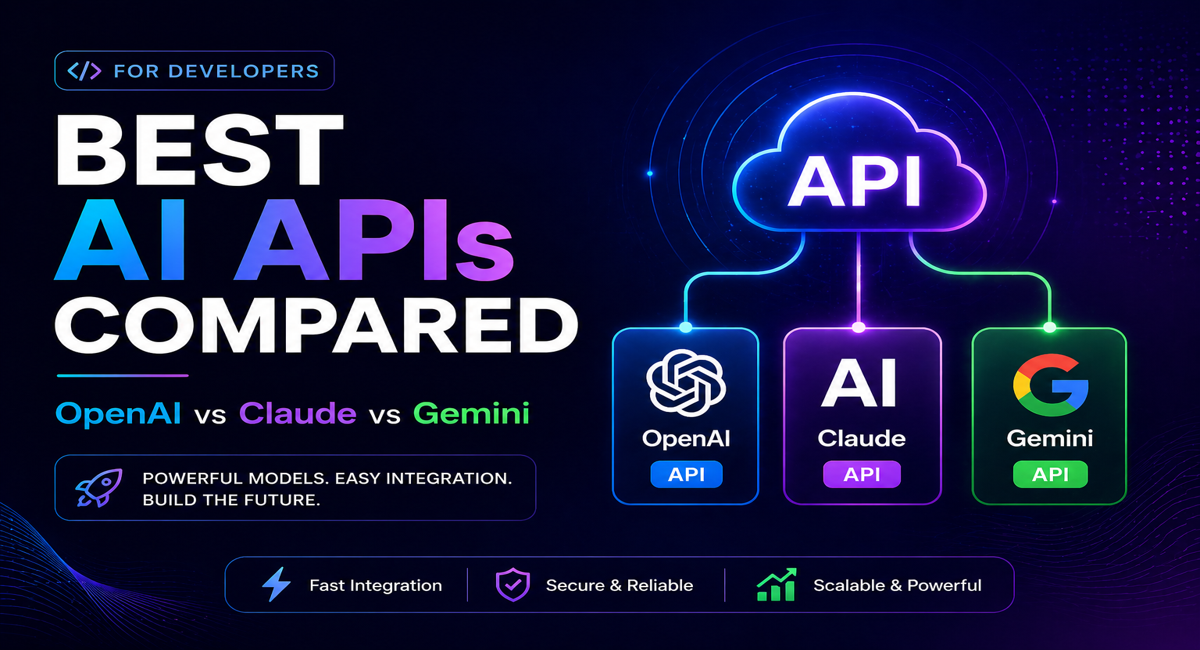
    Best AI APIs: Complete Developer Guide 2026

    TechieHubBy TechieHubUpdated:April 29, 2026No Comments27 Mins Read
    Facebook Twitter Pinterest LinkedIn Tumblr Email
    Share
    Facebook Twitter LinkedIn Pinterest Email

    The definitive 2026 guide to the best AI APIs for developers — covering the top language, multimodal, and specialized AI APIs with honest pricing comparisons, integration examples, and the exact API to choose for every use case.

    AI APIs by the Numbers 2026

    500+AI APIs Available$0.15Per 1M Tokens (Min Cost)1MMax Context Window Tokens30KFree Tokens/Min (Groq)75%Apps Built with Low-Code AI

    Table of Contents

    1. What is an AI API and Why Do Developers Use Them?
    2. How AI APIs Work — The Request-Response Cycle
    3. How to Evaluate an AI API — 6 Key Criteria
    4. Top 9 Best AI APIs for Developers Reviewed
      1. Anthropic Claude API — Best for Reasoning and Long-Context Tasks
      2. OpenAI API — Best for General-Purpose Applications
      3. Google Gemini API — Best for Long Context and Multimodal Tasks
      4. Groq API — Best for Ultra-Fast Inference
      5. Cohere API — Best for Enterprise RAG and Search
      6. Mistral AI API — Best for Efficient Multilingual Applications
      7. Together AI — Best Multi-Model Gateway
      8. AWS Bedrock — Best for AWS-Native Applications
      9. Azure OpenAI — Best for Enterprise OpenAI Deployment
    5. AI API Pricing Comparison 2026
    6. Free AI API Tiers — What You Actually Get
    7. AI APIs by Use Case
    8. How to Choose the Right AI API for Your Project
    9. Frequently Asked Questions
      1. What is the best AI API for developers in 2026?
      2. Which AI API has the best free tier?
      3. How much does the Claude API cost?
      4. What is the difference between the OpenAI API and Azure OpenAI?
      5. Can I use multiple AI APIs in the same application?
      6. What is context window and why does it matter?
      7. How do I get started with an AI API?
    10. Conclusion
      1. Key Takeaways
    11. Quick Recommendations
      1. Free — Best Starting Points:
      2. Paid — Best First Investments:
      3. Production Scale:
    12. AI API Action Plan — Start Today

    1. What is an AI API and Why Do Developers Use Them?

    An AI API (Artificial Intelligence Application Programming Interface) is a standardized interface that gives developers programmatic access to AI capabilities — language understanding, text generation, image analysis, code completion, speech synthesis, and multimodal reasoning — without building or training a model from scratch. Instead of investing months and millions of dollars in model development and GPU infrastructure, a developer makes an HTTPS POST request and receives an AI-generated response in milliseconds.

    In 2026, AI APIs are the foundational layer of modern software development. The 75% of new applications built using low-code or AI-assisted tools all depend on one or more AI APIs for their core functionality. ChatGPT, Claude, and Gemini all run on the same underlying API infrastructure that any developer can access directly — meaning any team can build applications with equivalent intelligence to the products used by hundreds of millions of people daily. The question is no longer whether to integrate AI APIs, but which ones to choose and how to architect the integration for performance, cost, and reliability.

    Pro Tip   AI APIs are the fastest path from idea to production AI capability. A developer who understands how to make a well-structured API call can add AI-powered summarization, content generation, image analysis, or conversational intelligence to any application within hours — capabilities that would have required a dedicated ML team and months of development just three years ago.

    2. How AI APIs Work — The Request-Response Cycle

    Every AI API interaction follows the same fundamental request-response pattern, regardless of which provider or model you are using. Understanding this cycle helps you optimize your integration for speed, cost, and reliability from day one.

    StageWhat HappensDeveloper Control Points
    01  Your ApplicationUser input or automated trigger initiates an API callDefine when and how your app calls the API
    02  API RequestHTTPS POST request sent with JSON payload containing model, messages, and parametersSet temperature, max tokens, system prompt, and message history
    03  AI ProviderProvider authenticates your API key, routes to the model, and processes your promptChoose model size and capability tier based on task requirements
    04  Model ProcessingThe LLM generates a response token by token based on your prompt and parametersControl output format with structured outputs and function calling
    05  API ResponseJSON response returned containing generated text, token usage, and metadataParse response, handle errors, and log usage for cost monitoring
    06  Your ApplicationGenerated content rendered to the user or used to trigger downstream actionsCache responses, implement retry logic, and monitor latency

    The most important technical decision in any AI API integration is model selection within the API — choosing between the provider’s fast and cheap model versus their slow and powerful model for each specific task. GPT-4o Mini costs 16.7 times less than GPT-4o while maintaining identical features and acceptable quality for most standard tasks. Building a routing layer that sends simple tasks to cheaper models and complex tasks to premium models can reduce API costs by 60 to 80% at scale without sacrificing output quality where it matters.

    Pro Tip   Always implement streaming responses for any user-facing AI application. Streaming sends each generated token to the client as it is produced rather than waiting for the complete response — making the AI feel 3 to 5 times faster from the user’s perspective even though total generation time is identical. Every major AI API supports streaming via server-sent events, and the implementation adds fewer than 10 lines of code.

    3. How to Evaluate an AI API — 6 Key Criteria

    With over 500 AI APIs available in 2026, the challenge is not finding an AI API — it is choosing the right one for your specific use case, team, and budget. These six criteria consistently determine which API delivers the best combination of performance, cost, and developer experience for any given application.

    Evaluation CriterionWhat to MeasureKey Question
    Model QualityOutput accuracy, reasoning depth, instruction following on your specific taskDoes this model produce outputs that meet your quality bar for this task type?
    Pricing StructureInput tokens, output tokens, context caching, and batch discount ratesWhat is the realistic cost per 1,000 API calls at your expected usage volume?
    Context WindowMaximum input plus output tokens per requestDoes the context window support your longest document or conversation length?
    Latency and ThroughputTime to first token, tokens per second, and rate limits at your tierCan this API handle your peak request volume without throttling or timeout errors?
    SDK and DocumentationQuality of official SDKs, code examples, and error documentationCan your team integrate and debug this API without extensive research?
    Enterprise FeaturesSOC 2 compliance, data retention policies, SLA, private deployment optionsDoes this API meet your security, compliance, and uptime requirements?
    Pro Tip   Test every API candidate on your actual production prompts — not the provider’s demo examples. Performance on benchmark tasks and performance on your specific use case can differ dramatically. Build a simple evaluation harness that runs 20 to 30 representative prompts through each candidate API, scores outputs against your quality criteria, and records latency and cost. This 2-hour investment prevents costly post-deployment migrations.

    4. Top 9 Best AI APIs for Developers Reviewed

    4.1 Anthropic Claude API — Best for Reasoning and Long-Context Tasks

    The Anthropic Claude API provides access to the Claude model family — the industry benchmark for instruction following, nuanced reasoning, long-context analysis, and safety-critical applications. Claude 4.6 Sonnet is the recommended production model for most applications, balancing exceptional quality with reasonable cost. The API supports a 200,000-token context window, vision for image analysis, tool use for function calling and agentic workflows, and batch processing for high-volume offline tasks. Anthropic’s safety-first design philosophy makes it the preferred choice for enterprise applications where output reliability and alignment with instructions are non-negotiable. Pricing ranges from 0.80 dollars per million input tokens for Claude Haiku to 75 dollars per million output tokens for Claude Opus at the premium tier.

    4.2 OpenAI API — Best for General-Purpose Applications

    The OpenAI API is the most widely integrated AI API in the world, offering access to the GPT-4o model family, DALL-E 3 for image generation, Whisper for speech-to-text, and TTS for text-to-speech — making it the most complete single-provider AI API ecosystem. Its structured outputs mode eliminates JSON parsing errors for applications requiring strict formatted output. The function calling system integrates with REST endpoints for agentic workflows. GPT-4o Mini at 0.15 dollars per million input tokens is the best-value model for high-volume standard tasks, while GPT-4o and the o3 reasoning series handle complex analytical work. The OpenAI API’s extensive documentation, community resources, and first-mover adoption make it the easiest starting point for teams new to AI API integration.

    4.3 Google Gemini API — Best for Long Context and Multimodal Tasks

    The Gemini API provides access to Google’s Gemini model family, which holds the largest publicly available context window at 1,048,576 input tokens — enabling analysis of entire codebases, full-length books, hours of video, and complex multi-document workflows in a single API call. Gemini 2.5 Pro and Flash accept text, images, video, audio, and PDF documents in a single request. The real-time Gemini Flash Live model supports WebSocket-based low-latency conversational AI with native audio output at 24kHz. Google’s hybrid pricing model includes a generous permanent free tier — Gemini 2.5 Pro with 100 requests per day and no expiring credits — making it the best choice for prototyping and development before committing to paid usage.

    4.4 Groq API — Best for Ultra-Fast Inference

    Groq provides the fastest AI inference available through any public API in 2026, powered by its proprietary Language Processing Unit (LPU) hardware architecture. Where standard GPU-based providers deliver 50 to 150 tokens per second, Groq delivers 300 to 750 tokens per second on LLaMA and Mixtral models — enabling sub-second responses for conversational AI, real-time coding assistance, and latency-sensitive applications that other APIs cannot serve adequately. The free tier provides 30,000 tokens per minute on LLaMA 3.1 8B — the best free throughput of any major AI API provider. Groq is the clear choice when response speed is the primary constraint, though it currently offers a smaller model selection than the major frontier model providers.

    4.5 Cohere API — Best for Enterprise RAG and Search

    Cohere’s API is purpose-built for enterprise retrieval-augmented generation, semantic search, and large-scale document processing. Its Command R and Command R Plus models are specifically optimized for RAG workflows — producing grounded, cited responses from retrieved document sets with lower hallucination rates than general-purpose models on knowledge-intensive tasks. The Embed models generate high-quality semantic vector embeddings for document indexing and similarity search. Cohere is the recommended API for organizations building internal knowledge management systems, enterprise search, legal research platforms, and any application where grounded, citable, factual accuracy from a document corpus is the primary requirement. Pricing starts at 0.40 dollars per million tokens.

    4.6 Mistral AI API — Best for Efficient Multilingual Applications

    Mistral AI provides access to highly capable open-weight models through a managed API, offering an excellent balance of quality, speed, and cost for applications that do not require frontier model performance on every task. Mistral’s models are particularly strong at multilingual tasks across European languages, code generation, and instruction following at competitive token costs. The Mistral API uses an OpenAI-compatible format, meaning applications built on the OpenAI SDK can switch to Mistral with a single environment variable change — making it an excellent cost-reduction option for applications where output quality meets the bar. The free tier provides 1 billion tokens per month with a privacy tradeoff — prompts may be used for model training.

    4.7 Together AI — Best Multi-Model Gateway

    Together AI provides access to over 200 open-source models — including LLaMA, Mistral, Qwen, and DBRX — through a single OpenAI-compatible API endpoint. This model gateway architecture allows developers to benchmark multiple models against their specific task requirements before committing to a production choice, all with the same integration code. New accounts receive 100 dollars in free credits — the most generous trial credit of any major AI API provider. Together AI is the ideal starting point for teams that want to evaluate multiple open-source models before choosing one for production, and for applications where a specific open-source model’s strengths, licensing terms, or cost profile are the deciding factors.

    4.8 AWS Bedrock — Best for AWS-Native Applications

    Amazon Bedrock provides managed API access to multiple frontier AI models — including Claude, Amazon Titan, Meta LLaMA, and Cohere — through AWS infrastructure, with native integration into the full AWS ecosystem. For applications already built on AWS, Bedrock eliminates the need for separate API key management and billing relationships with individual AI providers. It inherits AWS’s enterprise-grade security, compliance certifications, VPC integration, CloudWatch monitoring, and IAM access controls. The pay-per-token pricing is competitive with direct API access, and AWS’s global infrastructure ensures low-latency access across regions. Bedrock is the recommended choice for enterprise teams standardized on AWS who need centralized governance over AI API usage across multiple services.

    4.9 Azure OpenAI — Best for Enterprise OpenAI Deployment

    Azure OpenAI Service provides access to OpenAI’s GPT-4o, o3, and DALL-E models through Microsoft Azure’s enterprise infrastructure — including data residency controls, private endpoints, content filtering customization, and full Microsoft compliance certifications including SOC 2, ISO 27001, and HIPAA. For organizations operating in regulated industries — healthcare, finance, government — Azure OpenAI provides the governance framework that direct OpenAI API access does not. The API is functionally identical to OpenAI’s direct API, meaning existing integrations migrate without code changes. Azure OpenAI is the default recommendation for enterprise teams already operating in the Microsoft ecosystem who require compliance guarantees that the consumer OpenAI API cannot provide.

    Pro Tip   Build a model-agnostic abstraction layer in your application from day one. Use an OpenAI-compatible client library and route requests through a configuration variable that specifies the provider, model, and base URL. This architecture lets you switch between providers — or add a cheaper alternative for specific tasks — without refactoring your application code. The model landscape changes faster than your application architecture should.

    5. AI API Pricing Comparison 2026

    AI API pricing in 2026 is measured in dollars per million tokens, where tokens are approximately 0.75 words of text. Input tokens (what you send in the prompt) and output tokens (what the model generates) are typically priced differently — output tokens are usually 3 to 5 times more expensive than input tokens because generation requires significantly more compute than prefill processing.

    AI APICheapest ModelInput Price/1M TokensOutput Price/1M TokensContext WindowFree Tier
    Anthropic ClaudeClaude 3.5 Haiku$0.80$4.00200K tokensNo (5 dollar deposit minimum)
    OpenAIGPT-4o Mini$0.15$0.60128K tokensNo (very limited)
    Google GeminiGemini 2.5 Flash$0.15$0.601M tokensYes — 100 requests/day
    GroqLLaMA 3.1 8B$0.05$0.08128K tokensYes — 30K tokens/minute
    Mistral AIMistral Small$0.10$0.30128K tokensYes — 1B tokens/month
    CohereCommand R$0.40$1.20128K tokensLimited trial credits
    Together AILLaMA 3.1 8B$0.05$0.05128K tokens100 dollar credits at signup
    AWS BedrockAmazon Titan Lite$0.30$0.4032K tokensAWS Free Tier eligible
    Azure OpenAIGPT-4o Mini$0.165$0.66128K tokensLimited trial credits

    The true cost of an AI API integration is rarely the per-token price alone. Context caching — available on Claude and Gemini — reduces costs dramatically for applications that repeatedly send large system prompts or document context. Prompt caching on the Anthropic API reduces cached input token costs by 90%, making long-context applications far more affordable than the base pricing suggests. Batch processing APIs from both Anthropic and OpenAI offer 50% discounts on throughput tasks that do not require real-time responses. Factor in these optimization opportunities before comparing raw token prices across providers.

    Pro Tip   Implement prompt caching from day one if you are using the Anthropic Claude API or Google Gemini API. Applications that send the same system prompt and document context on every request can cache that content and reduce input costs by up to 90%. A single engineering investment in caching implementation typically reduces monthly API bills by 40 to 70% for document analysis, customer support, and RAG applications.

    6. Free AI API Tiers — What You Actually Get

    Every major AI API provider offers some form of free access, but the quality and usefulness of free tiers varies enormously. Understanding exactly what each free tier provides — and where its practical limitations lie — helps developers choose the right starting point for prototyping and early development without unexpected billing surprises.

    •  Google Gemini API — Best Free Tier: The most generous permanent free tier for a frontier model in 2026. Gemini 2.5 Pro provides 5 requests per minute, 100 requests per day, 250,000 tokens per minute, and a 1 million token context window at no cost with no expiring credits. The practical limitation is the 100 requests per day cap, which is sufficient for development and testing but not for user-facing production applications.

    •  Groq API — Best Free Throughput: The fastest free inference available. LLaMA 3.1 8B at 30,000 tokens per minute with daily reset limits. Sub-second latency and consistent availability make the Groq free tier genuinely useful for development, real-time applications, and high-throughput batch testing. Model selection is narrower than frontier model providers.

    •  Mistral AI API — Best Free Volume: 1 billion tokens per month free across Mistral’s model range — extraordinary volume for development and low-traffic production applications. The critical limitation is that prompts sent on the free tier may be used for model training. This privacy tradeoff makes the Mistral free tier unsuitable for confidential business data or user content.

    •  Together AI — Best Free Credits: 100 dollars in free credits at signup — not a permanent free tier, but the most generous trial credit of any major provider. At typical development usage rates of 200 to 500 API calls per day, these credits last 2 to 4 weeks. The 200-plus open-source model selection makes it excellent for benchmarking multiple models before committing to a production choice.

    •  OpenAI Free Tier — Practically Unusable: The OpenAI free tier limits to 3 requests per minute on GPT-3.5 — insufficient for meaningful development or testing. A 5 dollar account deposit is effectively required to start building with OpenAI. The 5 dollars provides Tier 1 access at 500 requests per minute on standard models.

    •  Anthropic Claude API — No Permanent Free Tier: Anthropic does not offer a permanent free API tier. A 5 dollar minimum deposit provides Tier 1 access starting with Claude 3.5 Haiku at 0.80 dollars per million input tokens. Claude 3.5 Haiku is one of the best-value models available for high-volume tasks at this price point.

    7. AI APIs by Use Case

    Different AI APIs have distinct strengths that make them the best choice for specific application types. Here is how the leading APIs map to the most common developer use cases in 2026.

    Use CaseBest APIWhy It WinsAlternative
    Long document analysisClaude API200K context, superior instruction following, strong citationGemini API — 1M token context window
    Real-time conversational AIGroq APISub-second latency, 300-750 tokens/second throughputOpenAI API — streaming on GPT-4o
    Image and video analysisGemini APINative video, audio, and image processing in single callOpenAI API — GPT-4o vision capabilities
    Enterprise RAG and searchCohere APIPurpose-built for retrieval tasks, grounded citationsClaude API — superior reasoning on retrieved docs
    High-volume cost optimizationGroq or Mistral APILowest per-token cost with acceptable qualityOpenAI GPT-4o Mini — lowest cost frontier model
    Code generationClaude or OpenAI APIClaude Sonnet and GPT-4o both excel at complex code tasksMistral API — strong code models at lower cost
    Multimodal applicationsOpenAI or Gemini APICombined text, image, audio, and speech in one ecosystemClaude API — vision capabilities with superior reasoning
    AWS-native applicationsAWS BedrockNative AWS integration, IAM, CloudWatch, VPC endpointsAzure OpenAI for Microsoft-native deployments
    Open-source model evaluationTogether AI200-plus models via single OpenAI-compatible API keyGroq API — best open-source inference speed

    8. How to Choose the Right AI API for Your Project

    The right AI API for your project depends on a combination of technical requirements, budget constraints, team experience, and organizational context. Most production applications in 2026 use two or more APIs — a primary provider for the core application workflow and a secondary provider for cost optimization on high-volume simpler tasks. Here is the decision framework that best-practice AI engineering teams use in 2026.

    •  Define your primary task first: Identify the single most important AI capability your application requires — long-context reasoning, real-time response speed, image analysis, enterprise RAG, or cost-optimized high-volume generation. This primary task determines your lead API candidate.

    •  Benchmark on your real prompts: Do not rely on published benchmarks. Run your 20 most representative production prompts through your top two or three candidate APIs. Score outputs on quality, measure latency, and calculate realistic cost per 1,000 calls. Actual performance on your task is the only benchmark that matters.

    •  Calculate realistic monthly costs: Estimate your expected monthly API volume in tokens. Apply the per-token pricing for your planned model tier. Factor in context caching discounts if applicable. If the realistic cost exceeds your budget, identify which tasks can route to a cheaper model without quality impact.

    •  Evaluate enterprise requirements early: If your application handles user data, operates in a regulated industry, or requires uptime SLAs, assess compliance certifications and data handling terms before committing to an API. Migrating a production application from one provider to another due to compliance gaps is expensive and disruptive.

    •  Build provider abstraction from day one: Implement a simple abstraction layer that accepts a provider configuration variable. This lets you switch APIs, add secondary providers for cost optimization, or add fallback providers for reliability without rewriting your application integration code.

    •  Start with streaming and error handling: Implement streaming responses and robust retry logic with exponential backoff before you launch any user-facing AI feature. These two implementation choices have more impact on perceived application quality than model selection for most standard applications.

    Pro Tip   Use a multi-API routing strategy for production applications processing significant monthly volume. Route complex, high-stakes tasks — legal analysis, medical summarization, complex code generation — to premium models like Claude Opus or GPT-4o. Route standard tasks — classification, short summarization, template completion — to fast, cheap models like GPT-4o Mini, Groq LLaMA, or Mistral Small. This routing architecture typically reduces monthly API costs by 50 to 70% while maintaining quality where it matters.

    9. Frequently Asked Questions

    What is the best AI API for developers in 2026?

    The best AI API depends on your primary use case. The Anthropic Claude API is the best choice for reasoning, long-context analysis, and safety-critical applications. The OpenAI API is the best general-purpose choice with the widest ecosystem and tooling. The Gemini API is best for multimodal tasks and the largest context window at 1 million tokens. Groq is best when inference speed is the primary requirement. For most new projects, start with either Claude or OpenAI and add secondary providers as your usage pattern clarifies which tasks can route to cheaper alternatives.

    Which AI API has the best free tier?

    Google Gemini has the most generous permanent free tier — Gemini 2.5 Pro with 100 requests per day and no expiring credits. Groq has the best free throughput at 30,000 tokens per minute on LLaMA models. Together AI offers the best trial credits at 100 dollars for new accounts. Mistral provides the highest free volume at 1 billion tokens per month, though prompts may be used for model training. Anthropic has no permanent free API tier — a 5 dollar deposit is required to start.

    How much does the Claude API cost?

    The Anthropic Claude API pricing in 2026 starts at 0.80 dollars per million input tokens and 4.00 dollars per million output tokens for Claude 3.5 Haiku — the fastest and most cost-effective Claude model. Claude 4.6 Sonnet, the recommended production model, is priced at approximately 3 dollars per million input tokens and 15 dollars per million output tokens. Prompt caching reduces cached input costs by 90%, making long-context applications significantly more affordable. A 5 dollar minimum deposit is required to access the API, starting at Tier 1 with 500 requests per minute on standard models.

    What is the difference between the OpenAI API and Azure OpenAI?

    Azure OpenAI provides access to the same GPT-4o models as the direct OpenAI API but through Microsoft Azure’s enterprise infrastructure. The core model capabilities are identical, and existing OpenAI API integrations can migrate to Azure OpenAI with only configuration changes. Azure OpenAI adds enterprise features including private VPC endpoints, data residency controls, Azure Active Directory authentication, Microsoft compliance certifications (HIPAA, SOC 2, ISO 27001), and integration with Azure Monitor and IAM. For regulated industries or organizations standardized on Microsoft infrastructure, Azure OpenAI is the correct choice even though the per-token pricing is marginally higher than the direct API.

    Can I use multiple AI APIs in the same application?

    Yes, and for production applications processing significant monthly volume, using multiple AI APIs is best practice. Implement a provider-agnostic abstraction layer that routes requests to different APIs based on task type, required quality, and cost tolerance. Complex reasoning tasks route to premium models like Claude Opus or GPT-4o. High-volume standard tasks route to cheaper models like GPT-4o Mini, Groq LLaMA, or Mistral Small. This multi-API routing approach typically reduces monthly costs by 50 to 70% while maintaining quality on the tasks that require premium model capability.

    What is context window and why does it matter?

    The context window is the maximum amount of text — measured in tokens — that an AI model can process in a single API request, including both your input prompt and the generated response. A larger context window allows you to analyze longer documents, maintain longer conversation histories, and process more complex multi-part instructions in a single call. Gemini provides the largest context window at 1 million tokens — enough for an entire book or codebase. Claude provides 200,000 tokens — sufficient for most enterprise document analysis tasks. Models with smaller context windows require document chunking strategies that add complexity and can reduce coherence in the AI’s analysis.

    How do I get started with an AI API?

    Getting started with an AI API takes four steps. First, create an account with your chosen provider and obtain an API key. Second, install the official SDK for your programming language — all major providers offer Node.js, Python, and REST clients. Third, make your first API call with a simple test prompt following the provider’s quickstart guide. Fourth, implement streaming and error handling before building any user-facing feature. Most developers can complete their first working AI API integration within 2 to 4 hours following official documentation. The Anthropic and OpenAI documentation are the most comprehensive and beginner-friendly starting points in 2026.

    10. Conclusion

    AI APIs are the infrastructure layer that makes modern AI-powered software possible — and the landscape in 2026 offers developers an extraordinary range of capability, pricing, and specialization options. The Anthropic Claude API leads for reasoning and long-context tasks. OpenAI remains the broadest general-purpose ecosystem. Gemini provides the largest context window and the best free tier. Groq delivers unmatched inference speed. Cohere excels at enterprise RAG. Each API has a clear role in a well-architected multi-provider strategy.

    The most important architectural decision is building provider abstraction from day one — a simple routing layer that lets you switch models, add secondary providers, and optimize costs without rewriting your application. The AI API market is evolving faster than any product development cycle, and the teams building model-agnostic architectures today are the ones best positioned to continuously optimize quality and cost as new models emerge across all providers throughout 2026 and beyond.

    Key Takeaways

    •  AI APIs give developers instant access to frontier AI capabilities without building or training models — the foundation of modern AI application development

    •  The Anthropic Claude API leads for reasoning and long-context analysis, OpenAI for general-purpose apps, Gemini for multimodal and 1M token context tasks

    •  Groq provides the fastest inference at 300 to 750 tokens per second — the best choice for latency-sensitive real-time applications

    •  Google Gemini has the best permanent free tier — 100 requests per day on Gemini 2.5 Pro with no expiring credits

    •  Prompt caching reduces Claude API costs by up to 90% for applications with repeated large system prompts or document context

    •  Multi-API routing reduces monthly costs by 50 to 70% by sending simple tasks to cheap models and complex tasks to premium models

    •  Build a provider-agnostic abstraction layer from day one — model switching should require a config change, not a code rewrite

    •  Always implement streaming responses for user-facing features — it makes AI feel 3 to 5 times faster from the user’s perspective

    •  Test every API candidate on your actual production prompts — benchmark performance on your specific task, not published leaderboard scores

    Quick Recommendations

    Free — Best Starting Points:

    •  Start with the Google Gemini API free tier — 100 requests per day on a frontier model with no expiring credits and a 1 million token context window is the best free starting point for any new AI project

    •  Use the Groq free tier for any latency-sensitive prototype — 30,000 free tokens per minute with sub-second response times demonstrates real-time AI capability without any billing setup

    Paid — Best First Investments:

    •  Make the 5 dollar minimum deposit to access the Anthropic Claude API — Claude 3.5 Haiku at 0.80 dollars per million input tokens is one of the best-value AI models available and provides a direct path to Claude Sonnet and Opus for complex tasks

    •  Set up the OpenAI API with a 10 dollar credit — GPT-4o Mini at 0.15 dollars per million tokens handles 80% of standard AI tasks at the lowest cost of any frontier model, making it the best cost optimization layer for high-volume applications

    Production Scale:

    •  Implement prompt caching on your Claude or Gemini integration before scaling to significant monthly volume — this single optimization reduces costs by 40 to 90% for applications with repeated context and is the highest-ROI infrastructure investment available

    •  Build multi-API routing to send standard tasks to cheap fast models and complex tasks to premium models — Teams that implement this routing architecture typically cut their monthly AI API spend by 50 to 70% without sacrificing quality on high-stakes outputs

    AI API Action Plan — Start Today

    1.  TODAY: Sign up for the Google Gemini API free tier and make your first API call using the official Python or Node.js SDK. Experience the request-response cycle with zero billing risk before choosing a primary provider.

    2.  DAY 2: Set up accounts with your top two candidate providers and run 20 representative prompts from your actual use case through both. Score outputs, measure latency, and calculate realistic monthly cost at your expected volume.

    3.  WEEK 1: Build your provider abstraction layer — a single function that accepts provider, model, and prompt parameters and returns a response. Wire up your first and second provider choices as options in this abstraction.

    4.  WEEK 2: Implement streaming, error handling with exponential backoff, and usage logging before building any user-facing feature. These three implementations prevent the most common production AI API failures.

    5.  MONTH 1: Analyze your first month of API usage logs to identify which tasks consume the most tokens and whether cheaper models could handle them acceptably. Implement your first routing optimization based on this real usage data.

    6.  ONGOING: Follow TechieHub.blog for weekly AI API updates including new model releases, pricing changes, and integration best practices as the provider landscape evolves rapidly through 2026.

    The right AI API is not the most expensive one — it is the one that reliably solves your specific problem at acceptable cost. Start with one provider, benchmark on your real prompts, and build the multi-API architecture that scales with your application.

    Share. Facebook Twitter Pinterest LinkedIn Tumblr Email
    Previous ArticleWhat Are AI Hallucinations? Complete Guide 2026
    TechieHub

      Related Posts

      What Are AI Hallucinations? Complete Guide 2026

      April 27, 2026

      What is Prompt Engineering? Complete Guide 2026

      April 27, 2026

      Fine-Tuning vs RAG: Complete Guide 2026

      April 27, 2026
      Add A Comment
      Leave A Reply Cancel Reply

      Editors Picks

      Best AI APIs: Complete Developer Guide 2026

      April 29, 2026

      What Are AI Hallucinations? Complete Guide 2026

      April 27, 2026

      What is Prompt Engineering? Complete Guide 2026

      April 27, 2026

      Fine-Tuning vs RAG: Complete Guide 2026

      April 27, 2026
      Techiehub
      • Home
      • Featured
      • Latest Posts
      • Latest in Tech
      • Privacy Policy
      • Terms and Conditions
      Copyright © 2026 Tchiehub. All Right Reserved.

      Type above and press Enter to search. Press Esc to cancel.

      We use cookies to ensure that we give you the best experience on our website. If you continue to use this site we will assume that you are happy with it.