


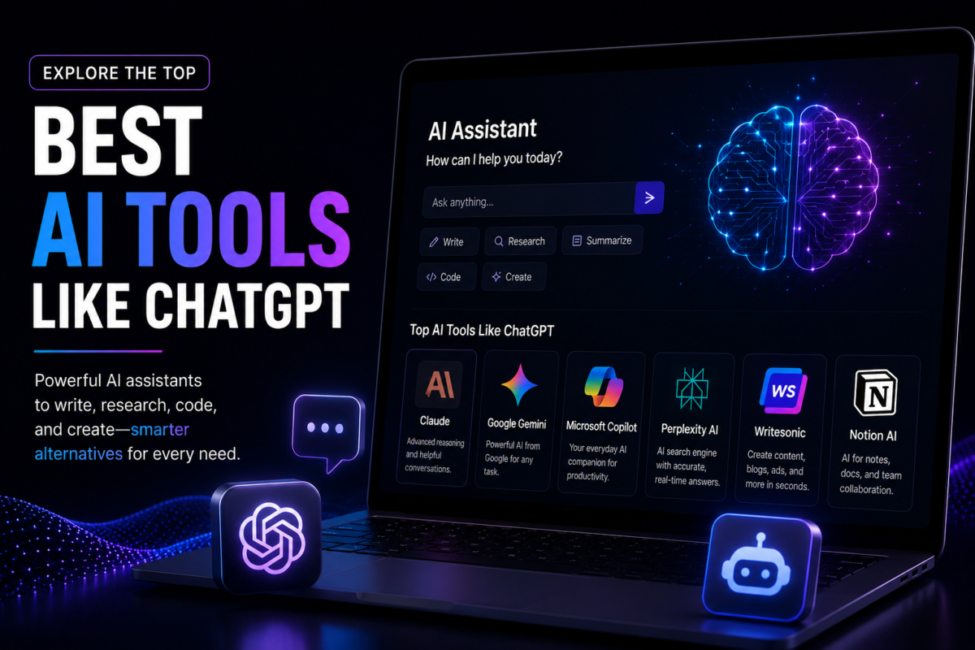
ChatGPT still sets the reference point for what an AI assistant should feel like, but in 2026 it is one strong option among several rather than the only one worth paying for. An AI tool like ChatGPT is a conversational assistant built on a large language model that answers questions, drafts and edits text, analyses documents, and increasingly searches the web or writes code for you. Stanford HAI’s 2026 AI Index Report found generative AI reached 53% population adoption within three years, faster than the personal computer or the internet, and that 88% of organisations now use AI in at least one business function. That demand has funded genuine specialists, and several beat ChatGPT decisively at one specific job.
| Quick answer: The strongest ChatGPT alternatives in July 2026 are Claude for writing and reasoning, Gemini for Google Workspace, Perplexity for cited web search, Microsoft Copilot for Microsoft 365, Grok for real-time data, DeepSeek for lowest cost, and Mistral Le Chat for privacy and EU data residency. Most have free tiers, and premium plans cluster near $20 per month. |
How we compare: we run the same four tasks through every assistant’s free and paid tier – a 2,000-word explainer, a 40-page PDF summary, a sourced research question, and a small coding fix – then verify every price against the provider’s own pricing page on the day of publication. Disclosure: some links on TechieHub are affiliate links. We may earn a commission at no extra cost to you, and it never changes which tools we recommend.
Table of Contents
Why are people switching away from ChatGPT?
Five reasons come up repeatedly, and none of them is that ChatGPT got worse. Price sensitivity is the first: ChatGPT Plus has held at $20 per month since 2023, which is noticeable once you run two or three assistants. The second is voice, because ChatGPT’s default prose is recognisable and heavily sectioned. The third is citations, since a general chatbot asserts while a research-first tool links. The fourth is privacy and data residency, particularly for European teams. The fifth is ecosystem fit, which quietly outweighs everything else inside large organisations.
Those five factors are structural, which is why they beat benchmark rankings as a basis for choosing. The leading labs now ship frontier models within weeks of each other – Anthropic released Claude Opus 5 on 24 July 2026 and has since moved its flagship to Opus 5.5 at $4 per million input tokens and $20 per million output tokens – so whichever model tops a leaderboard this month rarely still leads next quarter. Your ecosystem, citation needs, budget and privacy rules change far more slowly.
What are the best AI tools like ChatGPT in 2026?
Seven assistants deserve your attention, each with a different centre of gravity. The table shows what each wins at and what it costs on a consumer plan.

| Assistant | Best for | Consumer price, July 2026 |
| Claude (Anthropic) | Writing, reasoning, long documents, coding | Free; Pro $20/mo; Max from $100/mo |
| Gemini (Google) | Google Workspace, multimodal research | Free; AI Pro $19.99/mo; AI Ultra $99.99-$199.99/mo |
| Perplexity | Cited web search and deep research | Free; Pro about $20/mo; Max $200/mo |
| Microsoft Copilot | Microsoft 365 documents and workflows | Free chat; Microsoft 365 Copilot $30/user/mo |
| Grok (xAI) | Real-time events and social signals | Free tier; SuperGrok about $30/mo |
| DeepSeek | Lowest cost, developers, self-hosting | Free web app; API from $0.15 per million input tokens off-peak |
| Mistral Le Chat | Privacy and EU data residency | Free; Pro $14.99/mo |
Claude — best for writing, reasoning and long documents
Free; Pro $20/mo ($17 annually); Max from $100/mo. The strongest default if your work is prose, analysis or code. Holds structure across a long document better than the alternatives — see our Claude vs ChatGPT comparison.
Gemini — best inside Google Workspace
Free; AI Pro $19.99/mo; AI Ultra $99.99–$199.99/mo. Native to Gmail, Docs and Drive, with the strongest multimodal handling of the group. Our Gemini vs ChatGPT breakdown covers the head-to-head in detail.
Perplexity — best for cited research and live data
Free; Pro about $20/mo; Max $200/mo. Answers arrive with resolvable sources attached rather than as unattributed prose. The right addition when your output gets published or audited.
Microsoft Copilot — best inside Microsoft 365
Free chat; Microsoft 365 Copilot $30/user/mo. Works against your own documents, mail and Teams content with existing permissions intact. The highest seat price here, buying integration rather than raw capability.
Grok — best for real-time events and social signals
Free tier; SuperGrok about $30/mo. Its distinguishing feature is live access to X, which makes it the fastest of the group at reading a breaking story or a shifting public reaction. That same sourcing is its weakness: social signal is not evidence, so treat its summaries as a lead rather than a citation.
DeepSeek — best on cost, and for self-hosting
Free web app; API from $0.15 per million input tokens off-peak. An order of magnitude cheaper than the majors at the API level, and the open-weight builds can run on your own hardware. See the safety caveat in the FAQ before sending anything sensitive to the hosted app.
Mistral Le Chat — best for privacy and EU data residency
Free; Pro $14.99/mo. The clearest answer when data must stay in the EU or a European vendor is a procurement requirement. Capability sits a notch below the frontier models — rarely the binding constraint for everyday work.
Two patterns stand out. Roughly $20 per month is the reference price for a premium assistant, so cost rarely decides between the majors: Claude Pro is $20 monthly or $17 annually, and Google AI Pro is $19.99. Above that tier prices fan out dramatically, with Google’s AI Ultra plans at $99.99 and $199.99 per month and Perplexity Max at $200. Below it, Mistral Le Chat Pro and DeepSeek‘s free web app anchor the budget end. Our survey of the best AI models covers the frontier systems each assistant is actually running.
Which alternative is best for writing and long documents?
Claude is the most common answer, and it earns it on two counts. Claude Opus 5.5, available on the $20 Claude Pro plan as well as Max, accepts roughly a million tokens of input context, so an entire book manuscript, contract set or codebase fits in a single conversation without chunking. Its prose is also less templated than ChatGPT’s default register, so there is less to strip out before publishing.
The practical test: paste the same 5,000-word source into both and ask for a 900-word summary in your own voice. Claude usually needs less rewriting; ChatGPT produces cleaner structure. Our head-to-head comparison of Claude and ChatGPT breaks the difference down task by task.
Which tool is best for cited research and live data?
Perplexity, for anything that will be published or acted on. It runs a live web search for every answer and returns numbered citations linked to the sources, so each claim is traceable to primary material rather than asserted. That difference is minor for casual questions and decisive for anyone whose output gets fact-checked. Its Comet browser became free in March 2026, Comet Plus costs $5 per month standalone, and Max sits at $200 per month for heavy research loads.
For information that is minutes rather than days old, Grok is the specialist. Built by xAI with direct access to real-time social signals, it is better for tracking breaking events and live sentiment, with SuperGrok at roughly $30 per month. ChatGPT’s two clearest gaps – verifiable citations and genuinely live data – are precisely where these two tools were designed to win.

What are the cheapest and most private options?
DeepSeek is the cost leader by a wide margin. Its web app is free, and its API starts at $0.15 per million input tokens and $0.60 per million output tokens off-peak on deepseek-flash, doubling during weekday peak hours, with cached input far lower again. For high-volume summarisation or classification that is an order-of-magnitude saving over frontier pricing, and open weights mean you can self-host for full data control.
For privacy with a polished consumer experience, Mistral Le Chat operates under EU regulation with European data residency and offers the cheapest premium plan of any major provider at $14.99 per month. Beyond that sit fully open options: Meta’s Llama weights and open-source runners keep every prompt on your own hardware. The trade is effort for control, and it pays off only under strict data rules or high volume. If free is the real constraint, our guide to the best free AI chatbot ranks the no-cost tiers.
Do Gemini and Copilot win if you live in Google or Microsoft?
Usually, yes. Gemini is embedded directly in Docs, Sheets, Gmail and Drive, so it reads the file you are already editing without a copy-paste round trip, and Google’s official Gemini API pricing documentation lists the same model family for developers. Microsoft 365 Copilot does the equivalent inside Word, Excel, PowerPoint and Outlook at $30 per user per month on enterprise plans, on top of an existing Microsoft 365 licence.
The integration advantage is easy to underrate. Saving fifteen seconds of context-switching a few hundred times a week beats a marginally smarter model in a separate tab, which is why organisations standardise on whichever assistant lives inside their existing suite. Our broader roundup of ChatGPT alternatives covers the smaller ecosystem-native tools.
How one content team rebuilt its stack around three assistants
Consider an illustrative composite: Delphine Roux leads content at a 40-person B2B software company and publishes twelve long-form articles plus one quarterly market report. On ChatGPT Plus alone, most of her editing time went to two things: rewriting recognisable AI phrasing, and hunting down sources for every statistic her drafts asserted.
She split the work across three tools. Perplexity Pro runs the research pass, returning claims with linked citations she can verify before a word is drafted. Claude Pro handles first drafts and the long report, because the full transcript set fits in one context window. ChatGPT stays the default for outlines, headlines and quick admin. What a split like this buys: source-checking shrinks because claims arrive with citations attached, the long report stops fighting a context limit, and total spend is about $60 per month across three subscriptions rather than one $200 tier.
How should you choose between them?

Work in this order. First, ecosystem: if your day happens in Google Workspace or Microsoft 365, your default assistant is already chosen. Second, citations: if your output gets published or audited, add a research-first tool. Third, budget: only after those two questions should price break a tie, and it will point you to Mistral or DeepSeek. Almost nobody needs seven assistants. The durable pattern is one general default plus one specialist for the job your default handles worst, and free tiers let you validate that pairing on real work in an afternoon.
Frequently Asked Questions
What is the single best AI tool like ChatGPT?
There is no single winner, because each leader is built for a different job. Claude is the most common overall replacement for writing and reasoning, Perplexity wins on cited research, Gemini and Copilot win inside Google and Microsoft, and DeepSeek and Mistral win on cost and privacy respectively.
Is there a genuinely free alternative to ChatGPT?
Yes. Claude, Gemini, Perplexity, Copilot, Grok and Mistral Le Chat all run usable free tiers with daily message limits. DeepSeek’s web app is free without a hard cap, and open-weight models such as Meta’s Llama can be self-hosted so there is no per-use cost at all.
Which ChatGPT alternative is best for writing?
Claude is the strongest for long-form writing. Its Opus 5.5 model accepts roughly a million tokens of context, so full manuscripts and transcript sets fit in one conversation, and its default prose reads less templated than ChatGPT’s, which means noticeably less rewriting before a draft is publishable.
What is the cheapest ChatGPT alternative in 2026?
DeepSeek is cheapest overall: its web app is free and its API starts at $0.15 per million input tokens off-peak. Among paid consumer plans, Mistral Le Chat Pro is the most affordable major option at $14.99 per month, undercutting the $20 tier that ChatGPT, Claude and Gemini all sit at.
Which AI assistant shows sources for its answers?
Perplexity does this by design, running a live web search for every query and attaching numbered citations linked to the original pages. Gemini and Copilot surface links when they browse, and ChatGPT and Claude cite when search is invoked, but only Perplexity makes sourced answers the default behaviour.
Should you use more than one AI assistant?
For most professional users, yes. Keeping one general default plus one specialist for your biggest recurring task consistently outperforms forcing a single tool to do everything. Since nearly all of these assistants offer free tiers, running the same real task through two or three costs nothing but time.
Which ChatGPT alternative is best for coding?
Claude, by consensus among developers. It holds context across a long refactor better than the alternatives and follows detailed instructions with fewer errors. DeepSeek is the value pick — strong on code at a fraction of the API price, and available as open weights you can host yourself. Gemini‘s advantage is its context window when you need the model to hold an entire codebase at once. Copilot, Grok and Mistral are not the tools to reach for here.
Is DeepSeek safe to use?
It depends entirely on which DeepSeek you mean. The hosted web app and API are operated from China and subject to Chinese data law, so they are the wrong destination for confidential, regulated or client data — several governments and enterprises restrict them on that basis. The open-weight models are a separate question: downloaded and run on your own hardware, no data leaves your machine, and the licence permits commercial use. If cost is why DeepSeek appeals, self-hosting gets you the cost advantage without the data-residency problem.
Conclusion
The useful question is not which tool replaces ChatGPT, but which tool beats it at the one job you do most. Claude leads on writing and long documents, Perplexity on verifiable research, Gemini and Copilot on ecosystem integration, Grok on live data, and DeepSeek and Mistral on cost and privacy. Premium plans still cluster near $20 per month, so switching costs stay low. Pick a default that matches the software you already live in, add one specialist for your most repetitive task, and re-check the pairing as prices and models move.

18 Comments
Pingback: 15 Best AI Medical Research Tools 2026: Complete Guide
Pingback: 12 Best AI Tools for Academic Research 2026: Complete Guide
Pingback: 15 Best AI Sales Forecasting Tools 2026: Complete Guide
Pingback: 10 Best Low-Code AI Platforms 2026: Build Apps Without Coding
Pingback: 12 Best AI Code Documentation Tools 2026 [Complete Guide]
Pingback: Gong vs Chorus.ai 2026: Complete Comparison Guide
Pingback: Best AI Agents for Security Questionnaires [2026]
Pingback: Best AI Chatbot for WordPress 2026 Tested
Pingback: Best AI Tools for Business 2026: Complete Guide
Pingback: 10 Best AI Tools for Generating Images for Designer
Pingback: 5 Best Open Source AI Models 2026
Pingback: Best AI Tools for Academic Research That Save Time
Pingback: Best AI Chatbot for WordPress to Boost Engagement
Pingback: Best AI Models 2026: GPT-5.5 vs Claude vs Gemini vs DeepSeek
Pingback: Best AI Research Tools
Pingback: 10 Best AI Tools for Generating Images in 2026-27
Pingback: Claude AI – What It Is, Features & How It Works
Pingback: Claude vs ChatGPT: Which AI Is Better?