


Affiliate disclosure: TechieHub may earn a commission when you subscribe through links on this page. It never affects which tools we include or how we rank them.
Something shifted in design studios between 2025 and 2026, and it was not the arrival of AI — that had already happened. What changed was the shape of the toolkit. Designers stopped auditioning one miracle app and started assembling a stack, the way a photographer carries three lenses instead of hunting for a single one that does everything. The useful question is no longer whether to use AI, but which four or five tools have earned a permanent slot in your workflow — and which are quietly draining credits.
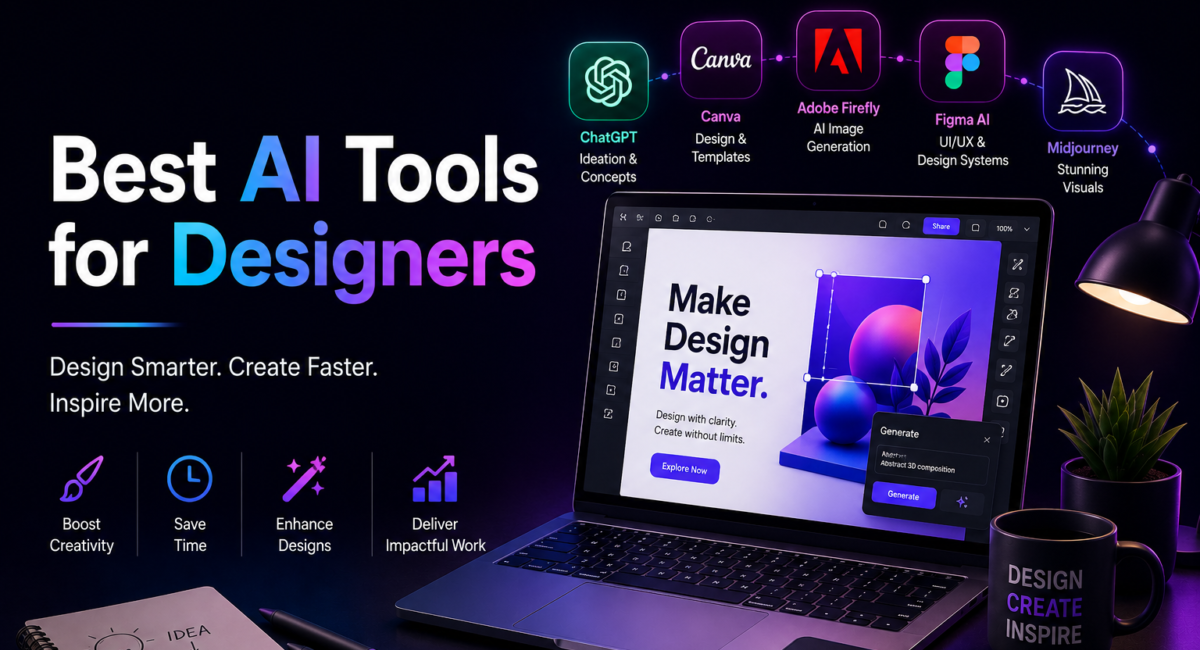
| Quick answer: Midjourney v8.2 leads on artistic image quality, Adobe Firefly Image Model 5 on commercially safe output, Photoshop on precise AI editing, Figma on UI and product work, Canva Magic Studio on fast all-in-one design, and Ideogram plus Recraft on typography and true vectors. Match the tool to the project stage, not to the hype. |
How we compare: we test tools against real client-style briefs — a logo lockup, a five-screen app flow, a set of social variants — and weigh output control, licensing clarity, export quality and true monthly cost including credits. Pricing is re-verified before publishing.

Table of Contents
Why does the average designer now run seven AI tools?
The numbers moved quickly. In the AI in Design Report 2026, produced by Designer Fund and Foundation Capital from more than 900 survey responses, 91% of designers said they use AI for design tasks at least weekly — up from 54% a year earlier — and 75% use it daily. The figure that says most about how the work has changed: the average respondent now runs seven AI tools, up from three in 2025.
That fragmentation is not indecision. It reflects a market where each model got sharper at one specific thing and none got good at everything. Envato’s survey of 1,780 creative professionals, Beyond Adoption, found 45% credit AI mainly with speed and experimentation rather than finished output — and, more awkwardly, that 58% have used AI on client work without disclosing it. The speed is real; the professional norms are still being written.
What are the best AI tools for designers in 2026?
Midjourney — highest aesthetic ceiling
Midjourney still sets the ceiling for aesthetic quality. Version 8.2 became the default model on 24 July 2026, capping a v8 series built on a rewritten codebase that renders several times faster than v7, generates at native 2K and finally handles text without embarrassing itself. Basic access is $10 a month for 3.3 fast GPU hours. What comes back is a flat image, not an editable file, so treat it as a source of concepts and finished imagery rather than artwork you will need to take apart later.
Adobe Firefly — best when rights matter more than flair
Adobe Firefly is the choice when rights matter more than flair. Image Model 5 generates at native 4MP without upscaling and powers Prompt to Edit, which lets you describe a change in plain language instead of masking it by hand. Adobe trains Firefly on licensed Adobe Stock and public-domain material and does not train on your content, which is why it has become the default in agencies with legal review. Plans start at $9.99 a month.
Photoshop — where AI output becomes a deliverable
Photoshop remains where AI output becomes a deliverable. The 2026 release added an AI Assistant in public beta, the Harmonize tool that matches a pasted object’s lighting and colour to its new background, and Generative Fill with reference images. It now also lets you choose the engine — Firefly for commercial safety, Gemini 3 for character consistency, FLUX.2 Pro for photoreal detail — making it the most flexible finishing surface among current generative AI tools.
Figma — best for product and UI design
Figma owns product design. Figma Make turns a written prompt into a working prototype, and Figma Agent, announced at Config 2026, acts autonomously on the canvas itself. A Professional full seat is $16 a month on annual billing and includes 4,250 AI credits. Canva Magic Studio covers the opposite end: Canva AI 2.0 takes a typed or spoken description and returns editable design objects rather than a flat picture, which is why marketing teams keep it and designers borrow it for volume work.
Ideogram and Recraft — the specialists
Two specialists round out a serious stack. Ideogram V3 renders readable type inside images at an accuracy no general model matches, making it the practical pick for wordmarks and packaging comps. Recraft V3 is the only mainstream model producing genuine editable SVG paths rather than a raster traced into a vector wrapper. For briefs, naming and critique, a general assistant earns a slot too — Anthropic’s Claude Opus 5, released on 24 July 2026, is strong at pressure-testing a rationale before you spend credits against it.
How do the leading platforms compare on price and output?

Entry prices look similar; what they buy differs enormously. Credit systems, seat minimums and export formats matter far more than the headline number.
| Tool | Best for | Entry price | What you get out |
| Midjourney v8.2 | Artistic image quality | $10/mo | Flat raster, native 2K |
| Adobe Firefly | Commercially safe generation | $9.99/mo | 4MP raster, licensed training |
| Photoshop 2026 | Precise AI editing | $22.99/mo | Layered PSD, multi-model |
| Figma | UI and product design | $16/seat/mo | Editable frames and code |
| Canva Magic Studio | Fast all-in-one design | ~$15/mo | Editable design objects |
| Ideogram + Recraft | Typography and vectors | ~$32/mo | Readable type, true SVG |
Which tool belongs at each stage of a project?
Thinking in stages beats thinking in brands. During discovery, a general assistant expands the brief and stress-tests positioning. In exploration, Midjourney or Firefly produces directions fast enough that you can throw most of them away — the discarding is the point of the volume. In production, Photoshop finishes hero imagery, Figma builds the interface, and Recraft or Ideogram handles anything that must scale or carry type.
The same mapping tells you what to cut. If you never ship vectors, Recraft is a subscription you do not need. If you do not build interfaces, Figma’s credits go unused. Auditing a stack against the stages you actually work in is the fastest way to bring a seven-tool bill down to four, and it fits the wider discipline of budgeting AI tools for business. For deeper decisions on generation and retouching, see our guides to AI tools for generating images and the best AI image editor.
What does the licensing picture actually look like now?
The legal position has firmed up in one direction: human authorship still governs. In Part Two of its Copyright and Artificial Intelligence report, the US Copyright Office concluded that purely AI-generated material is not copyrightable, that prompts alone — however elaborate — do not make you an author, and that in mixed works only your own contributions are protected. In practice, the more you edit, arrange and compose, the more of the result is genuinely yours.
Disclosure is hardening too. The C2PA content provenance standard passed 6,000 members and affiliates by January 2026, and it now underpins compliance with the EU AI Act’s Article 50 and California’s SB 942, both of which require machine-readable labelling of AI-generated content. Stripping Content Credentials out of a client deliverable is fast becoming a liability rather than a tidy-up.
How did one brand designer rebuild a campaign in a weekend?
Nadia Okonkwo, a freelance brand designer in Manchester, took a Friday brief from a speciality coffee roaster: a spring campaign with a new wordmark, six social variants and two in-store posters, all needed for a Monday photo shoot. Her old process would have meant a full week and a subcontracted illustrator.
She began with Claude Opus 5, using it to sharpen the brief into three distinct territories, then generated the wordmark in Ideogram V3 and rebuilt the chosen lockup as clean SVG in Recraft so it could be embroidered onto aprons. Firefly produced the campaign photography, chosen over Midjourney purely because the roaster’s contract required documented commercial rights. Photoshop’s Harmonize tool dropped the product bags into each scene convincingly, and Canva handled the six social resizes.
She delivered on Sunday evening. Her own estimate: roughly eleven hours of work against the thirty the same job would have taken in 2024 — with the saved time spent on two extra territory concepts the client had not asked for, and ultimately bought.
Frequently Asked Questions
Which AI tools should a designer start with?
Start with two: one generator and one editor. Adobe Firefly plus Photoshop covers most commercial work with clear licensing, and both sit on one subscription path. Add Figma only if you design interfaces, and specialists such as Recraft only once a live project genuinely demands editable vectors.
Can AI replace a designer?
No, and the 2026 data does not suggest it is close. Designers report that AI mainly accelerates iteration rather than finished work. Models produce plausible options; they cannot decide which option serves the brand, defend that choice to a client, or invent the idea nobody thought to brief.
Is AI-generated artwork safe to use in client work?
Only if the licence says so. Adobe Firefly is trained on licensed and public-domain material with commercial use in mind, which is why agencies default to it. Other tools vary widely, and some restrict commercial output entirely. Read the terms and record them before anything reaches a client.
Who owns an AI-generated image?
Ownership is narrower than most designers assume. The US Copyright Office holds that purely AI-generated output is not copyrightable and that prompts alone do not create authorship. Your edits, arrangement and original contributions are protected, so meaningful human work strengthens both the design and the claim.
Why does AI design output often look generic?
Because models average their training data, and a short prompt asks for that average. The fix is direction: a defined style, reference images, locked brand colours and heavy curation. Designers who fix a style and reproduce it consistently get distinctive results; those who prompt once and accept do not.
How much should a design AI stack cost per month?
Most working designers land between $40 and $80 a month once a generator, an editor and one specialist are combined. The waste is rarely the price itself — it is paying for seats and credits attached to project stages you never actually work in.
Which AI tool is best for UI and UX design?
Figma, and it is not close. Figma Make turns a written prompt into a working prototype and Figma AI handles the repetitive parts — renaming layers, generating copy, building variants — inside the file where the work already lives. The image generators are the wrong category here: they produce pictures, not components, and a UI needs an editable layer structure a developer can inspect. Use Midjourney or Firefly for imagery that goes into a design, and Figma for the design itself.
Do designers need to tell clients they used AI?
Check the contract first, then disclose by default. Many client agreements and stock-platform terms now carry explicit AI clauses, and some sectors — advertising, publishing, regulated industries — require disclosure outright. Beyond the contract, the practical argument is commercial rather than ethical: a client who discovers it later treats it as something you concealed, while a client told upfront usually treats it as efficiency they are benefiting from. Where indemnification matters, using Adobe Firefly gives you a clearer position than a model with undisclosed training data.
Conclusion
The honest summary of 2026 is that AI has become ordinary. Nine in ten designers use it weekly, the tools have specialised, and the advantage has moved from having access to knowing what to reach for. Midjourney for beauty, Firefly for safety, Photoshop for finish, Figma for product, Canva for volume, Ideogram and Recraft for type and vectors — that is the shape of a stack that holds up.
What has not changed is where the value sits. Models supply options at a rate no studio could match by hand, and options are cheap. Judgement, brand understanding and the willingness to discard thirty-nine of forty variations remain scarce, and remain yours. Build the stack around your project stages, verify every licence before you ship, and let the tools carry the volume while you carry the argument.

4 Comments
Hi there mates, its enormous article about cultureand completely defined, keep it up all the time.
Thank you for taking the time to share your thoughts! We truly appreciate the support and are glad you found value here. Stay connected—there’s more helpful content coming your way.
This post will assist the internet people for creating new webpage or even a weblog from start to end.
Thank you for taking the time to share your thoughts! We truly appreciate the support and are glad you found value here. Stay connected—there’s more helpful content coming your way.