


How we compare: We evaluated every tool below on its 2026 feature set, current published pricing, and how well it solves a specific documentation pain point – generation, publishing, maintenance or retrieval. Rankings reflect hands-on testing and vendor documentation, not sponsorship. Affiliate disclosure: some outbound links may earn TechieHub a commission at no extra cost to you; it never affects how we rank a tool.
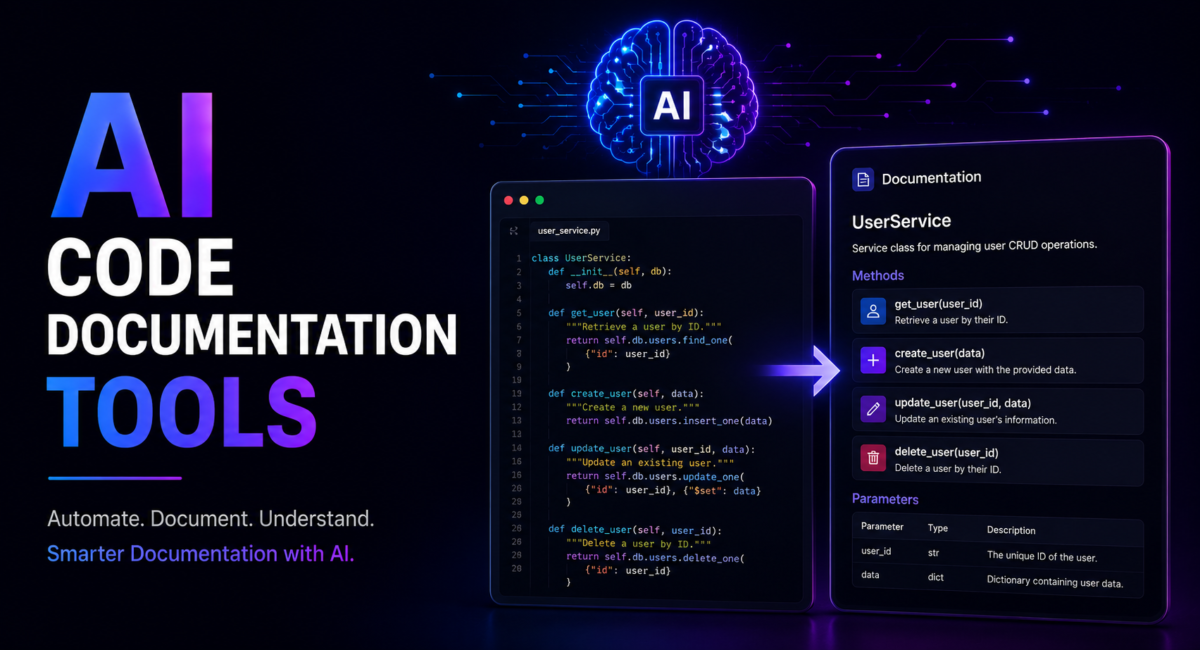
The best AI code documentation tools use large language models and codebase-aware analysis to generate, update and maintain technical docs. They fall into four categories: code-to-docs generators (DocuWriter), AI-native publishing platforms (Mintlify, GitBook), code-coupled maintenance tools (Swimm) and retrieval chat (Kapa). Pick by your biggest pain point and release cadence.
Table of Contents
Quick answer: AI code documentation tools generate and maintain developer documentation from source code, comments and commit history. Mintlify and GitBook lead for polished public docs, Swimm is strongest at keeping internal docs synchronised with the codebase as it changes, DocuWriter suits fast generation from existing code, and Kapa turns finished docs into an answer bot. All of them shorten the first draft; none of them remove the need for a human to decide what is worth documenting.
What are AI code documentation tools?
AI code documentation tools use large language models, static code analysis and codebase-aware retrieval to generate, publish and keep technical documentation in sync with source code. They span inline docstring helpers that live in your editor to full platforms that produce API references, architecture guides, onboarding tutorials and searchable knowledge bases from a repository. If you are mapping the broader landscape first, our pillar guide to the best AI coding tools puts documentation in context alongside completion, review and testing assistants.
Why documentation goes stale
Documentation is essential but perpetually outdated, because code changes faster than anyone updates the docs describing it. Teams ship continuously, yet an article’s useful life is short, so a fast-moving help center can rot in weeks. Manual upkeep is expensive: a mid-sized help center can consume hours of technical-writer time weekly just to stay current.
Demand is growing. Mintlify alone now powers documentation for more than 5,000 companies and reaches over 20 million developers a year, with adopters including Anthropic, Perplexity and Cursor (mintlify.com). These tools attack staleness directly – generating drafts from source, syncing them as code changes, and flagging what needs review. This spoke sits under our best AI API hub, since most of these platforms are themselves LLM-API consumers.
The four categories
Knowing which category you need is the most important decision, because a creation tool and a maintenance tool solve opposite problems.
- Code-to-docs generators turn source code into documentation drafts – READMEs, docstrings, OpenAPI specs – that you publish elsewhere.
- AI-native publishing platforms create and host polished docs designed for both humans and AI agents.
- Code-coupled maintenance tools link docs to specific code and auto-flag them when that code changes, solving staleness.
- Retrieval / in-docs chat tools sit atop existing docs and answer reader questions via retrieval-augmented generation.
The categories are not mutually exclusive – mature teams often run one from each layer: a generator drafts, a platform hosts, a code-coupled tool keeps docs honest, and a retrieval layer lets developers ask questions in plain language. Increasingly these platforms expose content to autonomous coding agents, which is why standards like Model Context Protocol (MCP) and llms.txt are becoming table stakes in 2026.

The leading tools, compared
The leaders below are grouped by the job they do best. Pricing reflects published rates as of July 2026 and can change – always confirm on the vendor page.
DocuWriter.ai — code-to-docs across 20+ languages
DocuWriter.ai connects to GitHub, GitLab or Bitbucket and generates documentation from source – READMEs, inline comments, Swagger-compliant OpenAPI specs, UML diagrams, test suites and refactoring suggestions across 20+ languages. Plans run from a $20/month Starter to Professional at $49, Enterprise at $129 and an Unlimited tier around $299, with MCP access on paid tiers (docuwriter.ai).
GitHub Copilot — docstrings where you already code
GitHub Copilot doubles as a documentation tool, generating docstrings, explaining complex code and writing inline comments that serve as living documentation. Paid plans start around $10/month, and it is the natural pick if your team already codes with it – see our best AI coding agent comparison for how it stacks up on autonomy.
GitBook — AI-native publishing platform
GitBook offers a visual editor with AI suggestions and a chat assistant. Its 2026 pricing is per-site plus per-user: Free, Premium at $65/site/month and Ultimate at $249/site/month, each adding $12 per collaborator, with the strongest AI features reserved for Ultimate.
Swimm — best when docs keep going stale
Swimm pioneered code-coupled documentation – docs linked to specific code snippets that automatically flag or update when the code changes, plus a staleness check you can add to CI. It is SOC 2 and ISO 27001 compliant and priced Free (up to 5 users), Team at $29/user/month, and custom Enterprise (swimm.io) – the standout for teams whose docs keep going stale.
Kapa.ai — chat over docs you already have
Kapa.ai adds a retrieval layer over your existing docs and exposes chat across websites, Slack, Discord and APIs without migrating your docs site, priced custom on a platform-fee-plus-answer-volume basis. Other options include ReadMe.io for API docs and Document360 for knowledge bases.
How much do they cost?
| Tool | Category | Pricing (July 2026) |
|---|---|---|
| DocuWriter.ai | Code-to-docs generator | Starter $20/mo; Professional $49; Enterprise $129; Unlimited ~$299 |
| GitHub Copilot | Code-to-docs generator | From ~$10/mo |
| GitBook | AI-native publishing platform | Free; Premium $65/site/mo; Ultimate $249/site/mo, plus $12 per collaborator |
| Swimm | Code-coupled maintenance | Free up to 5 users; Team $29/user/mo; Enterprise custom |
| Kapa.ai | Retrieval / in-docs chat | Custom: platform fee plus answer volume |
The ROI case is strong but should be read carefully. Vendors report gains such as large reductions in README and API-reference authoring time, fewer documentation-related support tickets, and faster onboarding – figures that come from vendors and vary by team. The savings that rarely show on a spreadsheet are often the largest: faster onboarding, freeing senior engineers from repeat questions, and avoiding costly bugs when someone integrates against a stale API spec. For broader budgets, our best AI API guide covers the underlying model costs these platforms pass through.

How to choose the right tool
Choose by your biggest pain point first. If you are building docs from scratch and need to write many articles fast, a creation tool wins – DocuWriter.ai, Mintlify’s AI editor or GitBook get you to a first draft fastest. If your docs already exist and the real problem is that nobody knows which are now wrong, a maintenance tool wins – Swimm or a repo-driven checker will surface what needs review.
A real-world use case
Consider Petra, a staff engineer at a 40-person fintech startup that ships to production several times a day. Her team’s internal API reference lived in a wiki no one trusted – endpoints changed in code but the docs lagged weeks behind, and new hires kept integrating against parameters that no longer existed. Rather than assign a writer to chase every merge, Petra adopts a two-layer approach: she uses DocuWriter.ai to generate a first-pass OpenAPI spec and endpoint reference straight from the repository, then wires Swimm into CI so any pull request that changes a documented function without touching its linked doc gets flagged before it merges.
Her task was not writing more docs – it was stopping the existing ones from silently going wrong. With generation handling the initial draft and code-coupled staleness checks enforcing updates as part of the definition of done, the reference stopped drifting. New engineers onboard against docs the build itself keeps honest, and the team treats a flagged-but-unupdated doc like a failing test: it blocks the merge. The highest-leverage move was pairing a creation tool with a maintenance tool, not picking a single winner.
This example is a composite of the documentation projects we see most often, not a single client account; the figures are typical rather than measured from one engagement.
Best practices and limits
A few habits separate accurate docs from confident-but-wrong ones. Maintain a human-written overview for every module – a short paragraph on why it exists and how it works that AI-generated detail supports rather than replaces. Review AI output for edge cases: it describes happy paths well but routinely misses error handling, thread safety and rate limits, the gotchas developers actually need. And insist on staleness detection – wiring a check into CI turns documentation into something the build process will not let the team forget.
The biggest limitation is retrieval over outdated content: an in-docs chatbot answering from stale documentation is worse than none, because it serves wrong answers confidently. Pair any retrieval layer with a maintenance strategy, and remember that AI accelerates documentation but does not replace an engineer’s judgment on architecture and the reasons behind the code. The teams that struggle are rarely the ones with the wrong tool; they are the ones who bolt AI onto a culture that never valued documentation.
Frequently Asked Questions
What are AI code documentation tools?
They use large language models, static code analysis and codebase-aware AI to automatically generate, update and maintain technical docs. They range from inline docstring generators to full platforms that create API references, architecture guides and knowledge bases directly from source code, keeping docs in sync as the code changes.
What are the best AI code documentation tools in 2026?
Leaders by category are DocuWriter.ai and GitHub Copilot for generating docs from code, Mintlify and GitBook for AI-native publishing, Swimm for code-coupled maintenance that prevents staleness, and Kapa.ai for retrieval-based in-docs chat. ReadMe.io and Document360 are strong for API docs and knowledge bases.
How much do AI documentation tools cost?
Pricing spans per-user, flat platform fees, per-seat and credit-based metering. Rates run from about $10-29 per user monthly (Copilot, Swimm) to $249 per site or $800-plus for enterprise knowledge bases. DocuWriter runs $20-129, while Mintlify and GitBook meter heavy AI usage separately, so real bills can exceed the sticker.
Do AI documentation tools keep docs up to date?
The best ones do. Code-coupled tools like Swimm link documentation to specific code snippets and flag or update them when the code changes, and you can add staleness checks to CI so pull requests are caught when code changes without doc updates. Tools without staleness detection effectively return you to manual maintenance.
Can GitHub Copilot write documentation?
Yes. Beyond code completion, GitHub Copilot generates docstrings, explains complex code blocks and writes inline comments that serve as living documentation. It is a strong inline option if you already code with it, though dedicated platforms like DocuWriter for generation or Swimm for maintenance offer more complete team workflows.
What are the limitations of AI documentation tools?
AI describes happy paths well but routinely misses edge cases – error handling, thread safety, rate limits – that matter most to developers, so output needs human review. Retrieval chatbots answering from outdated docs are worse than none, and AI does not replace an engineer’s judgment on architecture and the reasons behind the code.
What are the best API documentation tools?
API documentation is a distinct job from general code documentation, because the output has to stay in lockstep with a live contract. Mintlify and GitBook both ingest OpenAPI or Swagger specifications and render interactive reference docs with request builders, which is what most teams shipping a public API actually need. Kapa layers a retrieval answer bot over finished reference docs so developers can ask questions instead of scanning endpoints. If your API spec is generated from code, favour a tool that rebuilds docs on every merge rather than one that requires a manual publish.
Which code documentation generator is best?
It depends on whether you are documenting for outsiders or insiders. For public-facing generated reference docs, Mintlify produces the most polished output with the least configuration. For internal codebases where the real problem is documentation drifting out of date, Swimm is the strongest option because it couples doc snippets to the code they describe and flags them when that code changes. For a fast first pass over an undocumented legacy codebase, DocuWriter generates usable structure quickly. Classic non-AI generators such as Doxygen and Sphinx remain reasonable where output must be deterministic and offline.
What is documentation as code?
Documentation as code means treating docs like source: written in plain-text formats such as Markdown or MDX, stored in the same repository as the code, reviewed through pull requests, and published automatically by CI on merge. The practical benefit is that documentation changes travel with the code change that caused them, so review catches stale docs before users do. Every AI documentation tool in this comparison assumes this workflow to some degree — the differences are in how much they automate the writing step versus the publishing step.
Do these tools work for general software documentation, not just code?
Partly. Tools that read source code — Swimm, DocuWriter, Mintlify’s code ingestion — are strongest on reference material that can be derived from the code itself: functions, endpoints, configuration options, data models. They are weakest on the documentation that matters most to new joiners, namely architectural rationale, runbooks and the reasoning behind past decisions, none of which exist anywhere in the source. Expect AI to handle the reference layer and expect humans to keep owning the explanatory layer.
Conclusion
Documentation has always lost the race against changing code, and these tools are the first practical way to keep up. Group them into four categories – code-to-docs generators, AI-native publishing, code-coupled maintenance and retrieval chat – then choose by your biggest pain point and release cadence: creation tools to write fast, maintenance tools to stay accurate. Wire staleness detection into your workflow, keep a human overview per module, and review AI output for the edge cases it misses. Done right, docs become a living asset instead of a perpetual liability. To go deeper, start with our pillar on the best AI coding tools.

8 Comments
Pingback: 10 Best AI Patent Drafting Tools 2026: Complete Guide
Pingback: 15 Best Answer Engine Optimization Tools 2026 Complete Guide
Pingback: 10 Best Local AI Video Generators in 2026 (Tested & Ranked)
Pingback: Best AI Phone Call Agents for Business Communication [2026]
Pingback: Best AI Phone Call Agents with Noise Cancellation [2026]
Pingback: Best AI APIs for Developers 2026: Complete Comparison Guide
Pingback: Best AI Coding Tools: Best for Developers
Pingback: Best Low-Code AI Platforms to Build Apps Without Coding