


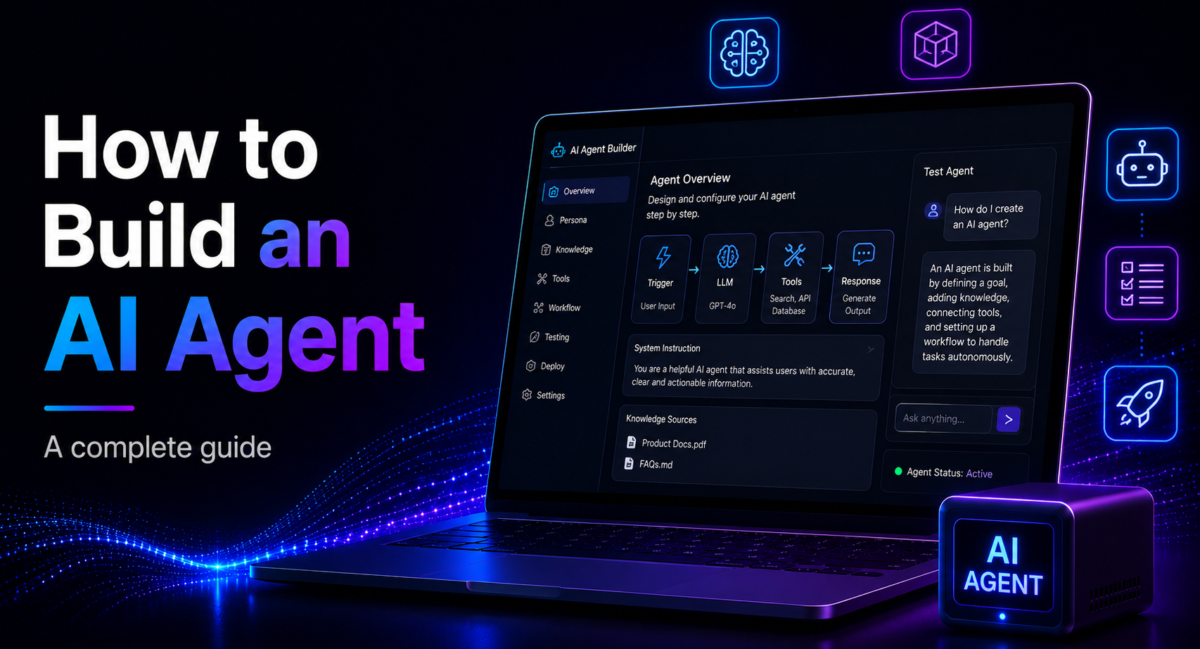
| Quick answer: To build an AI agent, wire four parts together, an LLM that reasons and decides, tools it can call to take action, memory that carries context, and a loop that observes, reasons, acts and repeats until the goal is met. Build in order, define the goal, pick a model, add tools, add memory, write the loop, add guardrails, test, deploy. Start with the ReAct pattern and grow only when the task demands it. |
An AI agent is a large language model placed inside a control loop so it can pursue a goal across multiple steps, calling tools and checking its own results, rather than answering a single prompt and stopping.How we compare: our guidance below is drawn from hands-on builds with the major frameworks, the published engineering guidance from model labs, and current adoption data, weighted toward what survives contact with production rather than what demos well. Affiliate disclosure: some outbound links may earn TechieHub a commission at no extra cost to you; it never changes which tools we recommend.

Table of Contents
What are you actually building?
Get the mental model right first, because it is where most people go wrong. A chatbot takes a prompt and returns text. An agent takes a goal and works through however many steps it needs, searching the web, calling APIs, running code, querying a database, then verifying whether the result actually solved the problem. The definition that has become the field standard is deliberately plain, an agent is an LLM autonomously using tools in a loop.
The single most useful thing to internalise is that the gap between calling a model and shipping an agent is not the model, it is the loop and the engineering around it. Most agents that “don’t work” have not hit a capability ceiling, they have a loop that never terminates, a tool called with the wrong arguments, or no plan for what happens after a result comes back. Once that loop clicks, everything else is wiring. This guide sits inside our pillar on the best AI agent tools and builds on the foundations in what agentic AI actually means.
The skill is worth learning now because the market is compounding fast. Gartner-cited forecasts put embedded, task-specific agents inside roughly 40% of enterprise applications by the end of 2026, up from under 5% in 2024, and adoption surveys show a majority of organisations already experimenting with agents (First Page Sage, 2026).
How to build an AI agent: the four components and the build order

The build order, one step at a time
- Define the goal. Write down exactly what success looks like and how you will measure it. A vague goal produces a vague agent.
- Choose your model. Balance reasoning quality against cost, and consider routing simple sub-steps to a cheaper model while reserving a frontier model for hard reasoning.
- Give it tools. Define each action and document it clearly, because poor tool descriptions are a leading cause of failure. The portable way to wire tools in 2026 is the Model Context Protocol.
- Add memory. Carry conversation history across turns, manage the context window so it does not overflow, and use a vector store such as FAISS, Pinecone or Weaviate for anything that must persist.
- Build the loop. Implement the observe-reason-act cycle, and always cap it with a hard step limit so it cannot run forever.
- Add guardrails. Error handling, retries, input validation and output checking are not optional once an agent can take real actions.
- Test and evaluate. Trace every step with observability tooling (LangSmith, Langfuse, Helicone), measure latency and cost, and test against real tasks, not happy-path demos.
- Deploy. Wrap the agent in an API with FastAPI or Flask, containerise it, and ship it to a host such as Cloud Run, AWS Lambda or Kubernetes.
The loop, in about fifteen lines
Frameworks hide this, which is worth seeing once before you decide whether you need one. Every agent is the same observe–reason–act cycle with a hard stop:
MAX_STEPS = 15

def run_agent(goal, tools, model):
    history = [{"role": "user", "content": goal}]

    for step in range(MAX_STEPS):
        reply = model.chat(history, tools=tools)        # reason
        if not reply.tool_call:
            return reply.content                        # finished

        fn = tools[reply.tool_call.name]                # act
        result = fn(**reply.tool_call.args)
        history += [reply, {"role": "tool", "content": result}]  # observe

    raise RuntimeError(f"hit the {MAX_STEPS}-step cap without finishing")
That is the whole pattern. What frameworks add is the surrounding machinery — retries, tracing, tool schemas, memory backends — not the loop itself. Note the cap is a hard failure rather than a silent return: an agent that quietly gives up after fifteen steps is harder to debug than one that tells you it ran out.
A single-tool agent with no memory can be running in a few hours with basic Python skills. Persistent memory, several tools, guardrails and production deployment stretch that to days or weeks, which is exactly why you build the smallest working version first. Tool wiring itself has standardised around the Model Context Protocol, which Anthropic donated to the Linux Foundation’s Agentic AI Foundation in late 2025 and which crossed roughly 97 million monthly SDK downloads by March 2026 (Wikipedia, 2026), with first-party support now from OpenAI, Google, Microsoft and GitHub.
Should you use a framework or build from scratch?
You can hand-write the loop or lean on a framework, and the honest answer is that most experienced builders do both, in that order. Building your first agent from scratch teaches you the loop, so you know what a framework is doing for you. Once you find yourself writing the same plumbing repeatedly, a framework earns its keep. The guiding principle, echoed in Anthropic’s Building Effective Agents guide, is to reach for the simplest solution and add complexity only when the task genuinely demands it.

The 2026 landscape has consolidated around a few strong options. LangGraph models the workflow as a directed graph and has become the production standard where you need precise state management, branching and auditability. CrewAI is the fastest path to a role-based multi-agent prototype, often two to four hours to something working. The OpenAI Agents SDK, which replaced the experimental Swarm project in March 2025, centres on explicit handoffs between agents and ties in neatly with hosted tools, at the cost of provider lock-in. For TypeScript teams the Vercel AI SDK covers tool-calling loops without the boilerplate. If you would rather not code, no-code platforms such as n8n let you assemble agentic workflows visually. A framework should save you plumbing, not hide the loop you still need to understand, and understanding where an agent ends and an assistant begins is worth a read of how agents differ from assistants.
Building your first AI agent in practice
Consider Aiko, an operations analyst at a mid-sized SaaS company who spends the first hour of every Monday assembling a churn-risk report by hand. She builds a single-purpose agent to do it for her. The goal is sharp, produce a ranked list of at-risk accounts with a one-line reason for each. She picks a mid-tier model for cost, gives the agent exactly three tools, a read-only query against the analytics warehouse, a lookup against the support-ticket API, and a function that writes to a Google Doc. Memory stays minimal, just the current run, and the loop is capped at fifteen steps. Before trusting it, she adds one guardrail that matters most, the agent must cite the specific ticket or metric behind every “at-risk” flag, so a hallucinated conclusion cannot slip through.
The illustrative outcome is the realistic one, not a magic-number claim. Her Monday report now drafts itself in the background and lands as a document she reviews and edits in a few minutes rather than building from zero. The lesson generalises, a tightly scoped agent with two or three well-documented tools and a firm stop condition beats an ambitious, under-specified one every time. For more grounded examples across roles, see our roundup of real agentic AI applications.
What are the common pitfalls, and how do you avoid them?
Four failure modes account for most broken agents, and all four are preventable. Infinite loops happen when an agent cannot confidently decide it is finished, so it keeps calling tools, the fix is a step limit and an explicit stop condition. Wrong tool selection traces back to weak tool descriptions, the model chooses badly when it does not understand its options, so document tools as carefully as you would a public API. Cost growth creeps in because multi-step reasoning and repeated calls compound at scale, cap steps and route cheap work to cheap models. Hallucination is the subtlest, an agent will generate a plausible but wrong conclusion if outputs are not validated, so always check what a tool actually returned before acting on it. Treat context as a finite resource, surface the agent’s reasoning for debuggability, and design the tool interface with the same care you would give a human-facing one. Do that and you cross the line that separates a demo from something you can trust in production.
Frequently Asked Questions
How do I build an AI agent?
Combine four components, an LLM that reasons, tools that let it act, memory that carries context, and a loop that observes, reasons, acts and repeats. Build in order: define the goal, choose a model, add tools, add memory, write the loop, add guardrails, test, then deploy. Start simple with the ReAct pattern.
What is the difference between an AI agent and a chatbot?
A chatbot answers a single prompt and stops. An agent receives a goal and works through multiple steps to reach it, calling tools, checking results and deciding the next action autonomously. The difference is the loop, the ability to reason, act, observe the outcome, and continue until the goal is genuinely met.
How long does it take to build an AI agent?
A simple single-tool agent with no memory can run in a few hours for someone with basic Python skills. Adding persistent memory, multiple tools, guardrails, evaluation and production deployment extends that to days or weeks. Ship the smallest working version first, then add capability incrementally rather than everything upfront.
What language and tools do I need?
Python is the main choice, with an LLM API from Anthropic, OpenAI or Google, a vector store such as FAISS, Pinecone or Weaviate for memory, observability tools like LangSmith or Langfuse for tracing and cost, and FastAPI, Docker and a cloud host to deploy. TypeScript developers can use the Vercel AI SDK instead.
Should I use a framework or build from scratch?
Build your first agent from scratch to learn the loop, then adopt a framework once you are rewriting the same plumbing. Use LangGraph for fine-grained control and auditability, CrewAI for fast role-based prototypes, the OpenAI Agents SDK for a managed stack, or the Vercel AI SDK for TypeScript. Keep the loop visible.
How do I stop my agent from looping forever or hallucinating?
Set a hard step limit and a clear stop condition so the loop always terminates. To prevent hallucination, validate tool outputs against reality before the agent acts on them, and require citations for factual claims. Document tools thoroughly so the model selects correctly, and trace every step with observability.
How much does it cost to run an AI agent?
More than a chatbot, because an agent pays per step rather than per answer. A single user question can become ten or fifteen model calls once the loop starts reasoning and calling tools, and each call resends the accumulated history — so cost grows faster than step count. Two things control it. Route cheap sub-steps to a smaller model and reserve the frontier model for the reasoning that actually needs it. And keep the context window trimmed, because carrying the full transcript into every call is the single largest avoidable expense. Budget from a traced real run rather than a per-token estimate; the step count is what surprises people, not the token price.
Conclusion
The agents that reach production are almost never the ambitious ones. They do a single, well-scoped job with two or three carefully documented tools, a hard step limit and one guardrail that makes a wrong answer visible rather than plausible.
Build in the order above and stop at the first version that works. A single-tool agent with no memory runs in an afternoon; memory, multiple tools and deployment stretch that to weeks — so prove the loop is worth automating before you pay for the rest. Wire tools through the Model Context Protocol so today’s choice of framework is not a permanent commitment, trace every run from the first day, and treat the step cap as a feature. See our comparison of the best AI agent platforms if you would rather buy than build, and real agentic AI applications for what teams are actually shipping.
