


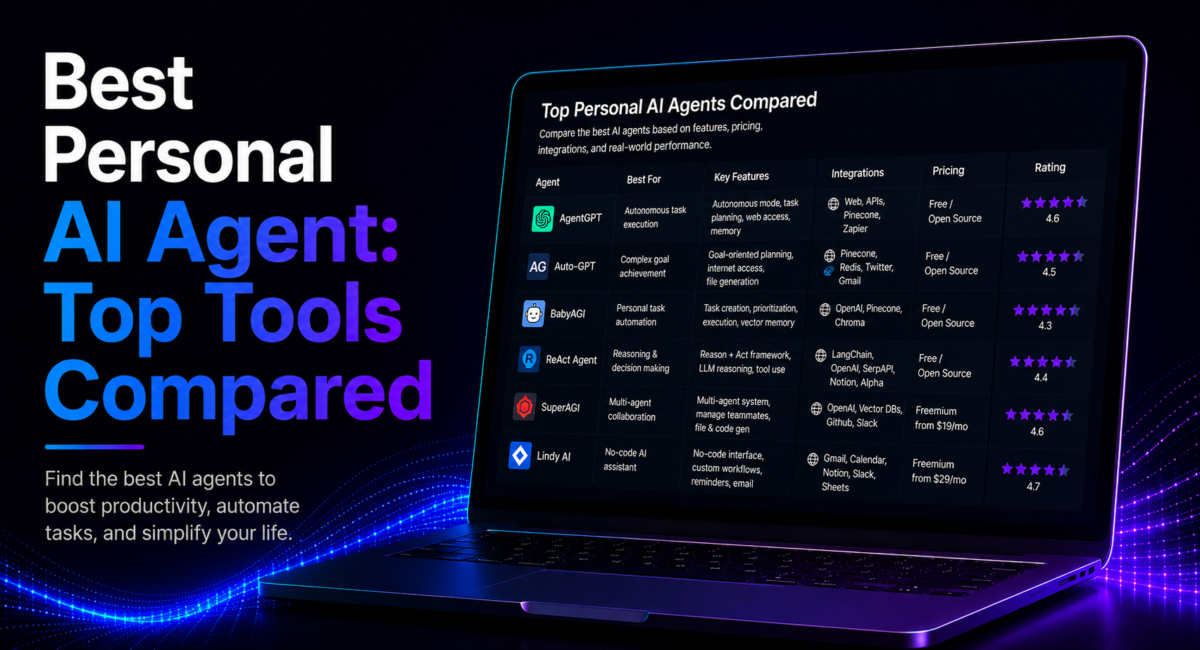
| Quick answer: The best personal AI agent in 2026 depends on where you work: ChatGPT for broad, general-purpose web automation, Gemini for Google Workspace, Claude for reasoning and documents, Copilot for Microsoft 365, and Manus or Genspark for maximum autonomy. Choose by ecosystem first, then by autonomy level. |
A personal AI agent is an AI tool that plans and takes multi-step action toward a goal you set — browsing the web, drafting content, managing files and using other tools on your behalf — rather than only answering questions like a chatbot. That shift from answering to acting is the whole story of 2026, and it changes how you should pick one.

Table of Contents
What makes a personal AI agent different from a chatbot?
The dividing line is autonomy. A chatbot waits for a prompt and replies; an agent decomposes a goal into steps, chooses tools, executes, checks its own work and iterates until the task is done. Most flagship products now ship both: a conversational mode for thinking and an agent mode for doing. If you are still mapping the terms, our explainer on the difference between an AI agent and an assistant and the foundations of agentic AI cover the concepts this guide builds on.
The category splits three ways. Conversational assistants help you think (the chat side of ChatGPT, Claude and Gemini). Embedded assistants augment work inside tools you already use (Copilot in Microsoft 365, Gemini in Workspace). Autonomous action-takers browse, write files and run code largely on their own (Manus, Genspark). Knowing which type you actually need narrows the field faster than any benchmark score.
Why does the shift to agents matter now?
Adoption is real but early, which is exactly why tool choice pays off. According to Gartner’s 2026 research on agentic AI, only about 17% of organizations have deployed AI agents so far, while more than 60% expect to within two years — and Gartner warns that a large share of early agentic projects will be cancelled by 2027 due to poor scoping. The lesson for individuals is the same: the winners are people who match a capable agent to a genuine, repeatable workflow instead of chasing the flashiest demo.
The leading personal AI agents in 2026
Six options lead the field, each with a distinct strength.
| Agent | Best for | Autonomy | Indicative price |
|---|---|---|---|
| ChatGPT (Dots) | Always-on agents with their own cloud computer | Own browser; works between conversations | Reported on Pro $100/mo and Business Premium $125/seat; not on Free, Go or Plus |
| Gemini | Google Workspace users | Pauses for approval before sending or booking | — |
| Claude | Reasoning and document work | Cowork mode, supervised background tasks | Free; Pro ~$20/mo; Max $100–$200/mo |
| Microsoft Copilot | Word, Excel, Outlook and Teams | In the flow of work, not a separate destination | Bundled with Microsoft 365 |
| Manus | Fast multi-step research and prototyping | Cloud sandbox, high autonomy | Free daily credits; ~$20–$200/mo |
| Genspark | Tool breadth, including real phone calls | Mixture-of-agents, high autonomy | Plus ~$25/mo, credit pools |
ChatGPT — the broad default
ChatGPT remains the most widely used AI tool and the safest general-purpose pick. The name here has changed twice and most comparisons are a year behind. Agent mode — which reasoned, planned and acted on the web inside a virtual computer with a full browser — was removed from ChatGPT in early August 2026, having itself absorbed the retired Operator preview in 2025. Its replacement, announced on 29 September 2026, is Dots: always-on agents running on GPT-6 Astra, each with its own cloud computer and browser, which keep working between conversations rather than inside a single session. Reported plan availability puts the first Dot on Pro at $100 a month and Business Premium at $125 a seat, with Free, Go and Plus excluded — worth confirming on OpenAI’s own pricing page, since those figures come from launch coverage rather than a durable vendor page. Plans run from a free tier through Plus at roughly $20/month up to Pro at $200/month for the highest limits and largest context, per OpenAI. It is strongest for web automation, though task allowances are capped and it does not natively connect to every business system.
Gemini — built for Google Workspace
Google’s Gemini has the deepest native reach across Gmail, Calendar, Drive, Docs and Sheets. It chains tasks naturally — compare options, draft a reply, schedule a follow-up — and its user-in-the-loop design pauses for approval before sending mail or confirming a booking. It also leads on multimodal work across image, video and audio. If your day runs on Google, Gemini’s integration usually beats small differences in raw model quality.
Claude — reasoning and documents
Anthropic’s Claude is prized for nuanced reasoning and careful instruction-following. Its Cowork mode handles background, document-heavy tasks and works cleanly with office files, behaving like a capable assistant you supervise. Consumer plans span a free tier, Pro at $20 a month ($17 billed annually) and Max from $100 a month, where you choose either 5x or 20x more usage than Pro. Pro includes Opus, so the flagship is not reserved for Max. It is the strong pick for writing, analysis and multi-step work that rewards precision over speed.
Microsoft Copilot — embedded in Microsoft 365
Copilot lives inside Word, Excel, Outlook and Teams, drafting, surfacing insights and handling tasks in the flow of work, with enterprise-grade security controls. Bundled with Microsoft 365 plans, it is the natural choice for anyone whose work already happens in those apps and who wants AI that augments them directly rather than a separate destination.
Manus and Genspark — autonomy first
Manus executes fast, multi-step tasks in a cloud sandbox and shines at research and prototyping; its free tier grants a daily credit refill, with paid tiers scaling from about $20 to $200/month on credit-based pricing. Genspark uses a mixture-of-agents architecture with a large tool library and is known for placing real phone calls with an AI voice; its Plus plan runs near $25/month with monthly credit pools. Both trade ecosystem convenience for raw autonomous reach — and both use credits that do not roll over, so real cost tracks task complexity.
Lindy and local-first options
Lindy is a no-code builder that lets non-technical users assemble agent workflows in plain language, while open-source, local-first agents offer self-hosting, multi-model support and data sovereignty for people who want credentials and data off the cloud. To see where each of these fits day to day, browse our roundup of real-world agentic AI applications.

How to choose the best personal AI agent
Two decisions do most of the work. First, start with your ecosystem. Live in Google Workspace? Gemini has the deepest native integration. On Microsoft 365? Copilot fits. Ecosystem-agnostic or developer-focused? ChatGPT, Claude and open-source options give you more flexibility. This single factor often decides more than model quality, because an agent that can act inside your daily tools beats a slightly smarter one that cannot reach them.
Second, pick an autonomy level. Some agents wait to be asked; others browse, write files, run code and iterate until done. For most personal tasks the sweet spot is in between: autonomous execution with confirmation on high-stakes actions. Then check integration depth — can it truly click buttons in Gmail or Notion, or only tell you how? Our editors weigh these three axes — ecosystem fit, autonomy and integration — over headline benchmarks, because the agent that finishes your real workflows wins.
A personal AI agent in practice
Consider Verena, a freelance market researcher who juggles client briefs across Google Workspace. Her recurring job is tedious: for each new brief she must scan a dozen competitor sites, pull pricing and positioning into a sheet, and draft a summary email to the client. Using Gemini, she hands over the brief as a goal. The agent browses the sources, populates a Google Sheet, drafts the summary in Docs and prepares the email — then pauses for her approval before anything sends.
Verena reviews the draft, corrects one mischaracterized competitor, and approves. What used to eat most of a morning now takes a supervised half-hour, and because the agent works inside the tools where her deliverables already live, there is no copy-paste tax. The illustrative takeaway is not that the agent is flawless — she caught an error — but that ecosystem-native execution plus a human approval step turns a repetitive task into a quick review.
How much autonomy should you trust?
The biggest risk with autonomous agents is an irreversible action taken without asking. The best designs solve this with a user-in-the-loop approval step: before sending, posting, booking, paying or deleting, the agent pauses for permission, so you stay in control without micromanaging every click. Set expectations honestly, too — today’s agents act more like a highly capable intern than an independent worker, and reviewers consistently still check the final output. Keep approval on high-stakes actions, grant tool access incrementally, and for confidential work prefer local-first or self-hosted options that keep data on your device.

Frequently asked questions
Short, direct answers to the questions people ask most about choosing a personal AI agent.
What is the best personal AI agent overall?
There is no single winner — it depends on your ecosystem and desired autonomy. ChatGPT is the strongest general default, Gemini leads for Google Workspace, Claude for reasoning and documents, Copilot for Microsoft 365, and Manus or Genspark for hands-off autonomy. Start from the tools you already use daily.
How much does a personal AI agent cost?
Most offer a free tier. Paid consumer plans cluster near $20/month for ChatGPT Plus, Claude Pro and Gemini, rising to $200/month for top limits. Manus and Genspark use credit-based pricing that varies with task complexity, so check monthly task limits, which often matter more than headline price.
Are personal AI agents safe to run autonomously?
With guardrails, yes. Safe agents use a user-in-the-loop design that pauses before irreversible actions like sending, posting, booking or deleting. Keep that step on, grant tool access gradually, and avoid full control over sensitive accounts. Review output until you trust the patterns; unsupervised high-stakes use still carries real risk.
Can a personal AI agent manage email and calendar?
Yes, especially ecosystem-native ones. Gemini handles Gmail and Calendar deeply, Copilot does the same for Outlook, and ChatGPT and Claude help draft and organize. Many people run a general agent for everyday work and add a specialized email or scheduling agent where they need deeper, dedicated automation.
Should I pick an agent by its underlying model?
Model quality matters less than you would expect. ChatGPT leads in versatility, Claude in reasoning, Gemini in multimodal work — but the agent’s ability to act inside your real apps matters more than which model is marginally smarter. Prioritize integration depth and autonomy fit over benchmark differences.
Are open-source or local personal AI agents worth it?
They are a real option now. Local-first agents offer self-hosting, multi-model support and data sovereignty, keeping credentials on your device. That suits privacy-sensitive work, at the cost of more setup than a polished cloud agent. For convenience, major cloud agents are simpler; for control, local-first is worth the effort.
Which personal AI agent can actually control a browser?
ChatGPT’s Agent mode, most completely. It runs a virtual computer with a full browser, so it can navigate sites, click, and fill forms to finish a task end to end rather than telling you how to do it. Manus and Genspark take actions in their own cloud sandboxes, which covers research and multi-step work but is not the same as driving your own logged-in session. Gemini and Copilot act inside their own ecosystems — Gmail, Calendar, Outlook, Teams — rather than the open web. If browser control is the specific job, see our comparison of AI agents for browser automation, and note that task allowances are capped on every plan that offers it.
Conclusion
Personal AI agents have moved from answering to acting. ChatGPT leads for general use, Gemini for Google, Claude for reasoning, Copilot for Microsoft, and Manus and Genspark for autonomy. Choose by ecosystem first, then autonomy and integration depth, and keep human approval on anything irreversible. Test with your real tasks before paying — demos do not predict your results. For the wider landscape, see our pillar on the best AI agent tools.
How we compare: TechieHub editors evaluate personal AI agents independently across ecosystem fit, autonomy level, integration depth, pricing and trust safeguards, using vendor documentation and hands-on testing; pricing and task limits change often, so confirm current details on each vendor’s official page.
Affiliate disclosure: some links on this page may be affiliate links. If you sign up through them, TechieHub may earn a commission at no extra cost to you. This never influences our rankings or recommendations.
