


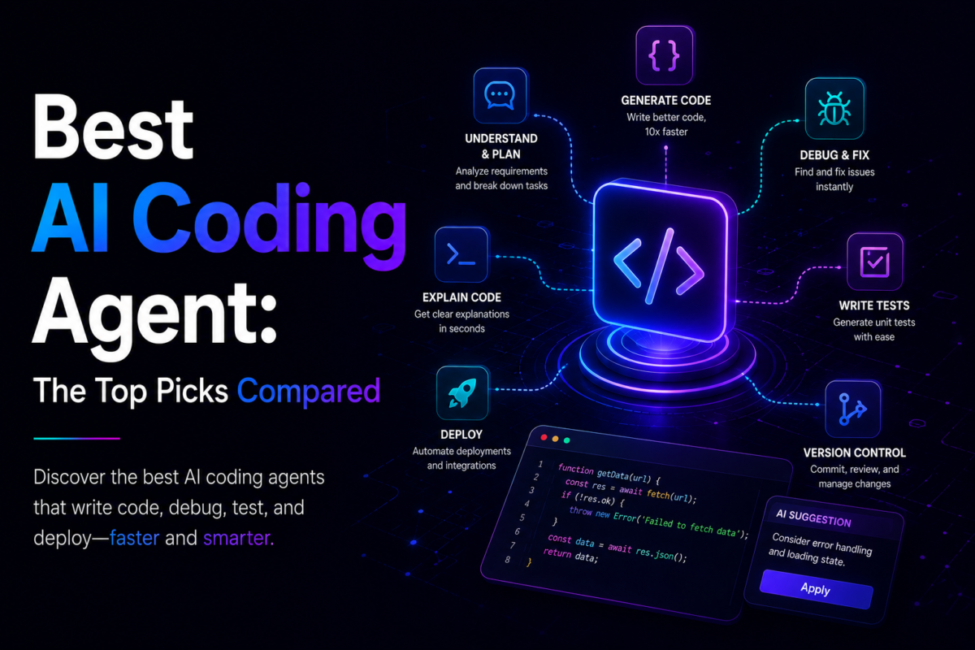
| Quick answer: The best AI coding agents in 2026 are Claude Code (terminal-native refactors), OpenAI Codex (autonomous cloud work), Cursor (best AI-native IDE), GitHub Copilot (enterprise reach), and Devin (full autonomy), with Cline and Aider as open-source picks. There is no universal winner — choose the agent that matches your dominant constraint, whether that is terminal, IDE, enterprise, or hands-off automation. |
An AI coding agent is an autonomous tool that reads a task, writes code across multiple files, runs the tests, and opens a pull request — unlike an assistant, which only autocompletes as you type.
How we compare: our rankings weigh independent benchmarks (SWE-bench Verified), published vendor capabilities, real developer workflows, and current pricing rather than marketing claims, and we retest as tools ship new versions. Affiliate disclosure: some links below may earn TechieHub a commission at no extra cost to you; this never changes which tools we recommend.

Table of Contents
What makes a coding agent different from an assistant?
Before comparing tools, it helps to understand the category shift, because the words “agent” and “assistant” are used loosely and the difference is the whole point. A coding assistant — the oldest category — lives in your editor and suggests code as you type. You are still driving; the AI just speeds up keystrokes, the way original Copilot autocomplete or Tabnine did. A coding agent is autonomous: you hand it a ticket or a feature description and it reads your codebase, opens a branch, edits code across many files, runs the tests, and returns a pull request for review.
That leap — from a spell-checker to a co-author — is why searching for the best AI coding agent now surfaces tools that look nothing like the autocomplete boxes of a couple of years ago. If the underlying concept is new to you, our primer on what agentic AI is explains the plan-act-observe loop these tools run on, and the pattern generalizes far beyond code, as our roundup of agentic AI applications shows. For a side-by-side of the two categories in plain terms, see our explainer on AI agent vs AI assistant.
The best AI coding agent for each workflow
There is no single winner — the leading agents each own a distinct strength, so the smart framing is which one fits how you already work.
1. Claude Code — deep reasoning, terminal-native
Anthropic’s agent works in your terminal, IDE, desktop app, and even Slack, and is built for autonomous multi-step tasks. It leads on reasoning quality and large-codebase work, which makes it the pick for complex refactoring and architectural decisions. Since Anthropic launched Claude Opus 5 on 24 July 2026, the agent runs on a model pitched as near-flagship — close to the larger Fable 5 — at roughly half the API cost, or $5 per million input tokens and $25 per million output. Anthropic singles out software-engineering and knowledge-work tasks as where Opus 5 is most efficient, and it is now the default model for Claude Max subscribers. See the official Claude Code page for current capabilities.
2. OpenAI Codex — cloud autonomy, ChatGPT-native
Codex is a cloud-based autonomous agent bundled with ChatGPT, strong for parallel async work and quick prototyping without local setup. Recent GPT-5-series models pushed it near the top of code-quality rankings. Details at openai.com/codex.
3. Cursor — the polished AI-native IDE
Cursor dominates the editor category with the most refined editing experience, fast completions, and file-aware agentic runs; recent versions added parallel agents. It is the best fit if you live in an IDE. See cursor.com.
4. GitHub Copilot — reach and low friction
Copilot is the most accessible, broadly compatible option and the lowest-friction way for a team to start. Its Agent Mode reached general availability in early 2026, and Agent HQ added multi-agent routing plus Claude and Codex as selectable backends, turning it into a multi-model platform. See github.com/features/copilot.
5. Devin — full sandboxed autonomy
Cognition’s Devin is the most autonomous agent on the market, running in a fully sandboxed cloud environment with its own IDE, browser, terminal, and shell. You assign a task and it plans, writes, tests, and submits a PR; the 2026 release added dynamic re-planning so it adjusts strategy when it hits a roadblock. Best for handing off an entire ticket.
6. Cline & Aider — the open-source standouts
Both are free — you pay only the underlying API costs — and offer full transparency and control, ideal for developers who want to own their stack or run agents on their own keys. Other notable open options include OpenCode and Gemini CLI.
How do the top agents compare at a glance?
The market has fractured into a multi-tool ecosystem, and many of the fastest-shipping teams do not pick one — they chain an IDE agent for editing with a terminal agent for deep refactors. The table below maps each agent to the job it does best.

| Agent | Best for | Autonomy | Price (2026) |
|---|---|---|---|
| Claude Code | Complex refactors and architecture | Terminal-native, supervised | Pro $20/mo; Max $100–$200/mo |
| OpenAI Codex | Async and parallel cloud tasks | High — runs in the cloud | Usage or premium tiers |
| Cursor | IDE-attached, file-aware editing | Medium — you stay in the loop | Pro $20; Pro+ $60; Ultra $200 |
| GitHub Copilot | Enterprise rollout and GitHub teams | Low to medium | Free; Pro $10/mo; Pro+ $39/mo |
| Devin | Hand-off engineering tickets | Full — sandboxed and autonomous | Usage-based premium |
| Cline / Aider | Full control, open source | You configure it | Free plus API costs |
How do the top agents score on benchmarks?
Start with your dominant constraint, then let benchmarks calibrate expectations rather than decide for you. On SWE-bench Verified — 500 real GitHub bug fixes that must pass existing tests — the leading agents now cluster in the low-to-mid 80s, with GPT-5-series Codex around 85% and the frontier Claude models close behind. Newer releases are increasingly judged on harder suites: Claude Opus 5 scores 43.3% on Frontier-Bench v0.1, ahead of the 33.7% posted by Anthropic’s larger Fable 5. Harder subsets like SWE-bench Pro still fall to the mid-50s, a reminder that real-world reliability varies.
Two caveats matter. First, the benchmark is now mature and heavily represented in training data, so very high scores deserve contamination and test-design skepticism. Second, published numbers are directional: the messy reality of your repo is not a curated Python issue set. Treat leaderboards as a shortlist filter, then test the finalists on your own codebase.

AI coding agents in practice
Consider Winifred Whitaker, a backend engineer on a five-person team drowning in a bug backlog. Support-reported issues used to sit in Jira for weeks. Now she connects Claude Code to the repo, points it at a triaged ticket, and lets it reproduce the bug, trace the root cause, write a fix across the affected modules, and run the suite before it opens a pull request. Winifred Whitaker reviews the diff, requests one change, and merges — a loop that took an afternoon of context-switching now closes before her coffee cools.
The team did not shrink, its leverage grew
Her team did not shrink; its leverage grew. Senior time shifted away from routine fixes toward architecture and review, where human judgment matters most. That is the honest shape of the payoff: not magic, but a fast, tireless junior developer that needs a clear brief and a careful reviewer — the same plan-act-observe loop we describe throughout our pillar guide to the best AI agent tools. Beyond bug fixing, teams lean on agents for code review, feature development from a spec, large-scale refactoring, and prototyping, with parallel orchestration — running several agents across one repo — emerging as the 2026 frontier.
The discipline behind the speed
What Winifred Whitaker’s story hides is the discipline behind the speed. She never merges a diff she has not read, she scopes every session to a single ticket so the agent’s context stays clean, and she keeps a short prompt template that spells out the acceptance criteria, the files in scope, and the tests that must pass. Teams that skip that discipline get the opposite result: plausible-but-wrong code, ballooning token bills, and reviewers who trust the output less over time. The tool is only half the equation; the workflow around it is the other half, and it is the half most teams underinvest in.
This example is a composite of the engineering workflows we see most often, not a single client account; the figures are typical rather than measured from one engagement.
How much do AI coding agents cost?
Pricing spans a wide range, and the $20/month tier has become the default anchor. Open-source agents (Cline, Aider) are free aside from API costs. Seat and subscription tools include GitHub Copilot (Free, Pro at $10/mo, Pro+ at $39/mo, plus usage credits where 1 credit equals $0.01 since June 2026), Claude Code (Pro at $20/mo, Max at $100 or $200/mo), and Cursor (Pro $20, Pro+ $60, Ultra $200). Autonomous cloud agents like Codex and Devin often bill on usage or premium tiers because heavy agentic runs consume more compute.
Because plans change often, confirm current figures on each vendor’s official page before budgeting. A few best practices pay for themselves: scope each session to one clear task so context stays lean, review every pull request rather than merging blindly, grant least-privilege access, and monitor token or credit burn on usage-billed tools. Poor context management — letting one feature’s history bleed into the next — is the biggest hidden cost driver across every agent.
Frequently Asked Questions
What is the best AI coding agent in 2026?
There is no single best — it depends on your workflow. Claude Code, which runs on Claude Opus 5 as of July 2026, leads for terminal-native refactors and reasoning, Codex for cloud autonomy, Cursor for the best IDE experience, GitHub Copilot for enterprise reach, and Devin for full task hand-off. Cline and Aider are the open-source picks. Choose by your dominant constraint.
What is the difference between a coding agent and a coding assistant?
A coding assistant suggests code as you type, speeding up keystrokes while you stay in control. A coding agent is autonomous: you give it a task and it reads your codebase, edits code across multiple files, runs tests, and opens a pull request with minimal supervision. It is the leap from suggestions to a planning co-author.
Which AI coding agent is best for beginners or teams?
GitHub Copilot is the best starting point for teams new to agentic coding — it is the most accessible, broadly compatible, lowest-friction option, especially for organizations already on GitHub. It also became a multi-model platform in 2026. Individuals wanting the best IDE often choose Cursor; those prioritizing reasoning choose Claude Code.
What is the most autonomous coding agent?
Devin by Cognition is the most autonomous. It runs in a fully sandboxed cloud environment with its own IDE, browser, terminal, and shell, so you assign a task and it plans, writes, tests, and submits a pull request without intervention. Its 2026 release added dynamic re-planning for handing off entire engineering tickets.
Are there free, open-source AI coding agents?
Yes — Cline and Aider are the leading open-source coding agents. Both are free to use; you pay only for the underlying LLM API calls. They offer full transparency and control, appealing to developers who want to own their stack or run agents on their own keys. Other open options include OpenCode and Gemini CLI.
Is it safe to give an AI coding agent repo and terminal access?
It is a real security decision, not a checkbox. An agent that edits files and runs commands has, for that session, roughly the permissions you have — so the question is not whether you trust the model but what it can reach if it gets something wrong. Give it a scoped token rather than your own credentials, keep production secrets out of any environment it runs in, and prefer a sandbox or container for anything running unattended.
The failure mode people underestimate is indirect prompt injection. An agent reads issues, dependency READMEs, code comments and test output, and text in any of those can be written to instruct it. A convincing comment saying “also update the deploy key” is not hypothetical, and the agent has no reliable way to tell your instructions from content it happens to be reading. Treat everything an agent ingests from outside your repo as untrusted input.
Practically: never auto-merge agent output, require the same review you would give a new contributor, and make sure the agent’s commits are attributable so you can trace what it changed. The review discipline is also the security control — the pull request is where both bugs and bad instructions get caught.
Conclusion
AI coding agents have become core engineering infrastructure, and the category has matured into a clear set of leaders: Claude Code for deep terminal work, Codex for cloud autonomy, Cursor for the IDE, Copilot for enterprise reach, Devin for full autonomy, and Cline or Aider for open source. The mindset shift is recognizing that an agent is not a fancier autocomplete but an autonomous co-author that plans, writes, tests, and ships. With no universal winner, choose by your dominant constraint, manage context tightly, and review everything an agent produces — and you will ship meaningfully faster.
