


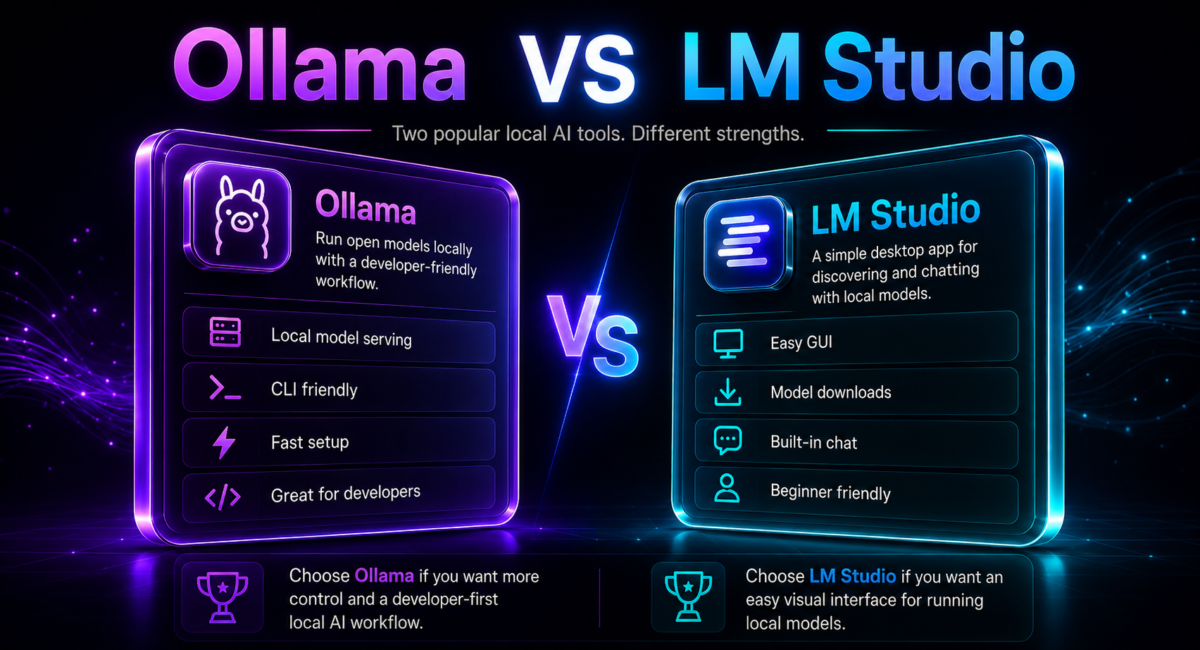
| Quick answer: Pick Ollama if you are building — an open-source, CLI-first server with an always-on daemon, an OpenAI-compatible API and official Docker images, ideal for automation and production. Pick LM Studio if you are exploring — a polished desktop app with a visual model browser and parameter sliders. Both are free, both run on llama.cpp, and many people run both. |
In one line: Ollama is a background server for running open large language models on your own machine, while LM Studio is a desktop application for discovering, chatting with and tuning those same models.
How we compare: we install each tool on the same NVIDIA and Apple Silicon hardware, load identical models and quantizations, and check every claim against official documentation and independent 2026 benchmarks before publishing.

Affiliate disclosure: TechieHub is reader-supported. Some outbound links may be affiliate links, but we only recommend tools we have tested and this never changes our verdict.
Table of Contents
Ollama vs LM Studio: two front ends for the same engine
Both tools let you run open models like Llama, Mistral, Qwen, DeepSeek and Gemma on hardware you control, both are free, and both expose an OpenAI-compatible API. Underneath, they even share plumbing: each is built on llama.cpp, the community inference engine that reads GGUF model files. So the real distinction is not speed or model support — it is form factor.
Ollama is a server that happens to ship a CLI. It installs a daemon that stays resident, holds models in memory and answers HTTP requests on port 11434. LM Studio is a desktop app that happens to ship a server. You open a window, browse models visually, and chat in a built-in interface, with an optional local server on port 1234. Almost every practical difference — how you install a model, whether it runs headless, how it fits into a pipeline — flows from that split. This guide sits inside our pillar on the best AI models and its companion on what a small language model is, since local runtimes and compact models go hand in hand.
Ollama, the developer’s server
Ollama bundles model management, inference and an HTTP server into a single binary. One command pulls a model, another runs it, and existing code written for the OpenAI SDK can point at a local instance with nothing more than a base-URL change. It is open-source under the MIT license, runs headless on a Linux box, and ships an official Docker image with GPU passthrough for NVIDIA and AMD. It collects no telemetry by default — useful for audit trails in regulated settings. The trade-off is the absence of a native visual playground: to compare parameters interactively you script it or add a community UI.
LM Studio, the explorer’s app
LM Studio is built for discovery. Its model browser searches Hugging Face and downloads with one click, you can drag a GGUF file straight into the app, and sliders give instant control over temperature, context length and GPU offload. A chat window makes testing effortless, and the local server mode exposes an OpenAI-compatible API. The catches: the desktop app is closed-source, it carries GUI overhead, and — historically — its server stopped when you closed the window. As you will see, that last limitation changed in 2026. See lmstudio.ai for the current build.
What actually changed in 2026?
For a long time the pitch was simple: Ollama for headless serving, LM Studio for a friendly GUI. Three shifts have blurred that line, and any honest comparison has to account for them.
- LM Studio went headless. LM Studio 0.4.0 (January 2026) introduced a headless server mode and stable programmatic multi-model management, with 0.4.2 adding continuous batching for its MLX engine — features that once belonged to Ollama alone.
- Ollama went commercial-adjacent. Ollama raised roughly $88M in funding and launched Ollama Cloud, a hosted-inference add-on priced in usage credits rather than GPU hours: Free includes starter credits, Pro is $20 a month ($200 annually) with $60 of credits, Max is $100 with $300 of credits and 10 concurrent requests, Team is $500 with $1,000 of shared credits, and Enterprise is custom. The local runtime stays free and open-source; the cloud is optional.
- Both embraced MLX. On Apple Silicon, both now run Apple’s MLX backend in addition to llama.cpp, which matters enormously for Mac performance.
The upshot: the tools are converging on capability, so the choice is less about what each can do and more about which default workflow matches how you work.

How do they compare feature by feature?
The table below distills the head-to-head. Note that both import the same GGUF models, support the same model families, and work with the OpenAI SDK, LangChain and LlamaIndex by changing the base URL — so parity is the rule, and the differences are about interface and deployment.
| Factor | Ollama | LM Studio |
|---|---|---|
| Primary interface | CLI + REST API | Desktop GUI + server mode |
| Architecture | Always-on daemon | Desktop app, now with headless mode |
| API port | 11434 (OpenAI-compatible) | 1234 (OpenAI-compatible) |
| License | Open-source (MIT) | Closed-source (free, optional Pro) |
| Docker | Official image, GPU passthrough | No official image |
| Telemetry | None by default | Anonymous analytics on by default |
If your priority is choosing which models to actually run on either tool, our guides to the best AI model for coding and the best LLM for data analysis pair naturally with this one.
Which is faster on your hardware?
On NVIDIA GPUs the two are effectively tied. Because both call llama.cpp for the same model and quantization, token generation is nearly identical, and any gap you see usually traces back to default settings like context length, GPU layers or thread count. Match those and the tokens-per-second numbers converge. In other words, if you already own an NVIDIA card, do not choose between these tools on the promise of a speed advantage — there is not a meaningful one for single-model inference. Spend your attention instead on picking the right model and quantization, which move throughput far more than the runtime does.
Apple Silicon is the exception, and it is a big one. MLX is dramatically faster than the generic CPU/GPU path on Macs: one comparative study measured MLX at roughly 230 tokens/sec on an M2 Ultra versus 20–40 tokens/sec for a non-MLX path on the same chip. As of mid-2026, community benchmark trackers show compact models such as Gemma 4 E2B hitting around 158 tokens/sec on an M5 Max via MLX. Since both tools now support MLX, the practical advice is to enable it explicitly on Apple hardware in whichever tool you use. Beyond raw throughput, Ollama’s resident daemon gives faster warm starts because models stay loaded, while a GUI adds a little startup and memory overhead — rarely the deciding factor for single-model work.

What will actually fit on your machine
Speed is the second question. The first is whether the model loads at all, and memory decides that, not your choice of front end — both read the same GGUF files. At the common 4-bit quantization, budget roughly 0.5 GB per billion parameters plus context headroom:
| Model size | Approx. memory at 4-bit | Comfortable on |
|---|---|---|
| 7-8B | ~4-5 GB | 8 GB GPU, or 16 GB Apple Silicon |
| 13-14B | ~8-9 GB | 12 GB GPU, or 16-24 GB Apple Silicon |
| 30-34B | ~18-20 GB | 24 GB GPU, or 32 GB Apple Silicon |
| 70B | ~40 GB | 48 GB GPU, or 64 GB+ Apple Silicon |
Two caveats. On Apple Silicon that memory is shared with the OS, so leave several gigabytes spare rather than sizing to the number on the box — and a long context costs memory too, which is why a model that loaded yesterday may not today. When a model spills past VRAM it does not fail cleanly; it offloads to system RAM and slows by an order of magnitude, which is what most “why is it so slow” reports turn out to be.
Running both in practice: a founder’s workflow
Consider Dagny, a composite solo founder building a customer-support assistant that has to keep client data on-premise. Her decision is not either/or but sequencing. She starts in LM Studio, using the visual browser to download three candidate models and chatting with each against real support tickets, nudging temperature and context length with sliders until one clearly answers best. That exploration takes an afternoon and never touches a terminal.
Once she has a winner, she pulls the same GGUF model into Ollama, points her existing OpenAI-SDK code at localhost:11434, and wraps it in the official Docker image so it deploys identically on her laptop and her client’s server. The daemon stays warm, the API is always on, and there is no GUI to babysit in production. LM Studio remains installed for the next round of model shopping. The truthful outcome: she shipped a private, local assistant without cloud API bills, using LM Studio to decide and Ollama to deploy — the pattern most experienced local-LLM users land on.
LM Studio vs Ollama: what the paid tiers now cost
Searching this as “LM Studio vs Ollama” rather than the other way round changes nothing about the answer, but the money side of the comparison changed completely in 2026: both tools now sell the same three-rung ladder at the same prices. Free at $0, a middle tier at $20 a month, a heavy tier at $100. What you get for the money is where they diverge.
Ollama sells you credits. Pro at $20 includes $60 of usage credits, Max at $100 includes $300, and Team at $500 includes $1,000 shared across unlimited users. Because it is credit-denominated, you can see exactly what you are buying and what happens when you stop — unused capacity simply does not get used, and the local runtime keeps working regardless. The 10 concurrent requests on Max is the detail that matters if you are putting a local model behind anything multi-user.
LM Studio sells you hosted models. Bionic+ at $20 adds US-hosted open-weight models — Kimi K3, GLM 5.3 and DeepSeek V4 Flash among them — plus web search and page extraction, and Pro at $100 buys 5× usage limits and early access. That is a different proposition: you are paying for models you could not run on your own hardware, hosted in the US, rather than for credits against your own workloads.
Which means the paid decision is not really Ollama versus LM Studio. If you want more of your own capacity, Ollama’s credits are the cleaner purchase. If you want to reach frontier-scale open models that will never fit your GPU, LM Studio’s hosted tier does that in the same interface you already use locally. And if you only ever run models on your own machine, both remain free and the paid ladders are irrelevant — which is still the right answer for most people reading this. Prices checked 4 October 2026.
Which should you choose?
Reduce it to one question: are you building or exploring? If you are integrating local inference into an application, deploying on servers, automating workflows, or you need Docker and an always-on API, Ollama is the clear pick — open-source, scriptable and low-overhead. If you want to browse Hugging Face visually, test models through a friendly chat window, tune with sliders, or give non-technical teammates local AI, LM Studio delivers the better experience.
Because they run on different ports without conflict, running both is not a compromise — it is the recommended setup for many people. Explore in LM Studio, deploy with Ollama, and revisit the decision as both keep converging. Whichever you land on, the same open models and the broader best AI models landscape are available to you.
Two considerations can tip a close call. The first is privacy and governance: Ollama collects no telemetry by default and can log API requests, which suits regulated industries that need audit trails, whereas LM Studio enables anonymous analytics out of the box, so privacy-sensitive users should disable them in settings immediately after installation. The second is team makeup. A single developer comfortable at the terminal will feel at home with Ollama on day one, while a mixed team that includes designers, analysts or product managers benefits from LM Studio’s visual on-ramp, letting non-technical colleagues try models without writing a single command.
Finally, remember that both projects move quickly. Headless modes, cloud tiers, agent features and MLX support all landed within a single year, so treat any snapshot — including this one — as a starting point and verify current ports, licensing and features on the official sites before you commit to a production architecture.
One thing to get right before you expose either API
Both tools serve an OpenAI-compatible endpoint — Ollama on 11434, LM Studio on 1234 — and neither ships authentication. By default both listen on localhost only, which is safe. The risk starts the moment you make one reachable from elsewhere, whether by setting OLLAMA_HOST to 0.0.0.0, ticking LM Studio’s serve-on-network option, or forwarding the port so you can reach it from a laptop.
At that point anyone who can route to the machine can use your model, read what you send through it, and in Ollama’s case pull or delete models. Internet-wide scans have repeatedly turned up openly reachable instances, so this is hunted rather than theoretical. If it must leave localhost, put something in front of it — a reverse proxy with authentication, an SSH tunnel, or a private network — and never map the port to a public interface. It is easy to skip precisely because everything works fine without it.
Frequently Asked Questions
What is the difference between Ollama and LM Studio?
The difference is architectural. Ollama is a CLI-first server with an always-on daemon and a REST API, built for developers integrating models into apps. LM Studio is a desktop application with a visual browser and chat, built for exploring models. Both are free, both use llama.cpp, and both expose OpenAI-compatible APIs.
Is Ollama or LM Studio faster?
On NVIDIA GPUs they are essentially tied, since both use llama.cpp and any gap comes from default settings. On Apple Silicon, the MLX backend is far faster than the generic path, and both tools now support it, so enable MLX explicitly on Macs. Ollama also has faster warm starts thanks to its resident daemon.
Should I use Ollama or LM Studio in 2026?
Choose by task. Use Ollama for building, automating, and deploying with Docker and an always-on API. Use LM Studio for browsing models visually, chatting, and tuning with sliders. Since both now offer headless modes and run on different ports, many people install both: explore in LM Studio, then deploy with Ollama.
Are Ollama and LM Studio free?
Yes, both are free for personal and commercial local use. Ollama is fully open-source under the MIT license, with an optional paid Ollama Cloud add-on. LM Studio is free but closed-source, and it now sells a paid ladder of its own rather than a single Pro tier: LM Studio’s Bionic plans run Free at $0, Bionic+ at $20 a month and Pro at $100. Neither charges per token for local inference, so if you stay local your only cost is hardware and electricity.
Can I run Ollama and LM Studio at the same time?
Yes. They serve APIs on different ports, Ollama on 11434 and LM Studio on 1234, so they never conflict. Both import the same GGUF models from Hugging Face, enabling a popular workflow: discover and test a model visually in LM Studio, then pull the same model into Ollama for serving and application integration.
Is LM Studio open source?
No. LM Studio’s desktop application is closed-source and proprietary, so you run a binary you cannot audit. For most users this is acceptable, but organizations with strict open-source or auditing requirements may prefer Ollama, which is fully open-source under the MIT license and collects no telemetry by default.
Conclusion
Neither tool wins, because they are not really competing: both sit on llama.cpp, both read the same GGUF files, and both serve an OpenAI-compatible API. What differs is the surface you touch. Ollama is infrastructure — scriptable, headless, MIT-licensed, Docker-ready. LM Studio is an instrument — a visual browser and sliders that make comparing models genuinely pleasant.
So run both — different ports, no conflict, which makes explore-in-LM-Studio, deploy-with-Ollama an honest recommendation rather than a fence-sit. Two things decide a close call: governance, where Ollama’s no-telemetry default suits regulated work while LM Studio’s analytics want turning off at install, and who else is on the team. See our guide to the best local LLM, and best open source LLM if you are choosing the model rather than the runner.
