


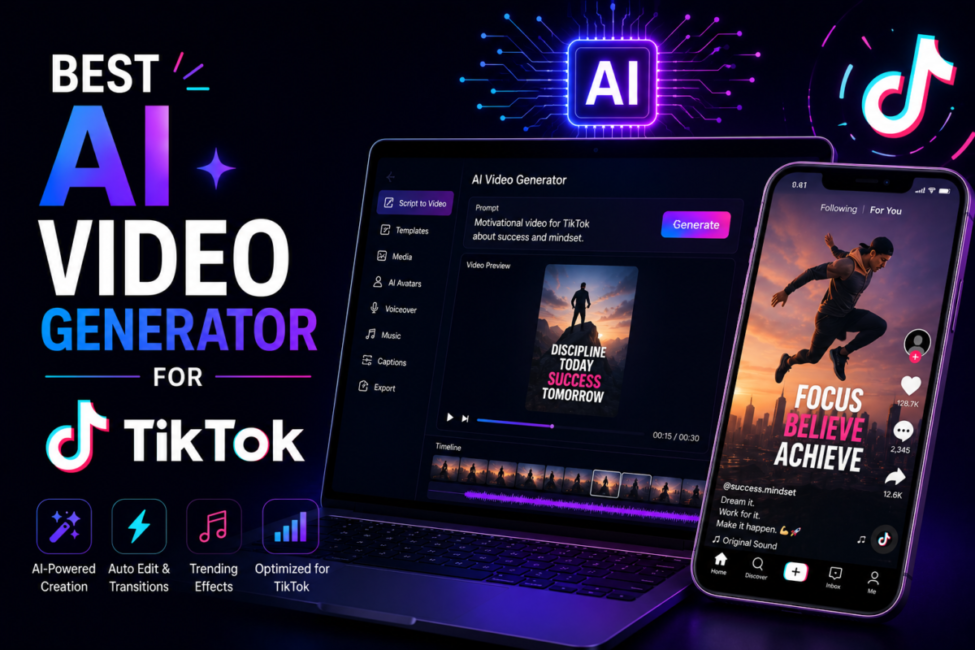
Every TikTok account hits the same ceiling eventually, and it is never a shortage of ideas. It is production. You can sketch twelve videos in ten minutes, then burn three evenings filming and exporting them. AI video generators exist to break that one bottleneck, and in 2026 the credible ones finally render 9:16 natively instead of squeezing a widescreen shot into a phone-shaped hole. The catch is that the phrase now covers three unrelated jobs, and picking the wrong one costs more time than editing by hand.
| Quick answer: There is no single winner. If you already film long-form, OpusClip cuts it into scored vertical clips fastest. If you start from a prompt, Kling 3.0, Veo 3.1 and Runway Gen-4.5 generate native 9:16. CapCut is the free finishing layer. Match the tool to your raw material. |
How we compare: we trial every tool at the tier a working creator would actually pay for, run the same jobs through each – a 45-minute podcast cut into shorts, a prompt-only product clip – and take prices from the vendor’s own pricing page.
Affiliate disclosure: some links on this page are affiliate links. If you subscribe through one, TechieHub may earn a commission at no extra cost to you. Commissions never influence ranking, scoring or placement.
Table of Contents
Why does TikTok punish video that was not built vertical?
TikTok’s delivery target is unambiguous: 9:16 vertical at 1080 x 1920, H.264 in an MP4 container, under 500 MB. That is the shape of the surface your video plays on, and the arithmetic of ignoring it is brutal. Crop a 1920 x 1080 frame to 9:16 without losing height and you keep a column roughly 608 pixels wide – under a third of the original image area. Two thirds of what you shot and lit is discarded, and rarely the unimportant two thirds.
Then the interface takes another bite. The right rail carries the like, comment and share buttons; the bottom strip holds the username, caption and audio ticker; the top edge carries the Following and For You tabs. Anything important under those zones is legible in your editor and invisible to the viewer. A tool that generates 16:9 and offers vertical as a post-processing checkbox is therefore not a TikTok tool – it is a YouTube tool with a crop button. This is the sharpest fork in the whole generative AI tools category: models that compose for vertical, and models that composed for widescreen and hope you will not notice.
What makes the best AI video generator for TikTok?
Five things, and only five. Native 9:16 generation is the entry ticket – the model must compose for the frame, not crop into it afterwards. Hook control comes next: you need to regenerate the first two seconds independently, because that is where the scroll decision happens and the rest of a good clip is worthless without it. Sound is third, whether that means generated audio locked to the picture or a clean path to trending audio underneath.
Fourth is captions. Much TikTok viewing happens muted, so burned-in, well-timed captions are load-bearing rather than decorative; if your generator’s are weak, pair it with a dedicated AI caption generator for video. Fifth is iteration speed. TikTok reach is genuinely unpredictable, and the winning strategy is more attempts at one idea – three hooks, two pacings, one concept – not a single perfect render. A tool that produces four variants while a rival produces one beats a tool with marginally better pixels. That order is close to the reverse of what matters on long-form, which is why our AI video generator picks for YouTube rank different tools at the top.
Which tools earn a slot in a real TikTok workflow?
Group them by job rather than by score, because almost nobody needs only one. Most sustainable accounts run two: something that produces the clip, and something that finishes it.
| Tool | The job it does | Price (vendor page, July 2026) | Native 9:16 |
| OpusClip | Long video into scored vertical clips | Free; Starter $15/mo; Pro $29/mo | Yes |
| Runway Gen-4.5 | Prompt and image to video, fine control | Standard $12/mo annual, $15 monthly | Yes |
| Google Veo 3.1 | Generated video with synchronised audio | Bundled into Google AI subscriptions | Yes |
| Kling 3.0 | Photoreal human motion and lip-sync | Free tier; paid from roughly $7/mo | Yes |
| CapCut | Free editing, captions, trend templates | Free at 1080p; paid tiers above | Yes |
OpusClip — best if you already film long-form
OpusClip is the least glamorous option and the most useful if you have a back catalogue. Feed it a podcast, webinar or stream and it returns vertical cuts with speaker reframing, auto-captions and a virality score on each, so you post in confidence order instead of guessing. Its pricing page puts virality scoring on Starter and above, with direct posting to TikTok, Shorts and Reels on the $29 Pro tier – which matters, because manual uploading is what quietly kills a daily cadence. Be realistic: a meaningful minority of auto-clips are unusable, so treat the output as a shortlist, not a schedule.
Runway Gen-4.5 — best control from a prompt or still
Runway sits at the opposite end – you bring a prompt or a still image and it builds the shot. Its plans start at $12 a month billed annually ($15 monthly), rising to $28 and $76 tiers for heavier use. Veo 3.1 is stronger when you need generated dialogue and sound effects locked to the picture, while Kling 3.0 is the value pick for photoreal human motion, which is why it dominates faceless UGC-style accounts. CapCut, built by TikTok’s parent company, stays the free layer nearly everyone lands on for captions and export. For how these engines behave outside short-form, our AI video generator comparison covers the wider field.
Google Veo 3.1 — best for generated clips with sound
Bundled into Google AI subscriptions. The only one here that produces synchronised audio in the same pass, which removes a whole editing step for talking or ambient clips. Bundled pricing makes it effectively free if you already pay for Google AI Pro, and awkward to justify if you do not.
Kling 3.0 — best value for human motion
Free tier; paid from roughly $7/mo. The strongest lip-sync and photoreal human movement at this price, which matters because TikTok audiences are unforgiving about faces that look wrong. The cheapest credible route to generated footage with people in it.
CapCut — the free finishing layer
Free at 1080p; paid tiers above. Not a generator but where most clips end up: captions in the native TikTok style, trend templates and audio sync. Whatever generates your footage, this is usually the last step before posting — and for many accounts it is the only paid-for tool that never gets cancelled.
What does posting daily actually cost?
Less than people expect, and rarely where they expect. A creator repurposing existing footage can sustain a daily cadence on OpusClip Pro at $29 a month with CapCut’s free tier finishing the clips – roughly a dollar a day for thirty posts. Generating from scratch costs more, because these models bill by output rather than by seat: Runway’s $12 entry plan is fine for testing and thin for volume, and the $28 tier is where prompt-first accounts settle.
The number that decides your bill is cost per usable clip, not cost per render. A generator that nails framing, hook and captions on the second attempt beats a cheaper one needing six, and a tool that publishes directly saves minutes per video – trivial once, significant across thirty. Budget for waste: assume a third to a half of generated output gets discarded, and price the tool at that real yield.
Does labeling AI content cost you reach?
This is the question that stops people shipping, and the answer is reassuring: TikTok’s stance is disclosure, not prohibition. It became the first video-sharing platform to implement C2PA Content Credentials in May 2024, explaining that “Content Credentials attach metadata to content, which we can use to instantly recognize and label AIGC” – and that those credentials remain attached when content is downloaded, so provenance travels with the file.
The practical consequence is that hiding AI origin is no longer a viable strategy. The C2PA steering committee includes TikTok, Google, OpenAI, Adobe, Meta, Microsoft and Amazon, so the major generators increasingly write credentials into their output by default. Undisclosed synthetic content risks being auto-labeled, down-ranked or removed; labeled content is treated normally. Toggle the switch at upload and spend the saved anxiety on the hook instead.
How did one podcast host rebuild a dormant account?
Daniel Okoye hosts a weekly 50-minute interview show about industrial design. He had 61 episodes, an audience that never grew past its RSS feed, and a TikTok account holding four videos from 2024 and nothing since. His constraint was not creativity – cutting shorts by hand cost him a full evening for three clips, so he never did it two weeks running.
The workflow that fixed it took an afternoon to assemble. He ran his ten strongest episodes through OpusClip, kept only clips scoring in the top band, and pulled 34 candidates out of the back catalogue in one sitting. He rewrote each opening line in CapCut, because auto-selected hooks start where the interesting sentence starts rather than where the scroll-stopper does. For four phone-recorded episodes with no usable visuals, he generated short vertical B-roll to sit under the audio. The outcome was not a viral clip; it was a queue – six weeks of daily posts built in one afternoon plus twenty minutes a day, with the AI-content label on the generated cuts and off the repurposed ones. That is the realistic win: a cadence he could hold long enough for the algorithm to find something.
Frequently Asked Questions
Which AI video generator should I use for TikTok right now?
It depends on your input, not on a ranking. OpusClip wins if you already have long-form footage to cut down. Kling 3.0, Veo 3.1 and Runway Gen-4.5 win if you are generating from a prompt. CapCut wins as the free finishing and captioning layer nearly every workflow ends with.
Do AI video tools really export native 9:16?
The current leaders genuinely compose for vertical, which is not the same as cropping afterwards. Check before subscribing: if a tool renders 16:9 and offers vertical only as an export option, you lose roughly two thirds of the frame area and, with it, the framing you paid the model to produce.
How long should an AI-generated TikTok be?
Short. Completion rate drives distribution more than raw view count, and shorter clips complete far more often, so most creators land somewhere between nine and thirty seconds. Whatever the length, the opening two seconds do the heavy lifting – regenerate the hook on its own rather than re-rendering the entire clip.
Can I run a faceless TikTok account entirely on AI?
Yes, and it is the use case AI suits best. Prompt-to-video models handle B-roll, product shots and explainer visuals without a camera, while text to speech covers narration. Expect to write the scripts yourself: the models produce competent footage, but concept and hook still decide whether anything lands.
Do I have to label AI-generated TikTok videos?
Yes, and you should want to. TikTok requires disclosure of realistic AI-generated visuals or audio, and detects undisclosed synthetic media through C2PA Content Credentials embedded by the generators themselves. Labeled content is distributed normally, while unlabeled content risks auto-labeling, reduced reach or removal, so the label costs nothing.
Is repurposing better than generating from scratch?
If you already have footage, yes. Repurposing is cheaper, faster and carries a real authenticity that generated video still struggles to fake. Generate from scratch when you need shots you cannot film – product concepts, abstract visuals, scenes with no camera access – or when you have no back catalogue at all.
Conclusion
The honest summary is that best is decided by your raw material, not by a benchmark. Sitting on hours of long-form? A clipping tool with virality scoring and direct publishing outperforms any generative model at a fraction of the cost. Starting from nothing? A native-9:16 generator plus a free editor gets you to a daily cadence without picking up a camera. Either way, the tool is the smaller half of the job: vertical composition, a hook that earns the second two seconds, readable captions and a rhythm you can hold are what move an account. Pick the category first, pay past free only once you are posting consistently, and label what you generate.

6 Comments
Pingback: Best AI Caption Generator for Video in Minutes
Pingback: Best AI Tools for YouTube Automation – Top Picks [Free & Paid]
Pingback: Best AI Video Generator to Create Stunning Videos Fast
Pingback: Best Open Source AI Video Generator You Can Use Free
Pingback: Best Free AI Image to Video Generator Worth Trying
Pingback: Best AI Video Generator for YouTube to Grow Faster