


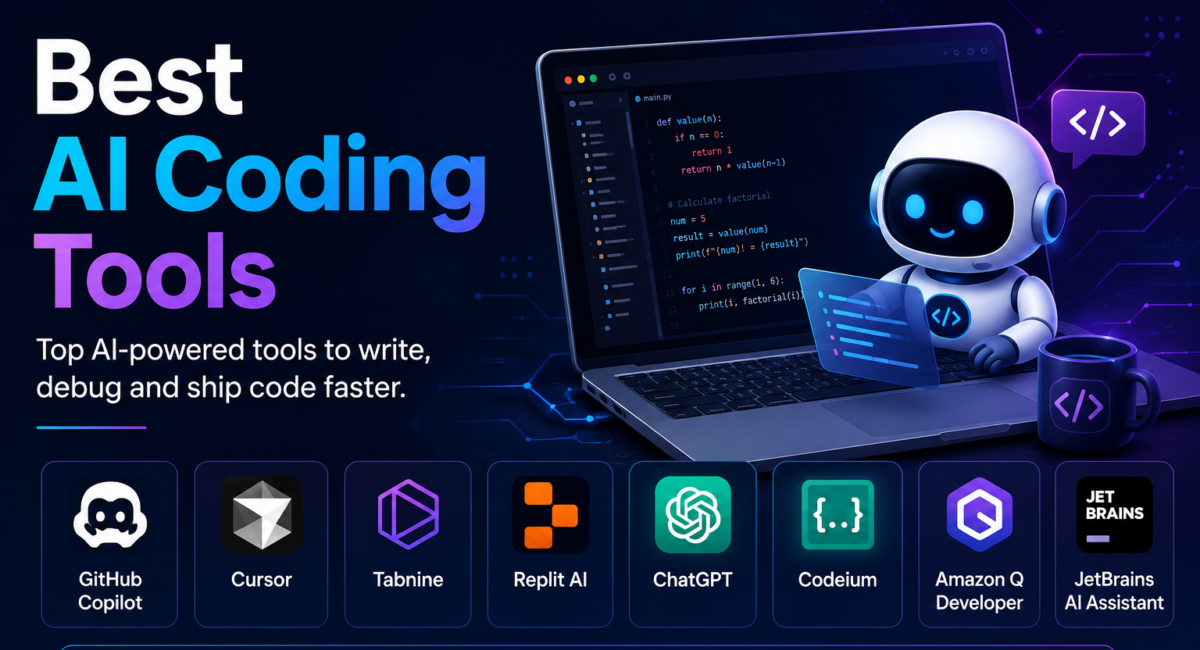
The best AI coding tools now fall into three clear camps — inline assistants, AI-native IDEs, and terminal agents — and the developers getting the most from them rarely pick just one. Here’s the current landscape, honest pricing, and a framework for choosing, built on public benchmarks rather than hype. It sits within our pillar on the best AI API.
| Quick answer: The best AI coding tools split into three types — inline assistants (GitHub Copilot, ~$10/mo), AI-native IDEs (Cursor and Windsurf, ~$20/mo), and terminal agents (Claude Code and OpenAI Codex). No single tool wins: most developers pair an in-editor assistant with a terminal agent, and the top tools now exceed 80% on SWE-bench Verified. |
Key facts
- 3 categories: inline assistants · AI-native IDEs · terminal agents.
- 80%+ on SWE-bench Verified — top terminal agents (Claude Code ≈ 80.8%). Source
- $10–$20/mo typical Pro pricing; free tiers are genuinely usable.
- Most effective developers use 2+ tools — an in-editor assistant plus a terminal agent.
| By the TechieHub Editorial Team. How we compare: we rank on public benchmarks (SWE-bench Verified), official pricing, documented capabilities, and developer-adoption data, refreshed at each update. We don’t accept payment for placement. |
AI coding assistants have gone from autocomplete novelties to agents that write whole features, refactor across hundreds of files, and resolve real GitHub issues. Adoption is now near-universal: developer surveys such as Stack Overflow’s annual Developer Survey put the share using or planning to use AI tools well above 80% — yet the same surveys show most developers still don’t fully trust the output, which is exactly why the tool you pick, and how you review what it writes, matters.
Table of Contents
The three categories that actually matter
An AI coding tool is software that uses a large language model to write, complete, refactor, or debug code from natural-language prompts. The label now covers everything from an editor plug-in to a full VS Code fork to an autonomous command-line agent — so the first useful step is knowing which category a tool belongs to.
- Inline assistants live inside your existing editor and offer autocomplete plus chat — fast for small edits, more limited on complex multi-file work. GitHub Copilot started this category.
- AI-native IDEs are full editors (usually VS Code forks) built around AI, with agents that make multi-file changes and navigate large repos. Cursor and Windsurf lead here.
- Terminal agents run in the command line and act autonomously — planning, editing many files, running commands, and shipping code with minimal hand-holding. Claude Code and OpenAI Codex are the prominent examples.
The best AI coding tools, by category
The leaders and their current pricing are summarised below — verify each on the vendor’s own page, as tiers shift often. Each entry states who it suits and the trade-off you accept by choosing it.
GitHub Copilot — best value and ecosystem reach
Copilot started this category and remains the safest default, largely because it runs everywhere you already work: VS Code, JetBrains, Visual Studio, Neovim. A free tier exists and Pro sits at $10 a month, which undercuts every AI-native IDE. The trade-off is depth — Copilot is strongest at inline completion and chat, and weaker than the agentic tools on multi-file refactors that require holding a whole repository in mind. Choose it if you want one low-cost assistant across a mixed-language, mixed-editor team.
Cursor — best all-round AI-native IDE
Cursor is a VS Code fork rebuilt around AI, which means agents that make coordinated multi-file changes rather than suggesting one line at a time. It has the largest community of the AI-native editors, so workflows, rules files and troubleshooting answers are easy to find. Its Composer agent handles larger tasks inside the editor. The trade-off is that adopting it means adopting a new editor — extensions carry over, but muscle memory and team standardisation do not. Choose it if a single editor doing everything matters more than staying on your current one.
Windsurf — closest Cursor alternative, strongest free tier
Windsurf now sits inside Cognition’s Devin line, and windsurf.com redirects to devin.ai, where the plans run Free, Pro at $20 a month, Max at $200, and Team at $80 a month plus $40 per developer seat. It still competes directly with Cursor on the same VS Code-fork model and keeps a free tier. That makes it the cheapest way to find out whether the AI-native IDE model suits you at all, without a subscription decision up front. Feature parity moves month to month in this pair, so treat any feature comparison as perishable. Choose it if you want the Cursor experience without paying to evaluate it.
Claude Code — best terminal agent for heavy work
Claude Code runs in the command line rather than an editor, planning a task, editing many files, running commands and iterating until the work is done. It scores around 80.8% on SWE-bench Verified, and the practical difference shows on tasks too large to supervise line by line — migrations, broad refactors, fixing a failing suite. The trade-off is supervision style: you review a finished changeset rather than each suggestion, which suits some workflows and unsettles others. See our Claude AI guide for the underlying model.
OpenAI Codex — capable terminal agent with an open CLI
Codex covers similar ground to Claude Code from the terminal, with a free open-source CLI that lowers the barrier to trying the agentic workflow. For teams already standardised on OpenAI models and billing, it removes a vendor relationship rather than adding one. Judge it the same way as any agent: give it a real task from your backlog rather than a toy problem, because agent quality separates on messy repositories, not clean ones.
Cline — best bring-your-own-key option
Cline is a VS Code extension that runs agentic work against whichever model provider you supply a key for, which makes it the pragmatic choice when model flexibility or cost control matters more than a polished product experience. Teams with existing API commitments, or those wanting to route different tasks to different models, get more control here than any bundled tool allows. The trade-off is assembly: you are configuring a workflow rather than buying one. For non-developers building apps instead, see our guide to low-code AI platforms.
In-editor assistant or terminal agent?
The most revealing pattern of 2026 isn’t “which tool is best” but which combination fits your workflow — most effective developers pair an in-editor assistant for day-to-day coding with a terminal agent for heavy lifting. The two solve genuinely different problems.
There’s a cost logic here too: a cheap inline assistant handles the bulk of everyday edits, so you don’t burn expensive agent credits on trivial work, while the terminal agent is reserved for the heavy tasks where its autonomy pays off. Pairing a $10–20 in-editor tool with metered agent use often costs less than forcing everything through one premium tier.
How much do the best AI coding tools cost?
Entry pricing has commoditized: Cursor, Windsurf and Claude Code Pro all sit around $20/month, while Copilot remains the cheapest paid option at $10, with Pro+ at $39. The real spread is at the heavy-usage tiers: Cursor’s higher Individual tiers, Devin Max at $200, and Claude Max from $100 a month. Crucially, the free tiers are genuinely usable: Copilot Free, Windsurf’s free tab completions, and open CLIs like Codex and Aider let you do real work without paying. For budgeting across your whole stack, see the best AI tools for business.
How do you choose the right AI coding tool?
Match the tool to the task size. Small tasks — a function, a type error, a test — suit inline suggestions that keep you in flow. Medium tasks — refactoring a module, updating an API across files — suit an agent mode like Cursor’s Composer. Large autonomous tasks — a whole feature, an end-to-end issue — suit a terminal agent. Beyond that, weigh ecosystem (Copilot if you live in GitHub), whether you want to leave VS Code, and how comfortable you are managing API costs.
Getting the most out of them — and the limits
The gains are real: top tools resolve genuine bugs that would take a human hours, and they accelerate refactoring, tests and boilerplate. But treat AI as a fast junior pair-programmer, not an infallible authority: always review generated code before merging, keep your fundamentals sharp enough to catch subtle bugs, and be careful about sending proprietary code to cloud tools — prefer local or enterprise options where confidentiality matters. The documentation side of this discipline is covered in our guide to AI code documentation tools.
Disclosure: TechieHub may earn a commission from some links, at no extra cost to you. It never affects our rankings. Pricing and benchmark figures were checked on 2 October 2026 and change frequently — confirm current details on each vendor’s official page.
Frequently asked questions
What are the best AI coding tools?
By category: GitHub Copilot (inline assistant), Cursor and Windsurf (AI-native IDEs), and Claude Code and OpenAI Codex (terminal agents), with Cline as a popular open-source option. There’s no single “best” — the right pick depends on whether you want in-editor help, a full AI IDE, or an autonomous terminal agent, and most developers use a combination of two.
How much do AI coding tools cost?
GitHub Copilot is cheapest at $10 a month, while Cursor Individual, Devin Pro and Claude Pro converge around $20. Heavy-usage tiers run to $200 a month. Free tiers from Copilot, Windsurf and the open CLIs are genuinely usable for many developers before you ever need to pay.
What’s the difference between Cursor, Copilot and Claude Code?
Copilot is an inline assistant inside your existing editor. Cursor is an AI-native IDE (a VS Code fork) with the most polished all-around experience. Claude Code is a terminal agent that works autonomously in the command line. Many developers pair Cursor for in-editor work with Claude Code for big tasks.
Are there free AI coding tools?
Yes, and they’re genuinely usable in 2026: GitHub Copilot Free, Windsurf’s free tab completions, and open-source CLIs like OpenAI Codex, Aider and Cline, where you pay only for model usage. You can do real AI-assisted coding without a subscription.
How accurate are AI coding tools?
The top tools exceed 80% on SWE-bench Verified, meaning they resolve real bugs — but accuracy isn’t perfection, and they can introduce subtle bugs or security flaws. Always review generated code before merging it into production, and keep your own fundamentals sharp.
Should I use one AI coding tool or several?
Most effective developers use at least two — an IDE-integrated assistant for daily coding plus a terminal agent for heavy, autonomous tasks. Pairing a cheap in-editor tool with metered agent use is usually more effective and cheaper than one premium tier.
Conclusion
AI coding tools are now standard equipment. Group the field into inline assistants, AI-native IDEs and terminal agents, and choose by how you work — Copilot for value, Cursor or Windsurf for an AI-first editor, Claude Code or Codex for autonomous terminal work. Entry pricing sits at $10–20/month with usable free tiers, and the smartest pattern is pairing two. Above all, review what the AI produces. And check which model your tool is calling underneath: the tool decides the workflow, but the model decides the quality and the bill, which we rank separately in the best AI model for coding.

5 Comments
Pingback: Best AI Patent Research Tools 2026: Top 8 for IP Teams
Pingback: Best Low Code AI Platforms to Build Apps Without Coding
Pingback: AI Patent Drafting Tools Comparison to Pick the Best
Pingback: Best AI APIs for Developers: Top AI APIs Compared & Ranked
Pingback: Best AI Code Documentation Tools That Write Docs for You