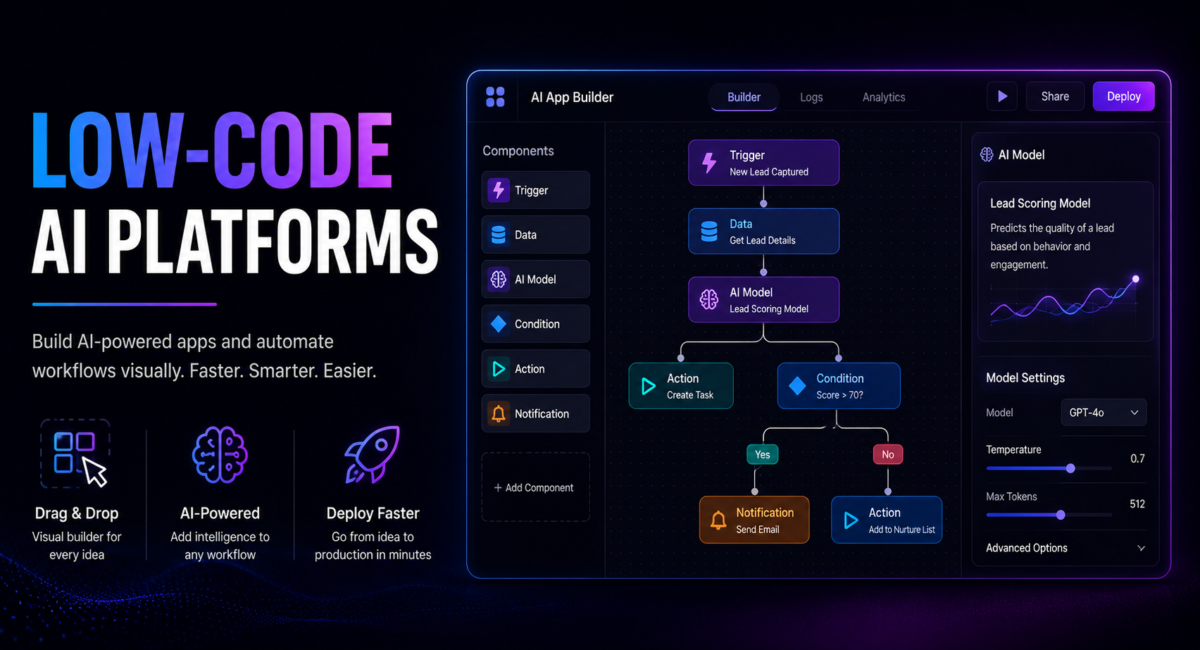
Build AI Apps Without Coding – Complete Guide
Table of Contents
1. Introduction: The Low-Code AI Revolution
Artificial intelligence was once the exclusive domain of data scientists with PhDs, machine learning engineers with years of specialized training, and organizations with massive R&D budgets. Building even a simple AI application required months of coding in Python or R, advanced mathematical knowledge of algorithms and statistics, expensive computing infrastructure, and teams of highly paid specialists. The barriers to AI adoption were so high that only large enterprises could afford to experiment with any low code AI platform or low code artificial intelligence solution.
Today, low code no code AI platforms have fundamentally changed this equation. These platforms provide visual development environments where business users, product managers, analysts, and citizen developers can build sophisticated AI applications in days or weeks using drag-and-drop interfaces, pre-built components, and automated machine learning. Whether you are looking for an ai low code ui builder or a full-featured low code machine learning platform, the technical complexity is abstracted away, letting users focus on solving business problems rather than wrestling with infrastructure and algorithms.
| Market Reality: The low-code AI platform market reached $18.9 billion in 2025 and is projected to grow to $65 billion by 2030 at 28% CAGR. Over 70% of enterprises now use low-code platforms for some development, with 65% specifically building AI applications this way. Development time has dropped from 6–12 months with traditional coding to 2–8 weeks with low-code tools. – Gartner Low-Code Report 2025 |
The timing of this revolution is perfect. Organizations worldwide recognize AI’s transformative potential, but face severe talent shortages. There are approximately 10 open data science positions for every qualified candidate, and demand continues to outpace supply. Meanwhile, business units have hundreds of AI use cases waiting to be addressed. AI-powered low-code development bridges this gap, enabling organizations to build 10–20x more AI applications with their existing teams while reserving specialized data science talent for the most complex projects. The rise of beginner-friendly low-code AI integration platforms means even non-technical teams can now participate in the AI revolution.
These platforms leverage the same underlying AI technologies covered in our Best AI Tools Like ChatGPT 2025 guide, but package them for non-technical users through intuitive interfaces.
2. Low-Code AI Market Statistics 2026
Understanding the scale, growth trajectory, and adoption patterns of low-code AI provides essential context for platform selection and demonstrates why these low code ai tools have become critical infrastructure for digital transformation.
2.1 Market Size and Growth
- $18.9 billion: Global low-code AI platform market size in 2025 – Gartner
- $65 billion: Projected market size by 2030 with 28% CAGR – MarketsandMarkets
- $13.8 billion: Enterprise spending specifically on low-code development in 2024 – Forrester
- 70%: Percentage of new applications built using low-code/no-code by 2027 – Gartner prediction
- 65%: Growth rate (CAGR) of low-code AI specifically versus 28% for general low-code – Industry analysis
- 500 million: Estimated new apps to be built with low-code by 2027 – IDC
2.2 Enterprise Adoption Statistics
- 75%: Large enterprises using or piloting low-code platforms in 2025 – Forrester
- 41%: Organizations with dedicated citizen developer programs – Gartner
- 84%: IT leaders citing low-code as key to digital transformation – OutSystems survey
- 65%: Enterprises building AI applications with low-code tools – Mendix research
- 10x: Increase in citizen developers expected by 2027 – Gartner
- 60%: Business-led (non-IT) low-code development by 2027 – Forrester prediction
2.3 Development Speed and ROI Statistics
- 10–20x: Faster development with low-code versus traditional coding – Multiple vendor studies
- 70%: Reduction in development time for typical business applications – Mendix
- $4.4 million: Average annual cost savings per organization from low-code adoption – Forrester TEI
- 190%: Average ROI from low-code platform investment over three years – Forrester
- 2–8 weeks: Typical low-code AI application development time versus 6–12 months traditional
- 50%: Reduction in application maintenance costs – OutSystems
2.4 AI-Specific Low-Code Statistics
- 83%: Organizations wanting to add AI to existing applications – Salesforce
- 76%: IT leaders struggling to find AI talent – Deloitte
- 10:1: Ratio of open data science positions to qualified candidates – LinkedIn
- 67%: Companies using AutoML capabilities in low-code platforms – Gartner
- 45%: Increase in AI projects completed with low-code versus prior year – Industry benchmark
- 89%: Citizen developers who want AI capabilities in their tools – Microsoft survey
| Strategic Implication: The low-code AI revolution isn’t replacing professional developers—it’s democratizing AI so organizations can address the massive backlog of AI use cases while their data science teams focus on the most complex, high-value projects. The 10:1 talent gap makes every low code AI platform essential for scale. |
3. What Are Low-Code AI Platforms?
Low-code AI platforms provide visual development environments where users build AI-powered applications through drag-and-drop interfaces, pre-built templates, automated machine learning, and minimal coding. Often referred to as low-code AI software or low code data science platforms, they abstract away complex infrastructure, data pipelines, model training, and deployment—letting users focus on business logic and solving real problems. For teams evaluating options, understanding the difference between a general-purpose low code automation platform and a specialized AI-focused tool is crucial to making the right choice.
3.1 Core Capabilities
Visual Development
- Drag-and-drop interfaces for building applications without writing code
- Visual workflow designers for connecting AI models to business processes
- WYSIWYG editors for designing user interfaces and dashboards
- Pre-built templates for common AI applications and use cases
Pre-Built AI Models
- Computer vision: Image classification, object detection, OCR
- Natural language processing: Text classification, sentiment analysis, entity extraction
- Predictive analytics: Forecasting, classification, regression, anomaly detection
- Generative AI: Text generation, summarization, chatbots, content creation
AutoML (Automated Machine Learning)
- Automatic feature engineering from raw data
- Algorithm selection and hyperparameter tuning without manual configuration
- Model training and validation with one-click simplicity
- Performance comparison across multiple algorithms automatically
Data Integration
- Connectors to databases, APIs, cloud storage, and enterprise systems
- Data transformation and cleaning tools
- Real-time and batch data processing capabilities
- Integration with CRMs, ERPs, and business intelligence tools
Deployment and Operations
- One-click deployment to cloud or on-premise environments
- API generation for integrating AI into existing applications
- Model monitoring and performance tracking
- Version control and model management
3.2 Low-Code vs No-Code vs Traditional Development
- No-Code: Zero programming required; entirely visual development (e.g., Obviously AI, Zapier)
- Low-Code: Minimal coding with visual interfaces; can extend with code when needed (e.g., Power Platform, Mendix)
- Traditional: Full coding required; maximum flexibility but requires developer expertise
| 💡 Pro Tip: Most organizations benefit from low-code platforms that allow visual development for 80% of use cases while providing code extensibility for the remaining 20% that require customization. When reading low code AI platforms reviews, pay close attention to the balance between simplicity and extensibility. |
4. 10 Best Low-Code AI Platforms 2026 (Complete Reviews)
The following comprehensive reviews cover the leading low code ai platforms across enterprise, mid-market, and individual use cases. Whether you need the easiest low code ML platform for non data scientists or the best low-code AI platforms for training models on tabular data, each review includes detailed features, AI capabilities, ease of use assessment, pricing, and recommendations for optimal use cases. This section serves as a complete best low-code AI agent builders comparison for 2026.
4.1 Microsoft Power Platform – Best Enterprise Low-Code AI
| 🏆 Editor’s Choice: Best for enterprise organizations already invested in Microsoft 365 ecosystem |
Microsoft Power Platform combines Power Apps, Power Automate, Power BI, and AI Builder into the most widely adopted enterprise low code AI platform with over 25 million monthly active users. AI Builder brings pre-built and custom AI models directly into the platform, enabling citizen developers to add intelligence to applications without data science expertise while leveraging deep Microsoft 365 integration. As a leading low code automation platform, it remains the top choice for organizations already in the Microsoft ecosystem.
Platform Components
- Power Apps: Build custom business applications with AI integration
- Power Automate: Workflow automation with AI-powered actions
- Power BI: Business intelligence with AI-generated insights
- AI Builder: Pre-built and custom AI models for citizen developers
- Copilot Studio: Build custom AI assistants and chatbots
- Dataverse: Unified data platform for all Power Platform components
AI Builder Capabilities
- Document Processing: Extract data from invoices, receipts, forms, business cards, IDs
- Object Detection: Identify and count objects in images for inventory, quality control
- Text Classification: Categorize text for support tickets, feedback, documents
- Sentiment Analysis: Analyze customer feedback, reviews, social media sentiment
- Prediction: Binary classification and regression with custom training data
- Entity Extraction: Pull structured data from unstructured text
- GPT Integration: Leverage Azure OpenAI for generative AI capabilities
Ease of Use
- Learning Curve: Low for Microsoft users, medium for beginners new to the ecosystem
- Development Speed: Fast—functional apps typically built in 1–2 weeks
- Templates: 1,000+ pre-built templates for common business scenarios
- Documentation: Extensive Microsoft Learn resources and community support
- Copilot Assistance: AI helps build apps through natural language instructions
Pricing
- Power Apps per user: $20/user/month (create and use unlimited apps)
- Power Apps per app: $5/user/month/app (use specific apps only)
- AI Builder: $500/month add-on (1 million service credits)
- Power Automate: $15/user/month (included in many Microsoft 365 plans)
- Premium connectors: Included in per-user plans, additional for per-app
✅ Pros
• Deepest Microsoft 365 integration available
• 25+ million users—largest low-code community
• Comprehensive AI capabilities through AI Builder
• Copilot assistance accelerates development
• Enterprise security and compliance built-in
• Strong governance and admin controls
• Massive template and connector library
❌ Cons
• Best value requires Microsoft 365 commitment
• AI Builder adds significant cost
• Complex licensing model
• Learning curve for non-Microsoft users
• Some advanced AI requires Azure services
4.2 Google Vertex AI – Best for ML Engineers and Technical Teams
| 🏆 Best Technical Platform: Powerful AutoML with full code access for teams wanting low-code simplicity plus advanced customization |
Google Vertex AI combines AutoML with a unified low code machine learning platform, offering low-code model training alongside advanced customization options. It bridges the gap between no-code citizen development and full-code data science, making it ideal for teams with varying technical skills who need both simplicity and power. As a premier low code data science platform, it provides access to Google’s latest AI innovations including Gemini models. For teams searching for the best low-code AI platforms for training models on tabular data, Vertex AI’s AutoML Tables is a standout feature.
Key Features
- AutoML: Train custom vision, language, and tabular models without coding
- Pre-trained APIs: Vision, Speech, Language, Translation ready to use
- Model Garden: Access 100+ foundation models including Gemini, PaLM, Llama
- Generative AI Studio: Build with Google’s latest generative AI models
- Vertex AI Agent Builder: Create conversational AI agents
- MLOps: Full machine learning lifecycle management and monitoring
- Feature Store: Managed repository for ML features
- Pipelines: Orchestrate ML workflows at scale
AI Capabilities
- Computer Vision: Image classification, object detection, segmentation, OCR
- Natural Language: Classification, entity extraction, sentiment, translation
- Tabular: Forecasting, regression, classification on structured data
- Generative AI: Text generation, code, images, multimodal with Gemini
- Speech: Speech-to-text, text-to-speech in 125+ languages
- Video: Classification, object tracking, shot detection
Ease of Use
- Learning Curve: Medium for AutoML, harder for advanced features
- Development Speed: Hours for pre-trained APIs, days–weeks for custom models
- Interface: Clean console with both GUI and code options
- Documentation: Extensive with tutorials and sample notebooks
Pricing
- AutoML Training: $19.50/node hour (varies by model type)
- AutoML Prediction: $0.05–$0.90 per 1,000 predictions depending on model
- Pre-trained APIs: Pay-per-use (e.g., Vision $1.50/1,000 images)
- Generative AI: Token-based pricing for Gemini models
- Free tier: $300 credit for new users, always-free tier for some services
✅ Pros
• Access to Google’s cutting-edge AI models
• Flexible—from no-code to full-code
• Strong AutoML for custom models
• Excellent documentation and tutorials
• Pay-as-you-go pricing scales well
• Model Garden provides foundation model access
• Tight BigQuery integration
❌ Cons
• Requires Google Cloud Platform commitment
• Can be complex for pure no-code users
• Pricing can be unpredictable at scale
• Less accessible than pure low-code platforms
• Steeper learning curve than alternatives
4.3 Obviously AI – Best Pure No-Code ML Platform
| 🏆 Easiest to Use: Build predictive models in minutes with zero technical knowledge required |
Obviously AI is the most beginner-friendly low-code AI integration platform available, and easily qualifies as the easiest low code ML platform for non data scientists. Anyone can build predictive models in minutes by simply uploading data and asking questions in plain English. With absolutely no technical knowledge required, it’s perfect for business analysts, marketers, operations teams, and executives who need predictions fast without learning data science. If you’re exploring low code AI platforms reviews for tabular data, Obviously AI consistently earns top marks for simplicity.
Key Features
- One-Click ML: Upload CSV or connect data source, get predictions in minutes
- Natural Language: Ask prediction questions in plain English
- Dynamic Reports: Auto-generated interactive dashboards and insights
- What-If Analysis: Explore scenarios by adjusting variables
- Explainable AI: Understand why predictions are made
- Integrations: Salesforce, HubSpot, Google Sheets, Snowflake, Zapier
- API Access: Deploy models via API for production use
- Collaboration: Share models and reports with team members
AI Capabilities
- Classification: Predict categories (churn, conversion, approval)
- Regression: Predict numbers (revenue, demand, pricing)
- Time Series: Forecast future values based on historical patterns
- Clustering: Segment customers or products automatically
- Feature Importance: Identify which factors drive predictions
Ease of Use
- Learning Curve: Extremely low—truly accessible to anyone
- Development Speed: Minutes from data upload to working predictions
- Interface: Clean, intuitive, conversational design
- No Training Required: Self-explanatory interface
Pricing
- Free Trial: 14 days full access
- Starter: $75/month (1 data source, 1 model, 1,000 predictions/month)
- Pro: $249/month (5 data sources, 10 models, 10,000 predictions/month)
- Business: $499/month (unlimited sources, 25 models, 50,000 predictions)
- Enterprise: Custom pricing with dedicated support
✅ Pros
• Easiest ML platform available—true no-code
• Results in minutes, not weeks
• Natural language interface
• Excellent for non-technical users
• Strong explainability features
• Good integration options
• Affordable entry point
❌ Cons
• Limited to tabular/structured data
• No computer vision or NLP
• Less customization than technical platforms
• May not suit complex ML needs
• Smaller user community
4.4 OutSystems – Best Full-Stack Enterprise Low-Code
| Best for: Building complete enterprise applications with embedded AI capabilities |
OutSystems is the leading high-performance low-code AI software for building full enterprise applications at scale. Unlike AI-specific tools, OutSystems provides complete application development capabilities—web apps, mobile apps, portals, workflows—with AI and ML integration built in. Organizations use OutSystems when they need production-grade applications with AI features, not just AI models alone. It ranks among the top ai low code tools for enterprises seeking a unified development environment.
Key Features
- Full Application Development: Build complete web and mobile applications visually
- AI/ML Integration: Connect any ML model through pre-built connectors and APIs
- OutSystems AI Mentor: AI-assisted development suggestions and code generation
- Visual Development: True drag-and-drop with underlying code generation
- Integration Hub: 400+ pre-built connectors to enterprise systems
- DevOps Built-in: CI/CD, monitoring, and lifecycle management included
- Mobile Development: Native iOS and Android apps from single codebase
- Architecture Dashboard: Ensure application quality and performance
AI Capabilities
- ML Model Integration: Deploy and call models from Azure ML, AWS SageMaker, Google AI
- Pre-built AI Components: OCR, chatbots, sentiment analysis, text extraction
- AI-Assisted Development: Suggestions for improving code and architecture
- Custom Model Hosting: Deploy Python models directly in OutSystems
- Cognitive Services: Easy integration with cloud AI services
Ease of Use
- Learning Curve: Medium—powerful but requires training
- Development Speed: Fast for full applications (weeks vs months)
- Training: OutSystems provides free online training and certification
- Community: Large community with forums and component marketplace
Pricing
- Free Edition: Single application for personal use
- Standard: Starting around $40,000–$50,000/year
- Enterprise: $100,000–$200,000+/year depending on scale
- Pricing includes: Platform, cloud hosting, support
✅ Pros
• Complete application development platform
• Enterprise-grade scalability and security
• Strong integration capabilities
• Excellent for complex business applications
• AI mentor accelerates development
• Native mobile app generation
• Strong governance and compliance
❌ Cons
• Expensive—enterprise pricing
• Overkill for simple AI projects
• Requires training investment
• Platform lock-in concerns
• Best for larger organizations
4.5 Mendix – Best for Rapid Application Development
| Best for: Fast application development with embedded AI and strong collaboration features |
Mendix is a leading low code AI platform known for rapid application development and strong collaboration between business and IT. Owned by Siemens, Mendix excels in manufacturing, industrial, and enterprise environments where cross-functional teams need to build AI-powered applications quickly. Mendix Assist provides AI-powered development guidance throughout the build process, making it a standout ai low code ui builder for teams that need visual speed without sacrificing enterprise capability.
Key Features
- Visual Development: Drag-and-drop app builder with domain modeling
- Mendix Assist: AI that suggests next steps and identifies errors
- Workflow Automation: Build complex business processes visually
- Mobile-First: Progressive web apps and native mobile from one project
- Atlas UI: Pre-built UI components and design system
- Data Hub: Connect and integrate data from any source
- Private Cloud: Deploy anywhere—public cloud, private cloud, on-premise
AI Capabilities
- ML Kit: Integrate machine learning models into applications
- Cognitive Services: Connect to Azure, AWS, Google AI services
- AI-Assisted Development: Mendix Assist provides intelligent suggestions
- Custom ML Models: Deploy and call external ML models via API
- Pre-built AI Components: Document processing, chatbots, recommendations
- Siemens AI Integration: Access industrial AI capabilities
Ease of Use
- Learning Curve: Low to medium—designed for business-IT collaboration
- Development Speed: Very fast—applications in days to weeks
- Academy: Free online learning platform with certifications
- Community: Active marketplace with reusable components
Pricing
- Free: Single app, 5 users, community hosting
- Basic: $50/month (single app, unlimited users, Mendix cloud)
- Standard: $800/month+ (multiple apps, environments, support)
- Premium: $1,600/month+ (enterprise features, SLA, dedicated support)
- Enterprise: Custom pricing for large deployments
🔗 Mendix
✅ Pros
• Very fast development cycles
• Strong business-IT collaboration
• Mendix Assist AI guidance
• Good free tier to start
• Excellent for enterprises
• Siemens industrial AI access
• Strong community and marketplace
❌ Cons
• Full features require paid plans
• Less AI-native than specialized platforms
• Can be complex for simple needs
• Pricing scales with usage
• Best for application development vs pure ML
4.6 H2O.ai – Best Open-Source AutoML Platform
| Best for: Data scientists and technical teams wanting explainable AI and open-source flexibility |
H2O.ai provides the leading open-source AutoML platform, making low code artificial intelligence accessible while maintaining the transparency and control that data scientists require. H2O Driverless AI offers a powerful low-code interface for automated machine learning with industry-leading explainability features. The platform is trusted by over 20,000 organizations including half of the Fortune 500 and remains a top pick for any low code machine learning platform comparison.
Key Features
- H2O-3: Open-source distributed ML platform (free forever)
- Driverless AI: Enterprise AutoML with automatic feature engineering
- H2O Wave: Build AI-powered interactive applications
- MLOps: Model deployment, monitoring, and lifecycle management
- AI AppStore: Pre-built AI applications ready to customize
- Document AI: Extract and process information from documents
- LLM Studio: Fine-tune and deploy large language models
AI Capabilities
- Classification: Binary and multi-class with 50+ algorithms
- Regression: Predict continuous values with automatic tuning
- Time Series: Forecasting with lag features and seasonality
- Anomaly Detection: Identify outliers and unusual patterns
- NLP: Text classification, sentiment, topic modeling
- Explainability: Industry-leading model interpretability (SHAP, LIME)
- AutoML: Automatic feature engineering, algorithm selection, tuning
Ease of Use
- Learning Curve: Medium—designed for those with some ML knowledge
- Development Speed: Hours to days for AutoML projects
- Interface: Web GUI plus Python/R APIs for flexibility
- Documentation: Extensive with tutorials and examples
Pricing
- H2O-3: Free and open-source forever
- H2O Cloud (AI Cloud): Starting at $99/month
- Driverless AI: Enterprise pricing ($50,000–$200,000+/year)
- Enterprise: Custom pricing with support and SLAs
🔗 H2O.ai
✅ Pros
• Industry-leading explainability
• Open-source core (free forever)
• Powerful AutoML capabilities
• Trusted by Fortune 500
• Strong data science community
• Flexible deployment options
• LLM fine-tuning capabilities
❌ Cons
• Best for technical users
• Enterprise features expensive
• Not truly no-code
• Steeper learning curve
• Less app-building focus
4.7 DataRobot – Best Enterprise AutoML at Scale
| Best for: Enterprise teams needing production-grade AutoML with comprehensive MLOps |
DataRobot is the leading enterprise AutoML platform, providing end-to-end machine learning automation from data preparation through deployment and monitoring. The platform automatically tests hundreds of algorithms and configurations, selecting optimal models for your specific use case. As a top-tier low code AI platform, DataRobot is designed for organizations that need to deploy AI at enterprise scale with governance, security, and compliance built in.
Key Features
- AutoML Engine: Automatically tests 100+ algorithms to find best model
- Automated Feature Engineering: Creates and selects optimal features
- Model Factory: Build thousands of models systematically
- MLOps: Complete lifecycle management, monitoring, retraining
- AI Applications: Build applications around models without coding
- Bias Detection: Identify and mitigate model fairness issues
- Compliance Documentation: Automatic model documentation for regulators
- Champion/Challenger: A/B testing for model deployment
AI Capabilities
- Classification: Binary, multi-class with ensemble methods
- Regression: Continuous prediction with automatic optimization
- Time Series: Forecasting with calendar effects and exogenous variables
- Anomaly Detection: Unsupervised and supervised approaches
- Clustering: Segment data automatically
- Text Analytics: Classification, sentiment, topic extraction
- Visual AI: Image classification and object detection
Ease of Use
- Learning Curve: Medium—accessible GUI but technical depth available
- Development Speed: Hours from data to deployed model
- Training: DataRobot University provides comprehensive learning
- Support: Premium enterprise support included
Pricing
- Pricing: Custom enterprise (typically $150,000–$500,000+/year)
- Includes: Platform access, cloud compute, support, training
- Deployment: Cloud, on-premise, or hybrid options
- Starter packages available for smaller organizations
✅ Pros
• Most comprehensive AutoML platform
• Tests 100+ algorithms automatically
• Enterprise-grade MLOps
• Strong governance and compliance
• Excellent bias detection
• Comprehensive documentation
• Production-ready deployments
❌ Cons
• Very expensive—enterprise pricing
• May be overkill for smaller teams
• Requires significant investment
• Not for simple use cases
• Best for organizations with ML maturity
4.8 Bubble.io – Best No-Code Web App Builder with AI
| Best for: Entrepreneurs and small teams building full web applications with AI features |
Bubble.io is the leading no-code platform for building full-stack web applications, with extensive AI capabilities through plugins and API integrations. Unlike AI-specific ai low code tools, Bubble lets you build complete applications—user authentication, databases, workflows, payments, and AI features—all without coding. It’s ideal for startups, entrepreneurs, and small teams wanting to build AI-powered products quickly using a true low code no code AI platform.
Key Features
- Visual Programming: Build complete web apps with drag-and-drop
- Database: Built-in database with visual data modeling
- Workflows: Complex logic and automation without coding
- Responsive Design: Applications work on all device sizes
- Plugin Ecosystem: 1,000+ plugins including AI capabilities
- API Connector: Connect to any external API including AI services
- User Authentication: Built-in user management and permissions
- Hosting: Fully managed hosting included
AI Capabilities
- OpenAI Plugin: Native ChatGPT and GPT-4 integration
- AI Image Generation: DALL-E, Midjourney, Stable Diffusion via APIs
- Speech Recognition: Transcription through API integrations
- Sentiment Analysis: Through connected AI services
- Custom ML: Call any ML model via API connector
- AI Chatbots: Build conversational interfaces with AI backends
Ease of Use
- Learning Curve: Low to medium—powerful but intuitive
- Development Speed: Days to weeks for full applications
- Templates: Hundreds of templates to start from
- Community: Massive community with tutorials and support
Pricing
- Free: Build and learn (Bubble branding, limited features)
- Starter: $29/month (custom domain, basic features)
- Growth: $119/month (more capacity, API workflows)
- Team: $349/month (collaboration features, priority support)
- Enterprise: Custom pricing
✅ Pros
• Build complete applications, not just AI
• Excellent for startups and entrepreneurs
• Large plugin ecosystem
• Strong community support
• Affordable pricing
• No coding required
• Full-stack capabilities
❌ Cons
• AI is via plugins, not native
• Can be slow at scale
• Platform lock-in
• Complex apps require learning
• Not optimized for pure ML
4.9 Appian – Best for Process Automation with AI
| Best for: Complex enterprise workflow automation with intelligent document processing |
Appian is a leading low code automation platform specializing in process automation and workflow management with embedded AI capabilities. The platform excels at digitizing complex business processes, particularly those involving document processing, approvals, and cross-system integration. Appian’s AI capabilities focus on intelligent document processing (IDP), process mining, and workflow optimization, making it a powerful choice among ai low code tools for regulated industries.
Key Features
- Process Automation: Design and execute complex business processes
- Intelligent Document Processing: AI-powered document extraction and classification
- Process Mining: Discover and analyze process inefficiencies
- RPA Integration: Connect to robotic process automation bots
- Low-Code Apps: Build applications for process management
- Case Management: Handle complex case-based work
- Records: Unified view of data across systems
- Mobile: Native mobile apps for process participation
AI Capabilities
- Document AI: Extract data from invoices, contracts, forms automatically
- Email Classification: Route and categorize emails with AI
- Predictive Analytics: Forecast process outcomes and bottlenecks
- Process Optimization: AI recommendations for process improvement
- Connected Intelligence: Integrate any AI/ML model into processes
- OCR: Advanced optical character recognition
Ease of Use
- Learning Curve: Medium—designed for process experts
- Development Speed: Weeks for complex process automations
- Training: Appian Academy provides certifications
- Support: Enterprise support with dedicated resources
Pricing
- Pricing: Custom enterprise pricing
- Typical Range: $75,000–$300,000+/year
- Includes: Platform, cloud, support based on users and usage
- IDP pricing based on document volume
🔗 Appian
✅ Pros
• Best-in-class process automation
• Excellent document AI
• Strong process mining
• Enterprise security and compliance
• Unified automation platform
• Good RPA integration
• Proven enterprise track record
❌ Cons
• Expensive enterprise pricing
• Focus on process, not general AI
• Steep learning curve
• Overkill for simple needs
• Requires process expertise
4.10 Zapier + ChatGPT – Best No-Code AI Automation
| Best for: Simple AI workflows and automation without any development |
Zapier combined with ChatGPT provides the most accessible entry point to AI automation. With 6,000+ app integrations and native AI actions, anyone can automate workflows with AI in minutes. No coding, no technical knowledge, no learning curve—just connect apps, add AI steps, and automate. As a beginner-friendly low-code AI integration platform, it’s perfect for individuals, small businesses, and teams wanting quick AI wins without platform investment.
Key Features
- 6,000+ App Integrations: Connect virtually any business application
- AI Actions: ChatGPT, Claude, GPT-4 built into workflows
- Natural Language Processing: Summarize, classify, generate text
- AI Data Extraction: Pull structured data from unstructured text
- Formatter: Transform data between apps automatically
- Paths: Create conditional logic in automations
- Tables: Store and process data without databases
- Interfaces: Build simple forms and portals
AI Capabilities
- ChatGPT Integration: Native GPT-3.5 and GPT-4 actions
- Text Generation: Create content, emails, responses automatically
- Summarization: Condense long content automatically
- Classification: Categorize inputs for routing
- Data Extraction: Parse information from text
- Translation: Translate between languages in workflows
- Code Generation: Write code snippets for advanced automation
Ease of Use
- Learning Curve: Very low—intuitive interface
- Development Speed: Minutes to create automations
- Templates: 1,000s of pre-built automation templates
- Documentation: Extensive help center and tutorials
Pricing
- Free: 100 tasks/month, 5 Zaps
- Starter: $19.99/month (750 tasks, 20 Zaps)
- Professional: $49/month (2,000 tasks, unlimited Zaps)
- Team: $69/month per user (shared workspace, permissions)
- Enterprise: Custom pricing
- Note: AI actions consume additional task credits
🔗 Zapier
Zapier’s AI capabilities complement the optimization strategies in our Best AEO Tools 2026 guide, enabling automated content workflows.
✅ Pros
• Easiest entry to AI automation
• 6,000+ app integrations
• No coding required
• Affordable starting point
• Fast to implement
• Large template library
• ChatGPT built-in
❌ Cons
• Limited to workflow automation
• Not for custom ML models
• Costs scale with usage
• AI actions use extra credits
• Not for complex AI needs
5. Comprehensive Comparison Tables
5.1 Platform Overview Comparison
| Platform | Best For | Ease of Use | Starting Price | Integrations |
| Microsoft Power Platform | Enterprise | Medium | $20/user/mo | 400+ |
| Google Vertex AI | Technical Teams | Medium-Hard | Pay-per-use | GCP native |
| Obviously AI | Beginners | Very Easy | $75/mo | 20+ |
| OutSystems | Enterprise Apps | Medium | $40K+/year | 400+ |
| Mendix | Rapid Dev | Low-Medium | $50/mo | 100+ |
| H2O.ai | Data Scientists | Medium | Free–$99/mo | Python/R |
| DataRobot | Enterprise ML | Medium | $150K+/year | 100+ |
| Bubble.io | Web Apps | Low-Medium | $29/mo | 1,000+ |
| Appian | Process Auto | Medium | $75K+/year | 200+ |
| Zapier + AI | Automation | Very Easy | $20/mo | 6,000+ |
5.2 AI Capabilities Comparison
| Platform | Vision | NLP | Prediction | GenAI | Chatbot |
| Microsoft Power Platform | ✅ | ✅ | ✅ | ✅ | ✅ |
| Google Vertex AI | ✅ | ✅ | ✅ | ✅ | ✅ |
| Obviously AI | ❌ | ❌ | ✅ | ❌ | ❌ |
| OutSystems | Via API | Via API | Via API | ✅ | ✅ |
| Mendix | Via API | Via API | Via API | ✅ | ✅ |
| H2O.ai | ❌ | ✅ | ✅ | ✅ | ❌ |
| DataRobot | ✅ | ✅ | ✅ | ✅ | ❌ |
| Bubble.io | Via Plugin | Via Plugin | Via Plugin | ✅ | ✅ |
| Appian | ✅ | ✅ | ✅ | ✅ | ❌ |
| Zapier + AI | ❌ | ✅ | ❌ | ✅ | ✅ |
6. How to Choose the Right Platform
6.1 By Technical Skill Level
Complete Beginners (No Technical Background)
- Best: Obviously AI, Zapier + ChatGPT, Bubble.io
- Why: Zero coding required, intuitive interfaces, immediate results
- Learning Time: Hours to days
- Investment: Start free, scale as needed
Citizen Developers (Basic Technical Skills)
- Best: Microsoft Power Platform, Mendix, Appian
- Why: Powerful yet accessible, enterprise features, governance
- Learning Time: 1–2 weeks
- Investment: $20–$100/month or enterprise licensing
Technical Users (Developers/Data Analysts)
- Best: Google Vertex AI, H2O.ai, DataRobot
- Why: Advanced customization, code access, MLOps capabilities
- Learning Time: 2–4 weeks
- Investment: Pay-per-use or enterprise contracts
6.2 By Use Case
Predictive Analytics and Forecasting
- Best: Obviously AI (simplest), DataRobot (most powerful), H2O.ai (best value)
- Use cases: Sales forecasting, churn prediction, demand planning, risk scoring
Document Processing and Automation
- Best: Microsoft Power Platform (AI Builder), Appian (IDP), Google Vertex AI
- Use cases: Invoice processing, contract analysis, form extraction, email classification
Customer-Facing Applications
- Best: Bubble.io (web apps), OutSystems (enterprise), Mendix (rapid dev)
- Use cases: Customer portals, mobile apps, e-commerce, self-service tools
Workflow Automation
- Best: Zapier + AI (simple), Microsoft Power Automate (enterprise), Appian (complex)
- Use cases: Email automation, data sync, approval workflows, notifications
6.3 By Budget
$0–$100/month (Individual/Small Business)
- Zapier: Free–$49/month for AI automation
- Bubble.io: Free–$29/month for web apps
- Obviously AI: $75/month for predictions
- H2O.ai Cloud: $99/month for AutoML
$100–$1,000/month (Growing Business)
- Mendix: $50–$800/month for application development
- Obviously AI: $249–$499/month for multiple models
- Bubble.io: $119–$349/month for scaled applications
$1,000+/month (Enterprise)
- Microsoft Power Platform: $20–$50/user/month at scale
- OutSystems: $40,000–$200,000+/year
- DataRobot: $150,000–$500,000+/year
- Appian: $75,000–$300,000+/year
For guidance on evaluating AI tools more broadly, see our comprehensive Best AI Tools Like ChatGPT 2025 guide.
7. Industry Use Cases and Applications
7.1 Financial Services
- Fraud Detection: ML models identify suspicious transactions in real-time
- Credit Scoring: Automated risk assessment for loan applications
- Document Processing: Extract data from applications, statements, contracts
- Customer Service: AI chatbots for account inquiries and support
- Best Platforms: DataRobot, Microsoft Power Platform, Appian
7.2 Healthcare
- Patient Risk Stratification: Predict patient outcomes and intervention needs
- Claims Processing: Automate insurance claim review and routing
- Clinical Documentation: Extract information from medical records
- Appointment Optimization: Predict no-shows and optimize scheduling
- Best Platforms: Google Vertex AI, DataRobot (with compliance features)
7.3 Retail and E-commerce
- Demand Forecasting: Predict inventory needs by product and location
- Customer Segmentation: Group customers for targeted marketing
- Pricing Optimization: Dynamic pricing based on demand and competition
- Product Recommendations: Personalized suggestions based on behavior
- Best Platforms: Obviously AI, Google Vertex AI, DataRobot
7.4 Manufacturing
- Predictive Maintenance: Forecast equipment failures before they occur
- Quality Control: Detect defects using computer vision
- Supply Chain Optimization: Optimize inventory and logistics
- Process Optimization: Identify efficiency improvements
- Best Platforms: Mendix (Siemens), Microsoft Power Platform, H2O.ai
7.5 Professional Services
- Contract Analysis: Extract key terms and obligations automatically
- Time Prediction: Forecast project timelines and resource needs
- Document Automation: Generate proposals, reports, communications
- Resource Matching: Match consultants to projects based on skills
- Best Platforms: Appian, Microsoft Power Platform, Obviously AI
8. Implementation Guide and Best Practices
8.1 5-Step Implementation Process
Step 1: Define Your Use Case (Week 1)
- Identify specific business problem with measurable impact
- Determine success metrics (accuracy, time saved, cost reduced)
- Start with simple, high-value use case—not the most complex
- Get stakeholder buy-in and define data requirements
Step 2: Choose Your Platform (Week 1–2)
- Match platform capabilities to use case requirements
- Consider technical skills of your team
- Evaluate integration requirements with existing systems
- Start with free trials before committing
Step 3: Prepare Your Data (Week 2–3)
- Clean and organize data—garbage in, garbage out
- Ensure sufficient quantity (typically 1,000+ records for ML)
- Label data if needed for supervised learning
- Validate data quality and address missing values
Step 4: Build and Train (Week 3–5)
- Start with templates and pre-built models when available
- Iterate on model performance—rarely perfect first time
- Test thoroughly with holdout data
- Document decisions for future reference
Step 5: Deploy and Monitor (Week 5–8)
- Start with pilot group before full rollout
- Monitor key performance metrics continuously
- Gather user feedback and iterate
- Plan for model retraining as data evolves
8.2 Timeline Expectations
- Simple Automation: 1–2 weeks (e.g., email classification, data entry)
- Predictive Model: 2–4 weeks (e.g., churn prediction, forecasting)
- AI Application: 4–8 weeks (e.g., customer portal with AI features)
- Enterprise Solution: 2–4 months (e.g., company-wide document processing)
8.3 Success Factors
- Executive Sponsorship: Ensure leadership commitment to the initiative
- Clear Metrics: Define success before starting
- Data Quality: Invest in data preparation—most critical factor
- Start Small: Prove value with pilot before scaling
- Change Management: Train users and communicate benefits
- Iterate Rapidly: Launch early, improve continuously
| 💡 Pro Tip: The biggest mistake organizations make is starting with their most complex AI use case. Start with something simple that delivers clear value in weeks, not months. Early wins build momentum and stakeholder confidence for larger initiatives. |
9. Security and Compliance Considerations
9.1 Data Security
- Encryption: Ensure data encrypted in transit and at rest
- Access Controls: Role-based permissions for sensitive data and models
- Data Residency: Understand where data is stored geographically
- Data Isolation: Multi-tenant versus dedicated environments
9.2 Compliance Requirements
- SOC 2: Most enterprise platforms are SOC 2 certified
- GDPR: European data protection requirements
- HIPAA: Healthcare data requirements (not all platforms support)
- Industry-Specific: Financial services, government, etc.
9.3 Platform Security Features
- Microsoft Power Platform: Azure-grade security, compliance certifications
- Google Vertex AI: Google Cloud security, VPC options
- DataRobot: Enterprise security, on-premise deployment option
- OutSystems: Comprehensive security, compliance documentation
- Appian: Enterprise security, government certifications
9.4 Vendor Assessment
- Security certifications and audit reports
- Data processing agreements and privacy policies
- Breach notification procedures
- Business continuity and disaster recovery
10. FAQs: Low-Code AI Platforms
Hey Siri, what is the easiest low-code AI platform for someone who has never coded before?
Obviously AI is the easiest low-code AI platform for complete beginners with zero technical background. You simply upload your data and ask questions in plain English to get predictions in minutes—no coding, no setup, no training required. Zapier combined with ChatGPT is also an excellent beginner-friendly low-code AI integration platform for anyone who wants AI automation without any learning curve. Both deliver results within minutes of starting and are consistently rated the top choices in low code AI platforms reviews for non-technical users.
Alexa, can low-code AI platforms actually build production-ready enterprise apps?
Yes, enterprise low code AI platforms like OutSystems, Mendix, Microsoft Power Platform, and DataRobot are specifically designed for production-grade applications. These platforms include enterprise security, scalability, governance, and compliance features required for mission-critical deployments. Many Fortune 500 companies run core business applications on these platforms. However, simpler low code no code AI platforms like Zapier or Bubble may have limitations for high-scale enterprise use.
OK Google, how much faster is low-code AI compared to building AI apps from scratch?
Low-code AI development is 10 to 20 times faster than traditional custom development for typical use cases. Development time drops from 6 to 12 months with traditional coding to just 2 to 8 weeks with a low code AI platform. Custom development offers maximum flexibility but requires specialized talent and significant investment. AI-powered low-code development is ideal for roughly 80 percent of AI use cases. Reserve custom development for highly specialized or performance-critical requirements.
Hey Siri, what are the biggest limitations of using a low-code AI platform?
The key limitations of low-code AI software include less customization flexibility compared to custom code, potential vendor lock-in if you heavily invest in one platform, possible performance constraints for extremely large-scale applications, and feature limitations for very advanced or novel AI use cases. Most low code AI platforms handle 80 to 90 percent of business AI needs well, but cutting-edge research or highly specialized requirements may exceed platform capabilities.
Alexa, is Microsoft Power Platform a good choice for AI app development?
Microsoft Power Platform is an excellent low code AI platform for AI development, especially for organizations already using Microsoft 365. AI Builder provides pre-built models for document processing, object detection, text analysis, and prediction. The platform’s strength is tight integration with Microsoft tools like Teams, SharePoint, and Dynamics, plus enterprise governance. It’s best for citizen developers building business applications with embedded AI rather than data science teams building custom ML models.
OK Google, which low-code platform is best for predictive analytics and forecasting?
For beginners, Obviously AI is the easiest low code ML platform for non data scientists—just upload data and get predictions in minutes. For technical teams, DataRobot or H2O.ai provide comprehensive AutoML with advanced features as a full low code machine learning platform. For enterprises, DataRobot offers the most complete AutoML solution with governance and compliance. For budget-conscious teams, H2O-3 is free and open-source with powerful capabilities.
Hey Siri, can I connect a low-code AI platform to my existing business software?
Yes, integration is a core strength of every leading low code AI platform. Microsoft Power Platform offers 400 or more connectors, Zapier provides 6,000 or more app integrations, and most platforms include API connectivity for custom integrations. Enterprise low-code AI software like OutSystems, Mendix, and Appian are specifically designed for system integration in complex enterprise environments. Always evaluate the specific connectors needed for your tech stack during platform selection.
Alexa, how much does low-code AI cost versus hiring a data scientist?
Low-code AI typically costs $10,000 to $200,000 per year depending on the platform and scale, versus $150,000 to $250,000 per year for a single data scientist including salary, benefits, and tools. More importantly, low code AI tools enable existing business users to build AI applications, multiplying your AI capacity 10 to 20 times without proportional headcount increases. The ROI calculation should include speed benefits, opportunity costs, and the ability to address more use cases.
OK Google, what skills do I need to get started with low-code AI tools?
Skill requirements vary by platform. The easiest low code ML platforms for non data scientists like Obviously AI and Zapier require only basic computer literacy. Power Platform and Mendix benefit from understanding business processes and basic logic. Google Vertex AI and H2O.ai work best with some data science familiarity. All platforms offer training resources, and most can be learned in days to weeks rather than the months or years required for traditional AI development.
Hey Siri, which industries get the most value from low-code AI platforms?
All industries benefit from low code AI platforms, but the highest adoption is in Financial Services for fraud detection and credit scoring, Healthcare for patient risk analysis and claims processing, Retail for demand forecasting and product recommendations, Manufacturing for predictive maintenance and quality control, and Professional Services for contract analysis and resource optimization. Any industry with repetitive decisions, large data volumes, or document processing sees strong ROI from low-code AI.
Alexa, what is the best low-code AI platform for building AI agents in 2026?
For the best low-code AI agent builders comparison in 2026, Microsoft Power Platform with Copilot Studio leads for enterprises needing chatbots and virtual assistants within the Microsoft ecosystem. Google Vertex AI Agent Builder is the top choice for technical teams wanting advanced conversational AI. Zapier with ChatGPT integration is the easiest option for simple AI agent workflows. For full-stack agent applications, Bubble.io combined with OpenAI APIs offers the most flexibility for startups and small teams.
OK Google, can a non-technical product manager use low-code AI to deploy generative AI models?
Absolutely. Several beginner-friendly low-code AI integration platforms are designed specifically for product managers and non-technical users to deploy generative AI. Microsoft Power Platform with Copilot Studio lets product managers build and deploy AI assistants through a visual interface. Zapier with native ChatGPT actions enables generative AI workflows without writing any code. These low code no code AI platforms make it possible to orchestrate vision, language, and prediction models through drag-and-drop interfaces.
11. Conclusion and Recommendations
Low-code AI platforms have democratized artificial intelligence, enabling business users and citizen developers to build sophisticated AI applications without data science degrees or years of coding experience. What once required 6–12 months and specialized teams now takes 2–8 weeks with visual development tools. Whether you choose a specialized low code machine learning platform or a versatile low code automation platform, the technology has matured to deliver enterprise-grade results while remaining accessible to non-technical users.
Key Takeaways
- Low-code AI enables 10–20x faster development compared to traditional coding
- Obviously AI is best for complete beginners—predictions in minutes, zero learning curve
- Microsoft Power Platform leads for enterprise organizations in the Microsoft ecosystem
- Google Vertex AI serves technical teams wanting both simplicity and advanced customization
- DataRobot provides the most comprehensive enterprise AutoML for production ML at scale
- Bubble.io + Zapier offer the best budget options for startups and small businesses
- Market growing 28% annually to $65 billion by 2030—low-code AI is mainstream
Quick Recommendations by Scenario
Individual or Small Business
- Start: Zapier + ChatGPT (free–$49/month)—immediate AI automation
- Scale: Obviously AI ($75/month)—predictions without complexity
- Apps: Bubble.io ($29/month)—full web applications with AI
Mid-Market Organization
- Primary: Mendix or Microsoft Power Platform—balance of power and accessibility
- ML Focus: H2O.ai Cloud ($99/month)—powerful AutoML at reasonable cost
- Process: Appian—if workflow automation is primary need
Enterprise Organization
- Microsoft Shop: Power Platform with AI Builder—deepest Microsoft integration
- ML at Scale: DataRobot—most comprehensive enterprise AutoML
- Full Apps: OutSystems—production-grade enterprise applications
- Technical Teams: Google Vertex AI—flexibility with Google’s latest AI
Getting Started Action Plan
- Week 1: Define one high-value, simple use case with clear success metrics
- Week 1–2: Trial 2–3 platforms that match your use case and skill level
- Week 2–3: Prepare your data—clean, sufficient quantity, properly labeled
- Week 3–5: Build initial model or application, iterate based on results
- Week 5–8: Deploy to pilot users, gather feedback, refine
- Ongoing: Scale successful pilots, tackle next use cases
Start building AI applications without coding—the tools are ready, and so are you!
Explore AI Tools for Business Analysts: Complete Guide 2026.
Explore About Data Analyst AI: Complete Career Guide 2026