


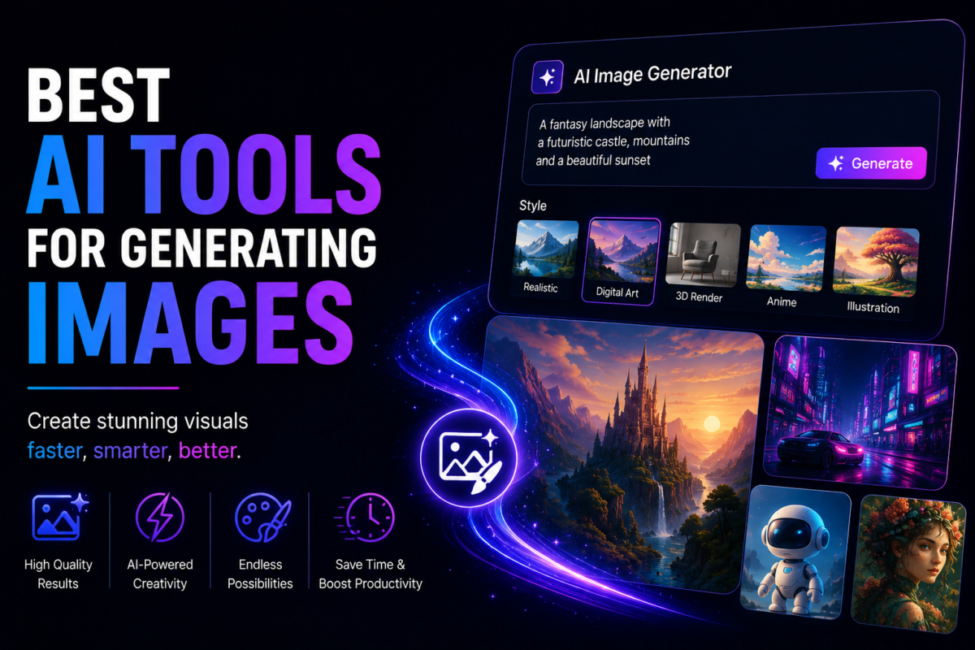
Choosing an AI image generator used to mean choosing a winner. In 2026 it means choosing a specialist. The field has split into tools that each lead one dimension — artistic direction, photorealism, readable typography inside the frame, licensing certainty, or raw cost per render — and the quickest way to waste a month of subscription is to pick the one that leads a dimension your work does not need. This comparison looks at what actually decides the call: output character, prompt control, commercial rights, and the effective cost of an image you can publish.
| Quick answer: Midjourney v7 leads artistic direction, FLUX.2 leads photorealism and per-image value, Google’s Nano Banana Pro leads text rendering and 4K output, Ideogram 3.0 leads typography accuracy on a cheap plan, Stable Diffusion leads free local control, and Adobe Firefly leads copyright certainty. Choose by your tightest constraint, not by a benchmark score. |
| How we compare: every tool runs the same six briefs at default settings — a product shot, a portrait, a poster with headline copy, a stylised illustration, an interface mockup and a brand-constrained social card — and we score the keeper rate rather than the gallery highlight. Prices are read from vendor pages on the update date. Disclosure: some links here are affiliate links; if you subscribe through one we may earn a commission at no extra cost to you, and it never changes the ranking. |
Table of Contents
Why has no single image generator won?
Scale answered that question before quality did. Everypixel’s platform analysis counted more than 15 billion text-to-image generations in the category’s first year, averaging 34 million a day — and that snapshot dates from August 2023, two model generations ago. Adobe reported more than 22 billion assets generated in Firefly alone by April 2025. Demand at that scale pulled research in incompatible directions: the training choices that make a model paint beautifully are not the ones that make it spell a headline correctly, and the licensing discipline that makes a model safe for an enterprise brand narrows the very data that makes another model versatile.
The result is a toolbox, not a leaderboard. A studio art director and a marketplace seller batching four thousand product renders are solving different problems, and the tool that wins one loses the other badly. That is the same use-case-first logic we apply across our guide to generative AI tools: pick for the constraint that would sink the project, then let the rest follow.
Which are the best AI tools for generating images in 2026?
Six models cover almost every brief, and each owns a defensible lead.
Midjourney v7 — best aesthetic quality
Midjourney v7 still sets the aesthetic bar. Its default compositions, lighting and colour grading look art-directed rather than assembled, which is why concept artists and editorial teams keep renewing. Plans run at $10, $30, $60 and $120 a month, with the $60 Pro tier the first to include private generation.
FLUX.2 Pro — best for photorealism and throughput
FLUX.2 Pro from Black Forest Labs is the photorealism and throughput pick. Skin, fabric, metal and lighting hold up under scrutiny, generation takes seconds, and billing is per megapixel rather than per seat, which suits batch pipelines far better than a subscription does.
Nano Banana Pro — best for reasoning-heavy prompts
Google’s Nano Banana Pro (Gemini 3 Pro Image) is the reasoning-heavy option: accurate multilingual text rendering, output up to 4K, and reliable instruction following on complex multi-element scenes. Every output carries an invisible SynthID watermark.
Ideogram 3.0 — best for text inside images
Ideogram 3.0 is the typography specialist, rendering embedded words far more reliably than general-purpose art models, on paid plans that start around $7 to $8 a month with a genuinely usable free tier.
Stable Diffusion — best free and self-hosted route
Stable Diffusion remains the only genuinely free, self-hosted route, and its LoRA, ControlNet and community checkpoint ecosystem is unmatched for style control. SDXL runs comfortably on 12GB of VRAM; the larger open models want considerably more.
Adobe Firefly — best for legal certainty
Adobe Firefly trades peak quality for legal certainty: models trained on licensed and public-domain material, IP indemnification on qualifying plans, and native placement inside Photoshop. If your work is mostly retouching rather than generating from scratch, our best AI image editor comparison covers that workflow instead.
| Tool | Leads on | Typical cost | Best-fit job |
| Midjourney v7 | Artistic direction | $10-$120 per month | Concept art, editorial, mood work |
| FLUX.2 Pro | Photorealism, batch value | Per-megapixel API | Product shots, volume pipelines |
| Nano Banana Pro | Text rendering, 4K detail | About $0.13 per image | Complex scenes, multilingual copy |
| Ideogram 3.0 | Typography accuracy | Free tier, from about $7/mo | Posters, logos, social graphics |
| Stable Diffusion | Free local control | Free to self-host | Fine-tuned styles, private data |
| Adobe Firefly | Copyright certainty | Creative Cloud plans | Enterprise and client brand work |
What do they really cost per usable image?
Sticker price and real price diverge because most generations are discarded. A tool that costs three cents a render but needs eight attempts to match a brand brief is more expensive than one costing thirteen cents that lands on the second. Measure cost per usable image and the ranking often inverts.
Subscriptions suit steady, moderate volume: a designer producing a few hundred images a month gets better value from a flat $30 to $60 plan than from metered credits. Per-image APIs suit bursts and automation — Black Forest Labs publishes pay-as-you-go FLUX pricing by megapixel with no seat fees, so a pipeline that idles for three weeks costs nothing at all. Self-hosting wins on sustained high volume, where the meaningful cost is GPU time you already pay for.
Two costs rarely appear in comparisons. The first is iteration time: a model with tight prompt adherence saves more in salaried hours than it charges in credits. The second is rework — an image regenerated after legal review is a total loss, which is exactly what makes indemnified output cheap in regulated industries even at a premium price.
What should you check before you subscribe?
Four questions settle most decisions. Does it hold your subject? Faces, hands, branded packaging and repeated characters are where models diverge most, so test your actual subject rather than a landscape. Does it write? If your images carry words, typography accuracy is a hard filter and only a couple of models clear it. What licence do you get? Paid tiers usually grant commercial rights while free tiers often restrict them, and terms differ per plan — read them rather than assuming. Can you prove provenance? Content Credentials, the open standard from the Coalition for Content Provenance and Authenticity, attaches a tamper-evident record of how a file was made and edited, while Google embeds an invisible SynthID watermark in its own outputs. Publishers and ad platforms increasingly expect one or the other.
Run those four checks against your own briefs on free tiers before paying anything. An hour of testing beats three months on the wrong plan. If your immediate need is portraits rather than scenes, the trade-offs shift enough that our best AI headshot generator guide is the better starting point, and for the two tools people weigh against each other most often we go deeper in Midjourney vs DALL-E.

Case study: a launch kit rebuilt in one afternoon
Lucia Ferrari runs a four-person specialty coffee brand in Bristol and had a subscription-box launch four days out with no photography budget left. She needed fourteen assets: three lifestyle hero shots, six packaging renders for the store grid, one promotional poster carrying a headline and a price, and four square social cards.
She split the brief instead of forcing one tool through it. FLUX.2 handled the packaging renders and lifestyle shots, where lighting and surface texture decide whether an image reads as a photograph; roughly forty generations produced nine keepers. The poster and social cards went to Ideogram, because every one of them carried typed copy that had to stay legible at thumbnail size. She drafted the prompts with Claude Opus 5, feeding it her brand guidelines so each prompt named the same palette, lens and mood, which cut the reroll rate sharply after the first batch.
Total spend came in under $25 across two tools and one afternoon, against a quoted £1,400 for a half-day studio shoot. The instructive part was not the saving but the split: no single generator would have produced both the photoreal packaging and the legible poster, and trying to make one do both is precisely where most first attempts stall.
This example is a composite of the launch-kit projects we see most often, not a single client account; the figures are typical rather than measured from one engagement.
Frequently Asked Questions
What is the best AI tool for generating images right now?
There is no single winner. Midjourney leads artistic direction, FLUX.2 photorealism, Nano Banana Pro text and fine detail, Ideogram in-image typography, Stable Diffusion free local control, and Firefly copyright certainty. Identify the constraint that would sink your project, then pick whichever tool leads on it.
Which AI image generator is best for photorealism?
FLUX.2 Pro and Google’s Nano Banana Pro lead here. FLUX renders skin, fabric and lighting convincingly at per-megapixel pricing that suits batches, while Nano Banana Pro handles complex multi-element scenes and outputs up to 4K. Test both on your own subject, since product and portrait results differ noticeably.
Are there genuinely free AI image generators?
Yes. Stable Diffusion is free to self-host if you own a capable GPU, and Ideogram offers a recurring free credit allowance, although free-tier generations are public. Free tiers are ideal for evaluation, but check the licence terms carefully before using any free output in commercial work.
Can I use AI-generated images commercially?
Usually on paid plans, but verify first. Most paid tiers grant commercial rights while free tiers frequently restrict them, and terms change. Adobe Firefly is the strongest option for legal certainty, with licensed training data and IP indemnification on qualifying plans, which suits client and brand work.
Which tool renders text inside an image most accurately?
Ideogram 3.0 is the specialist, with Google’s Nano Banana Pro close behind and stronger on multilingual copy. General-purpose art models still garble headlines regularly. If your posters, logos or social cards contain words, treat typography accuracy as a filter rather than a nice-to-have bonus feature.
How do I prove an image was AI-generated?
Use provenance metadata. Content Credentials, the C2PA open standard, attaches a tamper-evident record of how a file was created and edited, and Google embeds an invisible SynthID watermark in its outputs. Many publishers and advertising platforms now request one or both at upload.
How do you keep a character consistent across images?
This is the hardest problem in the category, and only one route solves it properly. Stable Diffusion with a trained LoRA is the reliable answer: train on 15–30 images of your subject and it reproduces them across poses and scenes, with ControlNet pinning composition. Among hosted tools, Midjourney character references and Nano Banana Pro‘s stronger prompt reasoning get you closer than they used to, but neither is dependable across a long series. If character consistency is the whole job — a comic, a brand mascot, a recurring presenter — budget for the self-hosted route rather than expecting a subscription tool to hold the likeness.
Can AI image generators make usable logos?
Not production-ready ones, and the reason is technical rather than aesthetic. These models output raster pixels; a logo needs vector paths that scale to a billboard and a favicon without degrading. They also struggle with the exact symmetry and clean geometry a mark requires, and text rendering — even in Ideogram, the strongest here — is not reliable enough for a wordmark. Use them for concept exploration and moodboards, then have the chosen direction redrawn properly in vector. Treating a generated PNG as a finished logo creates a problem you discover at the printers.
Conclusion
The 2026 market rewards assembly over allegiance. Most professional workflows settle on two tools — one for aesthetic hero work, one for volume or typography — plus a free tier kept around for experiments. That combination usually costs less than a single premium subscription used badly, because the expensive failure is never the monthly fee; it is the week spent fighting a model that was never built for your subject.
So start from the constraint. If legal exposure is the risk, take indemnified output. If your images carry words, take typography. If you are batching thousands of renders, take per-image pricing. Then run your real briefs through the free tiers before a card ever touches a checkout page, and let the keeper rate decide.
Once you have the still, animating it is the usual next step — see our comparison of free AI image-to-video generators.

10 Comments
Pingback: Best Open Source AI Models 2026: DeepSeek vs Llama 4
Pingback: Generative AI Tools for Content Creation Worth Using
Pingback: Best AI Video Generator to Create Stunning Videos Fast
Pingback: Best AI Video Generator for TikTok to Go Viral Easy
Pingback: Best Open Source AI Video Generator You Can Use Free
Pingback: Best Free AI Image to Video Generator Worth Trying
Pingback: Best AI Video Generator for YouTube to Grow Faster
Pingback: Best Local AI Video Generator You Can Run Offline
Pingback: Best Generative AI Tools – Top Picks [Free & Paid]
Pingback: Best AI Tools for Designers (and How to Use Them Well)