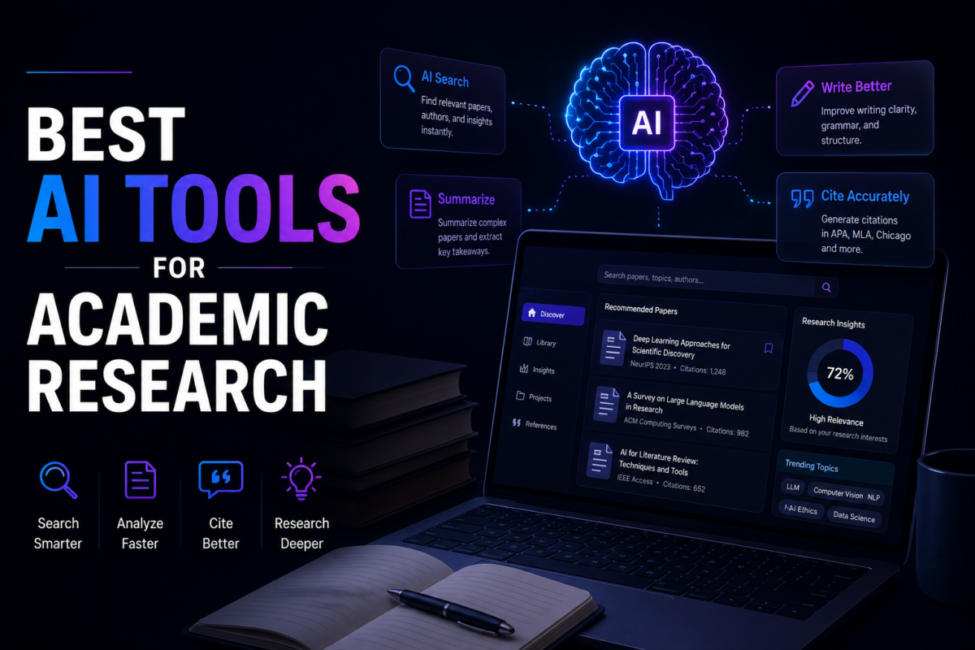
Transform Your Research Productivity with Artificial Intelligence
Table of Contents
1. Introduction: AI Revolution in Academic Research
Academic research is experiencing the most significant transformation in its history, driven by artificial intelligence tools that are fundamentally changing how scholars discover literature, analyze data, write manuscripts, and collaborate globally. Tasks that once consumed weeks or even months of tedious manual work, including comprehensive literature reviews, statistical analysis, and citation management, now take hours or even minutes with AI assistance.
The modern researcher faces unprecedented challenges that make AI tools not just helpful but essential. Over 3 million academic papers are published annually across more than 50,000 journals, creating an information deluge that no human could possibly keep pace with through traditional methods. Manual literature reviews have become increasingly impossible as research output grows exponentially. Data analysis grows more complex with massive datasets that require computational approaches beyond human capacity. Writing and citation management remain tedious bottlenecks that consume time better spent on actual research and creative thinking.
Key Statistic: Researchers using AI tools report 40-60% time savings on routine tasks including literature search, paper summarization, data analysis, and citation formatting. This translates to hundreds of hours saved annually, allowing more time for critical thinking, creativity, experimental work, and breakthrough insights. – Nature Research Survey 2025
AI tools solve these fundamental challenges through intelligent literature discovery that finds relevant papers in minutes rather than days, automated summarization that extracts key insights from papers in seconds, sophisticated data analysis that handles massive datasets with statistical rigor, AI writing assistants that accelerate manuscript production while maintaining academic quality, and smart citation tools that eliminate formatting headaches across thousands of citation styles.
This comprehensive guide reviews the 12 best AI tools for academic research in 2026, covering every stage of the research workflow from initial literature discovery through final manuscript submission. Whether you are a graduate student beginning your research journey, a postdoctoral researcher managing multiple projects, or an established professor leading a research group, these tools will transform your productivity and research quality.
📌 Related: Best AI Tools Like ChatGPT 2025
2. Academic Research AI Market Statistics 2026
Understanding the scale and adoption of AI in academic research provides essential context for tool selection and demonstrates why AI tools have become critical infrastructure for modern scholarship.
2.1 Academic Publishing Scale
- 3+ million academic papers published annually across all disciplines – Dimensions Database
- 50,000+ academic journals actively publishing worldwide – Ulrich’s Periodicals Directory
- 200+ million academic papers indexed in major databases – Semantic Scholar
- 8% annual growth in research publication volume – STM Report 2025
- 4.5 million researchers active globally – UNESCO Science Report
- 29 hours per day would be required to stay current with relevant literature – PLOS Medicine
2.2 AI Tool Adoption Statistics
- 85% of researchers have used AI tools for research tasks – Nature Survey 2025
- 67% use AI for literature search and discovery – Elsevier Research Intelligence
- 54% use AI writing assistants for manuscript preparation – Springer Nature Survey
- 127% growth in AI research tool adoption 2024-2025 – Research.com
- $2.1 billion research software and tools market in 2025 – Grand View Research
- 42% of universities provide institutional AI tool subscriptions – EDUCAUSE
2.3 Productivity Impact Statistics
- 40-60% time savings on literature review tasks with AI tools – Multiple studies
- 3x faster paper discovery compared to traditional database searches – Elicit user data
- 50% reduction in time spent formatting citations – Zotero usage statistics
- 70% of AI tool users report improved research quality – Academic AI Survey 2025
- 2.3 hours average time saved per week on routine research tasks – Consensus user survey
- 45% reduction in time from initial search to comprehensive literature review – Scholarcy data
2.4 Tool-Specific Statistics
- Semantic Scholar: 200+ million papers indexed, 50+ million monthly users – Allen Institute
- Elicit: 125+ million papers searchable, 500,000+ active researchers – Elicit
- Consensus: 200+ million papers analyzed, 2+ million monthly searches – Consensus
- Zotero: 12+ million registered users, 500+ million references stored – Zotero
- Research Rabbit: 2+ million users, completely free platform – Research Rabbit
- Connected Papers: 5+ million graphs generated, 1+ million monthly users – Connected Papers
Adoption Insight: AI tool adoption in academia has reached a tipping point. Researchers not using AI tools increasingly find themselves at a competitive disadvantage in terms of literature coverage, writing productivity, and time to publication. The question is no longer whether to use AI tools but which tools to use and how to use them effectively. – Chronicle of Higher Education 2025
3. What AI Tools Can Do for Researchers
Modern AI research tools provide capabilities across the entire research workflow, from initial exploration through final publication. Understanding these capabilities helps researchers select the right tools for their specific needs.
3.1 Intelligent Literature Search
- Semantic Search: Find papers by concept and meaning, not just keyword matching, discovering relevant research even when different terminology is used
- Question Answering: Ask research questions in natural language and receive direct answers with supporting evidence from the literature
- Citation Network Analysis: Explore how papers cite each other, identifying foundational works, recent advances, and research trajectories
- Personalized Recommendations: Receive paper suggestions based on your research interests, reading history, and current projects
- Comprehensive Coverage: Search across multiple databases simultaneously, reducing the risk of missing relevant literature
3.2 Automated Paper Analysis
- Instant Summarization: Get key findings, methods, and conclusions from papers in seconds rather than spending 30-60 minutes reading
- Data Extraction: Automatically pull statistics, sample sizes, effect sizes, and key results from papers into structured formats
- Methodology Comparison: Compare research methods across multiple studies to identify best practices and methodological trends
- Quality Assessment: Evaluate study quality based on sample size, methodology, citation patterns, and replication status
- Gap Identification: Discover what questions remain unanswered and where research opportunities exist
3.3 Writing and Editing Assistance
- Draft Generation: Create initial drafts of introduction, methods, results, and discussion sections based on your research and notes
- Academic Tone: Ensure writing maintains appropriate scholarly voice, formality, and precision
- Grammar and Clarity: Catch errors and improve readability while preserving technical accuracy
- Structure Optimization: Organize arguments logically and ensure proper flow between sections
- Translation Support: Write in non-native languages with confidence or translate existing work for international publication
3.4 Citation and Reference Management
- Automatic Capture: Extract citation information from PDFs, websites, and databases with one click
- Style Formatting: Generate citations and bibliographies in any of thousands of journal styles instantly
- Duplicate Detection: Identify and merge duplicate references to maintain clean libraries
- Full-Text Access: Link to PDFs and manage document libraries alongside references
- Collaboration: Share reference libraries with co-authors and research teams
3.5 Data Analysis and Visualization
- Statistical Analysis: Perform complex statistical tests with natural language commands
- Code Generation: Generate R, Python, or other analysis scripts from descriptions of desired analyses
- Visualization: Create publication-ready figures and charts from data
- Pattern Recognition: Identify trends, outliers, and relationships in large datasets
- Reproducibility: Document analysis steps for transparent, reproducible research
💡 Pro Tip: The most productive researchers combine multiple AI tools strategically. Use semantic search tools (Elicit, Consensus) for discovery, summarization tools (Scholarcy) for rapid comprehension, writing assistants (ChatGPT, Claude) for manuscript preparation, and reference managers (Zotero) for organization. This integrated approach maximizes the benefits of each tool’s strengths.
4. 12 Best AI Tools for Academic Research 2026 (Complete Reviews)
The following comprehensive reviews cover the leading AI tools for academic research, organized by primary function. Each review includes detailed features, pricing, pros and cons, and recommendations for optimal use cases.
4.1 Elicit – Best AI Research Assistant
🏆 Editor’s Choice: Best for literature review and finding relevant papers using natural language questions
Elicit has emerged as the most powerful AI research assistant for academic literature review, using large language models to help researchers find papers, extract insights, and synthesize findings with unprecedented efficiency. Unlike traditional database searches that rely on keyword matching, Elicit understands research questions semantically, finding relevant papers even when they use different terminology than your query.
Platform Overview
Elicit searches over 125 million academic papers using AI that understands the meaning behind your research questions. Ask questions in natural language like ‘What interventions improve student motivation in online learning?’ and Elicit returns relevant papers with key information automatically extracted, including findings, sample sizes, methodologies, and limitations. The platform excels at systematic literature reviews, meta-analyses, and rapid evidence synthesis.
Key Features
- Semantic Paper Search: Find papers by concept and meaning rather than keyword matching, discovering relevant research even with different terminology
- Automated Data Extraction: Pull key findings, methods, sample sizes, effect sizes, and limitations from papers into structured tables
- Concept Synthesis: Compare findings across multiple papers to identify patterns, contradictions, and consensus
- Research Question Answering: Ask specific questions and get answers supported by evidence from the literature
- Citation Export: Export references directly to Zotero, Mendeley, EndNote, or BibTeX format
- PDF Analysis: Upload PDFs and ask questions about specific papers
- Custom Columns: Define what information to extract from papers based on your research needs
Best Use Cases
- Conducting systematic literature reviews and meta-analyses
- Finding papers on specific research questions across disciplines
- Comparing methodologies, findings, and effect sizes across studies
- Identifying research gaps and contradictions in the literature
- Building evidence tables for grant proposals and review articles
Pricing
- Free: Limited searches and extractions per month (great for trying the platform)
- Plus: $10/month – 5,000 credits for regular researchers
- Pro: $42/month – 12,000 credits for heavy users and research teams
- Academic discounts available for students
✅ Pros
• Most powerful semantic search for academic literature
• Excellent automated data extraction saves hours
• Natural language interface requires no learning curve
• Comprehensive paper coverage across disciplines
• Strong export options for reference managers
• Continuously improving AI capabilities
❌ Cons
• Credit system can be limiting for extensive reviews
• Some fields have better coverage than others
• Extraction accuracy varies by paper format
• Premium pricing for heavy users
4.2 Consensus – Best Evidence-Based Research
🏆 Best for Finding Scientific Consensus: Synthesizes evidence across studies to show agreement levels
Consensus takes a unique approach to academic research by focusing on synthesizing evidence across studies to reveal the level of scientific agreement on research questions. Instead of just finding individual papers, Consensus shows you what the collective evidence says, making it invaluable for evidence-based decision making, policy research, and understanding the state of knowledge on any topic.
Platform Overview
Consensus searches over 200 million academic papers to provide evidence-based answers to research questions, aggregating findings across studies and showing the degree of scientific consensus. The platform uses AI to analyze paper abstracts and full texts, extracting claims and synthesizing them to reveal whether research generally supports, contradicts, or is mixed on specific questions. This makes it uniquely powerful for understanding what science actually says about contested topics.
Key Features
- Evidence Synthesis: Aggregate findings across multiple studies to see the overall direction of evidence
- Consensus Meter: Visual indicator showing degree of agreement in the literature (strong support, weak support, mixed, etc.)
- Study Quality Filters: Filter results by study design (RCT, meta-analysis, systematic review), sample size, and citation count
- Citation Context: See how papers cite each other and whether citations are supporting or contrasting
- Claim Extraction: AI identifies specific claims made in papers with supporting evidence
- GPT-4 Integration: Get AI-generated summaries of the evidence on any question
- Topic Pages: Curated evidence syntheses on popular research questions
Best Use Cases
- Understanding scientific consensus on contested topics
- Evidence-based policy analysis and decision making
- Quickly assessing the state of knowledge in unfamiliar areas
- Finding high-quality studies (meta-analyses, RCTs) on specific questions
- Supporting claims in papers with comprehensive evidence
Pricing
- Free: 20 searches per month with basic features
- Premium: $8.99/month – Unlimited searches, GPT-4 summaries, advanced filters
- Student discount: 50% off premium with valid .edu email
- Team plans available for research groups
✅ Pros
• Unique consensus synthesis not available elsewhere
• Excellent for evidence-based research
• High-quality study filters save time
• Very affordable premium pricing
• Clean, intuitive interface
• Strong for medical and social science research
❌ Cons
• Coverage varies by field (strongest in health/social sciences)
• Abstract-based analysis may miss nuanced findings
• Newer platform with smaller user community
• Limited export and integration options
4.3 Semantic Scholar – Best Free Research Tool
🏆 Best Free Tool: Comprehensive AI-powered paper discovery with no limits or costs
Semantic Scholar from the Allen Institute for AI represents the gold standard for free academic research tools, using sophisticated machine learning to understand paper content, relationships, and influence at a scale no other free platform matches. With over 200 million papers indexed and completely free access with no limits, Semantic Scholar should be in every researcher’s toolkit regardless of what other tools they use.
Platform Overview
Semantic Scholar uses AI to go beyond simple keyword search, understanding the semantic meaning of papers, identifying the most influential works, tracking citation relationships, and providing personalized recommendations based on your research interests. The platform offers features that rival expensive commercial databases while remaining completely free and accessible to researchers worldwide, democratizing access to AI-powered research tools.
Key Features
- AI-Powered Search: Semantic understanding finds relevant papers even with different terminology
- TLDR Summaries: AI-generated one-sentence summaries of papers for rapid scanning
- Highly Influential Citations: Identifies which citations actually influenced the citing paper versus perfunctory references
- Citation Context: See the exact sentences where papers cite each other
- Author Pages: Track researchers, their publications, co-authors, and influence metrics
- Research Feeds: Personalized recommendations based on your library and reading history
- Paper Alerts: Get notified when new relevant papers are published
- API Access: Free API for integrating Semantic Scholar into your workflows and tools
Best Use Cases
- Daily research tool for any academic discipline
- Discovering influential papers in unfamiliar fields
- Tracking specific researchers and their latest publications
- Understanding citation networks and paper relationships
- Building personalized research feeds and alerts
- Integrating academic search into custom tools via API
Pricing
- 100% Free – No limits on searches, alerts, or features
- No account required for basic use
- Free API with generous rate limits
- Supported by Allen Institute for AI as public good
🔗 Semantic Scholar Official Website
✅ Pros
• Completely free with no usage limits
• 200+ million papers indexed across all fields
• Excellent AI-powered search and recommendations
• Influential citation analysis is unique and valuable
• Strong API for custom integrations
• No account required for basic use
• Continuously improving with new AI features
❌ Cons
• No built-in reference management
• Limited full-text access (links to sources)
• TLDR summaries occasionally miss nuance
• Less specialized than domain-specific databases
4.4 Scholarcy – Best Paper Summarization
Best for: Generating structured summaries, flashcards, and key points from research papers in seconds
Scholarcy specializes in transforming research papers into structured, digestible summaries that capture the essential information without requiring full paper reading. The platform extracts key findings, methods, conclusions, figures, tables, and references, organizing them into formats optimized for rapid comprehension and study.
Key Features
- Automated Summaries: AI extracts key findings, methods, results, limitations, and conclusions
- Flashcard Generation: Create study materials from papers for exam preparation or knowledge retention
- Figure and Table Extraction: Pull all visual elements from papers with captions
- Reference Extraction: Build reference libraries from paper bibliographies
- Browser Extension: Summarize any paper while browsing with one click
- Reading Lists: Organize papers into collections with summaries
- Highlight Extraction: Pull key passages and quotations automatically
Pricing
- Free: 3 articles per month with basic features
- Personal: $7.99/month – Unlimited summaries for individual researchers
- Library: Browser extension for instant summaries while browsing
- Institutional: Contact for university-wide licensing
✅ Pros
• Excellent summary quality captures key information
• Flashcard feature great for students
• Figure extraction saves manual work
• Browser extension very convenient
• Affordable pricing
❌ Cons
• Limited free tier
• Summary quality varies by paper complexity
• Less useful for papers requiring deep reading
• No semantic search capabilities
4.5 ChatGPT & Claude – Best AI Writing Assistants
Best for: Drafting, editing, brainstorming, and improving academic writing across all research tasks
Large language models like ChatGPT (OpenAI) and Claude (Anthropic) have become indispensable writing assistants for academic researchers. These general-purpose AI assistants excel at helping researchers draft manuscripts, generate ideas, edit text for clarity and academic tone, explain complex concepts, write code for data analysis, and synthesize information from multiple sources.
Key Features
- Draft Writing: Generate initial drafts of introduction, methods, results, discussion, and abstract sections
- Editing and Polishing: Improve clarity, grammar, flow, and academic tone while preserving meaning
- Brainstorming: Generate research questions, hypotheses, methodological approaches, and interpretations
- Literature Synthesis: Combine findings from multiple sources into coherent narratives
- Code Writing: Generate analysis scripts in R, Python, SPSS syntax, or other languages
- Concept Explanation: Get clear explanations of complex theories, methods, or statistics
- Translation: Write or revise in non-native languages with native-level quality
- Feedback: Get constructive criticism on drafts and arguments
Research Applications
- Writing initial drafts to overcome blank page paralysis
- Revising drafts for clarity and academic style
- Generating code for statistical analysis and data visualization
- Creating outlines for papers, grants, and dissertations
- Preparing responses to reviewer comments
- Writing accessible summaries of technical research
Pricing
- ChatGPT: Free tier available; ChatGPT Plus $20/month for GPT-4 access
- Claude: Free tier available; Claude Pro $20/month for extended usage
- Both offer API access for custom integrations
✅ Pros
• Extremely versatile for any writing task
• Strong coding capabilities for data analysis
• Available 24/7 for immediate assistance
• Continuously improving capabilities
• Good free tiers for basic use
❌ Cons
• Can generate plausible-sounding errors (always verify)
• Knowledge cutoffs may miss recent research
• Not specialized for academic literature search
• Requires skill to prompt effectively
📌 Related: Best AI Tools Like ChatGPT 2025
4.6 Zotero – Best Reference Manager with AI
Best for: Managing citations with AI-powered organization and seamless writing integration
Zotero remains the gold standard for academic reference management, now enhanced with AI-powered features that automate citation capture, PDF organization, and bibliography generation. As free, open-source software backed by a dedicated research community, Zotero offers capabilities that rival or exceed expensive commercial alternatives.
Key Features
- One-Click Capture: Browser extension automatically extracts citation information from websites, databases, and PDFs
- PDF Management: Store, annotate, and organize PDF full-texts alongside references
- Automatic Metadata: AI extracts author, title, journal, and other metadata from PDFs automatically
- Citation Generation: Insert citations and generate bibliographies in 10,000+ journal styles
- Word/Google Docs Integration: Seamless plugins for writing with automatic citation updates
- Cloud Sync: Access your library from any device with automatic synchronization
- Group Libraries: Share references and collaborate with co-authors and research teams
- Tagging and Collections: Organize references with flexible hierarchical and tag-based systems
Pricing
- Software: 100% free and open source
- Storage: 300MB free; additional storage from $20/year for 2GB
- Unlimited local storage if managing PDFs separately
✅ Pros
• Free and open source with active development
• Excellent browser integration for capture
• Supports 10,000+ citation styles
• Strong Word and Google Docs plugins
• Large user community and extensive documentation
• Group libraries for collaboration
❌ Cons
• Learning curve for advanced features
• Cloud storage costs for large PDF libraries
• Interface less modern than some alternatives
• Mobile apps less polished than competitors
4.7 Connected Papers – Best Visual Literature Mapping
Best for: Discovering related papers through visual network graphs and understanding research landscapes
Connected Papers offers a unique visual approach to literature discovery, creating network graphs that show how papers relate to each other based on citation patterns and content similarity. This visual mapping is particularly powerful for understanding research landscapes in unfamiliar fields and discovering papers you might miss with traditional searches.
Key Features
- Visual Paper Networks: Interactive graphs showing paper relationships and clusters
- Prior Works: Identify foundational papers that influenced your seed paper
- Derivative Works: Find newer papers that build on your seed paper
- Similarity Clustering: Papers grouped by topic and approach, not just citations
- Multiple Seed Papers: Build graphs from several papers to explore intersections
- Export Options: Download graphs and paper lists for further analysis
Pricing
- Free: 5 graphs per month with basic features
- Academic: $3/month – Unlimited graphs for students
- Premium: $7/month – Unlimited graphs with advanced features
🔗 Connected Papers Official Website
✅ Pros
• Unique visual approach to literature discovery
• Excellent for exploring new research areas
• Finds papers missed by keyword searches
• Very affordable premium pricing
• Intuitive interface requires no training
❌ Cons
• Limited to 5 free graphs monthly
• Coverage varies by field
• Less useful for very recent papers
• No integration with reference managers
4.8 Research Rabbit – Free AI Research Discovery
Best for: AI-powered literature discovery and tracking with completely free access
Research Rabbit has quickly become a favorite among researchers for its powerful AI-driven paper recommendations and author tracking, all provided completely free. The platform learns your research interests and continuously surfaces relevant papers, making serendipitous discovery a systematic process rather than random chance.
Key Features
- Personalized Recommendations: AI learns your interests and suggests relevant papers
- Author Tracking: Follow researchers and get notified of their new publications
- Collection Building: Organize papers into collections and share with collaborators
- Similar Papers: Find papers related to any paper in your collection
- Network Visualization: See connections between papers and authors visually
- Zotero Integration: Sync with Zotero libraries for seamless workflow
Pricing
- 100% Free – All features available at no cost
- No premium tier – equal access for all researchers
- Supported by research community and grants
🔗 Research Rabbit Official Website
✅ Pros
• Completely free with all features
• Excellent personalized recommendations
• Strong author tracking capabilities
• Good Zotero integration
• Active development with new features
❌ Cons
• Requires building initial collection for best recommendations
• Smaller paper database than some alternatives
• Limited search capabilities compared to Elicit
• Newer platform with smaller user base
4.9 Grammarly – Best Academic Writing Polish
Best for: Grammar checking, clarity improvement, and writing polish for academic manuscripts
Grammarly has evolved from a simple grammar checker into a comprehensive AI writing assistant with specialized features for academic writing. The platform catches errors, improves clarity, ensures appropriate academic tone, and helps non-native English speakers produce publication-ready manuscripts.
Key Features
- Grammar and Spelling: Catch errors that spell-check misses including context-sensitive mistakes
- Clarity Suggestions: Simplify complex sentences and improve readability without losing meaning
- Tone Detection: Ensure writing maintains appropriate academic formality
- Plagiarism Checker: Compare against billions of web pages and academic papers
- Academic Writing Mode: Specialized suggestions for scholarly writing conventions
- Browser and Desktop Apps: Write anywhere with consistent assistance
- Word and Google Docs Integration: Real-time suggestions in your writing environment
Pricing
- Free: Basic grammar and spelling checking
- Premium: $12/month – Full features including plagiarism checker
- Business: $15/month per user – Team features and style guides
- Educational discounts available
✅ Pros
• Excellent at catching errors humans miss
• Strong clarity and readability improvements
• Works across all writing platforms
• Academic writing mode understands scholarly conventions
• Plagiarism checker provides peace of mind
❌ Cons
• Suggestions sometimes inappropriate for technical writing
• Premium required for best features
• Can be overly aggressive with suggestions
• Doesn’t understand all discipline-specific conventions
4.10 Scite – Best Citation Context Analysis
Best for: Understanding how papers cite each other – whether supporting, contrasting, or mentioning
Scite provides a unique window into how academic papers actually engage with each other through its ‘Smart Citations’ that classify citations as supporting, contrasting, or mentioning. This context is invaluable for understanding whether findings have been replicated, challenged, or simply referenced, helping researchers assess the reliability and reception of research claims.
Key Features
- Smart Citations: See whether citing papers support, contrast with, or simply mention cited work
- Citation Statements: Read the exact sentences where citations appear
- Reliability Indicators: Understand if paper findings have been confirmed or disputed
- Search with Context: Find papers by how they’ve been cited, not just what they claim
- Author Analysis: See how a researcher’s work has been received by the field
- Browser Extension: Check citation context while reading any paper online
Pricing
- Free: Limited searches with basic citation context
- Premium: $20/month – Unlimited access to all Smart Citation features
- Institutional: Contact for university-wide licensing
✅ Pros
• Unique citation context analysis unavailable elsewhere
• Invaluable for assessing research reliability
• Excellent for literature reviews and meta-analyses
• Strong coverage across disciplines
• Browser extension very convenient
❌ Cons
• Higher pricing than some alternatives
• Citation classification has some errors
• Limited features in free tier
• Takes time to learn to use effectively
4.11 Iris.ai – AI Research Assistant Platform
Best for: Comprehensive AI-powered literature review automation and concept extraction
Iris.ai provides an AI research workspace that automates many aspects of literature review including paper discovery, concept extraction, and systematic mapping. The platform is particularly strong for researchers conducting comprehensive reviews who need to analyze large numbers of papers systematically.
Key Features
- AI Paper Discovery: Find relevant papers using natural language descriptions of your research
- Concept Extraction: Automatically identify key concepts and themes across papers
- Literature Mapping: Visualize research landscapes and knowledge gaps
- Systematic Review Support: Tools specifically designed for systematic review methodology
- Document Processing: Analyze uploaded PDFs alongside database searches
Pricing
- Free Trial: Limited access to explore features
- Researcher: From $15/month for individual researchers
- Team: Custom pricing for research groups
- Enterprise: Institutional licensing available
✅ Pros
• Strong systematic review support
• Good concept extraction capabilities
• Useful visualization features
• Handles large document sets
❌ Cons
• Higher learning curve than simpler tools
• Pricing can add up for full features
• Less intuitive than some alternatives
4.12 Lateral – AI Research Workspace for Teams
Best for: Team collaboration with AI assistance on shared research libraries
Lateral offers a collaborative research workspace where teams can share papers, annotations, and insights with AI assistance for discovery and organization. The platform is designed specifically for research teams and labs who need to work together on literature while leveraging AI capabilities.
Key Features
- Shared Libraries: Team access to common paper collections with real-time sync
- AI Recommendations: Get paper suggestions based on team interests and projects
- Collaborative Annotation: Team members can annotate and discuss papers together
- Project Organization: Organize research by project with appropriate access controls
- Integration Options: Connect with reference managers and other research tools
Pricing
- Free: Individual use with basic features
- Team: From $10/user/month for collaborative features
- Enterprise: Custom pricing for large organizations
✅ Pros
• Excellent team collaboration features
• Good AI recommendations for groups
• Strong annotation and discussion tools
• Reasonable team pricing
❌ Cons
• Less powerful for individual researchers
• Smaller feature set than comprehensive tools
• Requires team adoption to maximize value
📌 Related: Complete Guide to GEO
5. Comprehensive Tool Comparison Table
The following comparison helps identify the optimal AI research tool based on specific needs, budget, and research workflow requirements.
| Tool | Best For | Price | Free Tier | Rating |
|---|---|---|---|---|
| Elicit | Literature Review | $0-42/mo | Yes (limited) | ⭐⭐⭐⭐⭐ |
| Consensus | Evidence Synthesis | $0-8.99/mo | Yes (20/mo) | ⭐⭐⭐⭐⭐ |
| Semantic Scholar | Paper Discovery | FREE | Unlimited | ⭐⭐⭐⭐⭐ |
| Scholarcy | Summarization | $0-7.99/mo | Yes (3/mo) | ⭐⭐⭐⭐ |
| ChatGPT/Claude | Writing/Analysis | $0-20/mo | Yes | ⭐⭐⭐⭐⭐ |
| Zotero | Reference Mgmt | FREE+storage | Yes (300MB) | ⭐⭐⭐⭐⭐ |
| Connected Papers | Visual Mapping | $0-7/mo | Yes (5/mo) | ⭐⭐⭐⭐ |
| Research Rabbit | Discovery | FREE | Unlimited | ⭐⭐⭐⭐ |
| Grammarly | Writing Polish | $0-12/mo | Yes (basic) | ⭐⭐⭐⭐ |
| Scite | Citation Context | $0-20/mo | Yes (limited) | ⭐⭐⭐⭐ |
| Iris.ai | Lit Review | $15+/mo | Trial only | ⭐⭐⭐ |
| Lateral | Team Collab | $0-10/user | Yes (basic) | ⭐⭐⭐ |
6. Complete AI Research Workflow
The following workflow demonstrates how to combine multiple AI tools for maximum research productivity, reducing a typical literature review from 8-10 weeks to 4-6 weeks.
Phase 1: Literature Discovery (Week 1-2)
- Step 1 – Start with Elicit: Enter your research question in natural language and review initial results
- Step 2 – Use Connected Papers: Build visual graphs from key papers to understand the research landscape
- Step 3 – Check Semantic Scholar: Search for additional papers and set up alerts for new publications
- Step 4 – Verify with Consensus: Check scientific consensus on key claims and find supporting evidence
- Step 5 – Add Research Rabbit: Get personalized recommendations based on your growing collection
Phase 2: Reading and Analysis (Week 3-4)
- Step 6 – Scholarcy for Summaries: Generate structured summaries of all papers for rapid comprehension
- Step 7 – Scite for Citation Context: Check how papers have been received (supported vs disputed)
- Step 8 – Zotero for Organization: Import all references and organize with tags and collections
- Step 9 – ChatGPT/Claude for Synthesis: Ask questions about papers and synthesize findings across sources
Phase 3: Writing and Revision (Week 5-6)
- Step 10 – ChatGPT/Claude for Drafting: Generate initial drafts of each manuscript section
- Step 11 – Grammarly for Polish: Check grammar, clarity, and academic tone throughout
- Step 12 – Zotero for Citations: Insert citations and generate bibliography in correct journal style
- Step 13 – Final Review: Cross-check all AI-assisted content against original sources
Time Impact: Traditional workflow: 8-10 weeks | AI-powered workflow: 4-6 weeks | Time saved: 40-50%. This translates to 4+ weeks saved per major literature review, allowing researchers to be more productive or spend more time on analysis and creative thinking.
7. How to Choose the Right AI Research Tools
7.1 By Academic Discipline
STEM Fields
- Primary: Elicit (powerful data extraction), Semantic Scholar (comprehensive coverage)
- Writing: ChatGPT/Claude (code generation for analysis), Grammarly (technical writing)
- Visualization: Connected Papers (understand research trajectories)
Social Sciences
- Primary: Consensus (evidence synthesis), Elicit (systematic reviews)
- Citation Analysis: Scite (understand how findings are received)
- Reference Management: Zotero (strong collaboration features)
Humanities
- Primary: ChatGPT/Claude (strong writing assistance), Semantic Scholar (broad coverage)
- Discovery: Research Rabbit (personalized recommendations)
- Writing: Grammarly (polish and clarity)
Health and Medical Sciences
- Primary: Consensus (clinical evidence), Elicit (systematic review support)
- Evidence Quality: Scite (check if findings replicated)
- Coverage: Semantic Scholar (includes PubMed content)
7.2 By Budget Level
$0/month (Completely Free)
- Semantic Scholar: Unlimited AI-powered paper discovery
- Research Rabbit: Free personalized recommendations
- Zotero: Free reference management (300MB storage)
- ChatGPT/Claude free tiers: Basic writing assistance
$20-30/month (Best Value)
- ChatGPT Plus OR Claude Pro: $20 – Full AI writing capabilities
- Elicit Plus: $10 – Powerful literature review
- Total: $30/month for comprehensive AI research toolkit
$50+/month (Maximum Productivity)
- All tools above plus:
- Scite Premium: $20 – Citation context analysis
- Grammarly Premium: $12 – Advanced writing polish
- Total: ~$62/month for complete professional setup
💡 Pro Tip: Start with free tools (Semantic Scholar, Research Rabbit, Zotero, free AI tiers) and add paid tools based on specific needs. Most researchers find excellent value at the $20-30/month level with Elicit Plus and one AI writing assistant.
8. Best Practices for AI in Academic Research
8.1 Always Verify AI Output
AI tools can make errors, hallucinate information, or misinterpret sources. Responsible AI use requires verification:
- Check primary sources: Always verify citations, quotes, and statistics against original papers
- Cross-reference claims: Use multiple sources to confirm important findings
- Review extractions: Manually check AI-extracted data for accuracy, especially for quantitative claims
- Be skeptical of novel claims: AI may generate plausible-sounding but incorrect information
8.2 Maintain Academic Integrity
AI tools assist research but do not replace scholarly judgment and original thinking:
- Disclose AI use: Follow journal and institutional policies on AI disclosure
- Use AI as assistant: AI should support your thinking, not substitute for it
- Cite original sources: Always cite the original papers, not AI summaries or syntheses
- Maintain authorship standards: You remain responsible for all content in your work
- Understand limitations: Know what AI can and cannot do reliably
8.3 Combine Tools Strategically
No single tool does everything well. The best workflow combines specialized tools:
- Use 2-3 discovery tools for comprehensive literature coverage
- Use 1-2 writing tools for different purposes (drafting vs. editing)
- Use 1 reference manager consistently for organization
- Avoid tool overload – master a core set before adding more
8.4 Protect Your Data
- Review privacy policies before uploading sensitive research data
- Use institutional licenses when available for better data protection
- Be cautious with unpublished research and proprietary data
- Consider local alternatives for sensitive analysis
📌 Related: How to Rank in Perplexity AI
9. Future of AI in Academic Research
9.1 Near-Term Developments (2026-2027)
- Multimodal Analysis: AI tools analyzing figures, tables, and equations alongside text
- Real-Time Collaboration: AI assistants participating in research team discussions
- Automated Replication: AI systems automatically checking if findings replicate
- Integrated Workflows: Seamless connections between discovery, writing, and submission
9.2 Medium-Term Trends (2027-2030)
- AI Research Partners: Systems that actively suggest hypotheses and experiments
- Automated Literature Monitoring: AI tracking all relevant literature continuously
- Writing Co-Pilots: AI drafting complete manuscript sections from research notes
- Peer Review Assistance: AI helping identify methodological issues and gaps
9.3 Long-Term Vision (2030+)
- Autonomous Literature Review: Complete systematic reviews conducted by AI with human oversight
- Research Synthesis at Scale: AI combining findings across thousands of papers instantly
- Personalized Research Assistants: AI systems that know your research deeply and assist proactively
- Global Research Collaboration: AI bridging language barriers and connecting researchers worldwide
Future Outlook: AI capabilities in academic research are advancing rapidly. Researchers who build AI skills now will be well-positioned as these tools become more powerful. The key is developing judgment about when and how to use AI effectively while maintaining scholarly standards and integrity.
10. FAQs: AI Tools for Academic Research
What is the best free AI tool for academic research?
Semantic Scholar is the best completely free AI tool for academic research. It offers AI-powered paper discovery, citation analysis, TLDR summaries, and personalized recommendations across 200+ million papers with no usage limits or account requirements. Research Rabbit is another excellent free option for personalized paper recommendations. Combined with Zotero for free reference management and free tiers of ChatGPT or Claude for writing assistance, researchers can build a powerful AI toolkit at zero cost.
Can I use AI tools for my dissertation or thesis?
Yes, AI tools are increasingly accepted and even encouraged for dissertation research, but with important caveats. Most universities allow AI for literature search, summarization, grammar checking, and writing assistance. However, you must disclose AI use according to your institution’s policies, ensure all content reflects your own analysis and conclusions, verify all AI-generated information against primary sources, and cite original sources rather than AI summaries. Check with your advisor and institution for specific guidelines.
Is using AI for research considered cheating?
Using AI as a research tool is generally not considered cheating when used appropriately and disclosed. AI tools for literature search, summarization, grammar checking, and writing assistance are analogous to using databases, citation managers, and spell-checkers. However, submitting AI-generated content as your own original work without disclosure may violate academic integrity policies. The key is using AI to enhance your research capabilities while maintaining responsibility for your work’s accuracy and originality.
Which AI tool is best for literature reviews?
Elicit is the best AI tool specifically designed for literature reviews. It excels at finding relevant papers through semantic search, extracting key data from papers into structured tables, and synthesizing findings across studies. For understanding scientific consensus, Consensus provides unique evidence aggregation. For visual mapping of research landscapes, Connected Papers is excellent. Most comprehensive literature reviews benefit from combining Elicit for discovery and extraction, Semantic Scholar for broad coverage, and Scite for citation context analysis.
How accurate are AI research tools?
AI research tool accuracy varies by task and tool. Literature search tools (Elicit, Semantic Scholar) are highly accurate at finding relevant papers, though may miss some niche publications. Summarization tools (Scholarcy) capture key points well but may miss nuances. Writing assistants (ChatGPT, Claude) produce high-quality text but can occasionally generate incorrect information. Citation context (Scite) classifications are approximately 85-90% accurate. The consistent best practice is to verify AI output against primary sources for any information you rely upon.
Can AI tools help with statistical analysis?
Yes, AI writing assistants like ChatGPT and Claude can help significantly with statistical analysis. They can generate code in R, Python, SPSS, or other languages for specific analyses, explain statistical concepts and help choose appropriate tests, interpret output and help write results sections, and debug analysis code. However, they are not replacements for statistical expertise – they work best when you understand enough to evaluate their suggestions and catch errors.
How do I choose between Elicit and Consensus?
Elicit and Consensus serve different but complementary purposes. Choose Elicit when you need to find many papers on a topic, extract specific data from papers systematically, conduct systematic reviews or meta-analyses, or compare methodologies across studies. Choose Consensus when you want to know what the overall evidence says, need to find scientific consensus on a question, want to quickly assess the state of knowledge, or need to find high-quality studies like meta-analyses and RCTs. Many researchers use both.
Are there AI tools specifically for scientific writing?
While no AI tool is exclusively for scientific writing, several excel at it. ChatGPT and Claude are the most capable general writing assistants with strong scientific knowledge. Grammarly has an academic writing mode optimized for scholarly conventions. Writefull is designed specifically for academic English. Paperpal focuses on manuscript preparation for journal submission. For most researchers, ChatGPT or Claude plus Grammarly provides excellent scientific writing support.
How can I stay updated on new AI research tools?
The AI research tools landscape evolves rapidly. Stay updated by following academic Twitter/X accounts discussing research tools, subscribing to newsletters like The Academic Research Toolkit, joining research communities on Reddit (r/AcademicResearch) and Discord, following tool company blogs and release notes, and attending academic conferences with technology tracks. Many universities also offer workshops on research tools through their libraries.
Do AI tools work for non-English research?
AI tool support for non-English research varies. Semantic Scholar indexes papers in multiple languages. ChatGPT and Claude can read and write in many languages with reasonable quality. Translation features help access non-English literature. However, most AI research tools are optimized for English-language academic content. Researchers working primarily in other languages may find more limited AI tool options but can use translation features to access English-language tools for literature discovery.
11. Conclusion and Recommendations
AI tools have become essential infrastructure for modern academic research, transforming every stage of the research workflow from literature discovery through manuscript submission. The 12 tools reviewed in this guide represent the best options available in 2026, each offering proven capabilities to accelerate research and improve quality.
Key Takeaways
- Elicit excels at literature review with powerful semantic search and data extraction
- Consensus uniquely synthesizes evidence to reveal scientific agreement levels
- Semantic Scholar offers the best free AI-powered paper discovery with no limits
- ChatGPT and Claude provide versatile writing and analysis assistance
- Zotero remains the gold standard for free reference management
- Combining multiple specialized tools delivers 40-60% time savings on routine tasks
- Always verify AI output against primary sources for accuracy
Quick Recommendations
- Best Free Setup: Semantic Scholar + Research Rabbit + Zotero + ChatGPT free tier
- Best Value ($30/mo): Elicit Plus + ChatGPT Plus + Zotero + Semantic Scholar
- Best for Literature Reviews: Elicit + Consensus + Connected Papers + Scite
- Best for Writing: ChatGPT/Claude Pro + Grammarly Premium + Zotero
- Best for Teams: Lateral + Zotero Groups + Shared Elicit workspace
Getting Started Action Plan
- Week 1: Set up free tools (Semantic Scholar, Zotero, Research Rabbit, ChatGPT free)
- Week 2: Try Elicit and Consensus free tiers for your research questions
- Week 3: Build your first AI-assisted literature search workflow
- Week 4: Add paid tools based on where you need most help (discovery, writing, or organization)
- Ongoing: Continuously refine your workflow and explore new tools as they emerge
Related TechieHub Guides
📌 Best AI Tools Like ChatGPT 2025
📌 Best AI Patent Research Tools 2026
📌 How to Rank in Perplexity AI
Transform your research productivity with AI – the future of academic discovery starts today!


2 Comments
Pingback: Best Open Source AI Models 2026: DeepSeek vs Llama 4
Pingback: 20 Best AI Tools for YouTube Automation 2026