


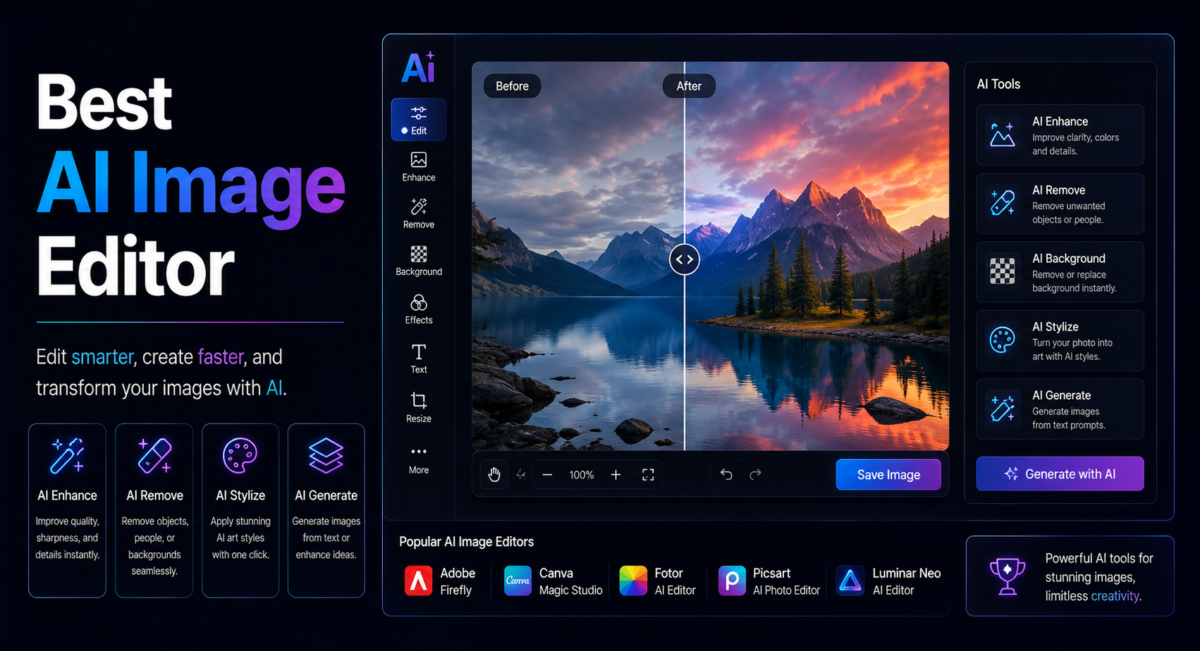
Removing a lamppost from a landscape shot used to cost an afternoon of clone-stamping. In 2026 it costs a sentence. That collapse in effort is real, but it has also flattened the marketing, because every tool now advertises the same six capabilities and feature lists have stopped being a useful way to choose. What actually separates these editors is narrower and far less glamorous: how they handle hair and glass, whether your files leave your machine, what the licence permits, and how the bill behaves when you edit three hundred images instead of three.
| Quick answer: There is no universal winner. Photoshop with Firefly Image 5 remains the ceiling for precise, layer-based generative work; Google’s Nano Banana Pro is now the fastest way to edit by describing changes; Photoroom owns batch product photography; Topaz Photo leads enhancement; Pixlr is the strongest low-cost browser option. |
| How we compare: we push the same deliberately awkward test set through every editor’s free or trial tier, then score matting quality, export resolution, licence terms and where processing physically happens. Vendors cannot pay for placement here. Disclosure: some links on TechieHub are affiliate links, and we may earn a commission if you subscribe through one, at no extra cost to you and with no effect on the ranking. |
Table of Contents
What has actually changed in AI photo editing this year?
Three shifts, and only three are worth reorganising a workflow around.
The first is model quality inside professional software. Adobe shipped Firefly Image 5 at MAX in October 2025 with native four-megapixel output and layered editing, and that model now drives Generative Fill in Photoshop. The scale behind it explains the jump: Firefly has produced more than 24 billion assets since its March 2023 launch, and that feedback loop is why filled regions now read as part of the photograph rather than a plausible smear.
The second is that conversational editing stopped being a novelty. Google’s Nano Banana Pro, formally Gemini 3 Pro Image, blends up to fourteen reference images, holds as many as five people consistent across a composition, and exports at 2K or 4K. Multi-turn refinement genuinely works, which was not true a year ago.
The third is commercial, and it caught a lot of photographers out. Topaz Labs retired perpetual licences; its current pricing page lists Topaz Photo at $39 a month on the personal tier and the all-app Studio bundle at $399 a year, with no one-off purchase option. If you bought Topaz once in 2023 and assumed that was the arrangement, it no longer is. The same rental logic now runs through most generative AI tools, so budget for recurring cost rather than a single licence.
Which is the best AI image editor for each kind of job?
Photoshop with Firefly — precision, compositing and print
Still the ceiling for anything demanding precision: compositing, masking around difficult edges, and fills that have to survive being printed at size. It is also the only option here that processes locally by default and carries commercial IP indemnity on paid plans, which is why client work under NDA tends to end up in it regardless of what started the job.
Canva Magic Studio — fast edits for non-designers
Takes the opposite trade, dropping Magic Eraser and background removal into a drag-and-drop designer a non-designer can run on day one. The ceiling is lower than Photoshop’s and the floor is far higher: someone who has never opened an editor produces a usable result in minutes rather than a bad one in an hour.
Photoroom — batch e-commerce product photography
Built narrowly for e-commerce and wins on throughput rather than per-image finesse. Its advantage shows at volume, where uniform cutouts and a consistent backdrop across hundreds of listings matter more than any single image being perfect.
Topaz Photo — denoise, deblur and upscaling
The enhancement specialist, and the tool to reach for when the source file is the problem rather than the composition. Old phone photos and low-light shots that would fall apart on resize usually need this pass before anything else touches them.
Gemini and ChatGPT — conversational, multi-turn editing
Cover fast conversational work where you describe the change instead of selecting it. Best for iterating quickly on an idea; weakest where an edit must land in an exact place, and every Google-generated image carries a SynthID watermark that cannot be switched off.
Pixlr — the cheapest capable browser editor
Remains the low-cost browser option, from about $2.49 per month, and covers the familiar layer-based basics without a desktop install or a Creative Cloud subscription.
Editing an existing photograph and generating one from scratch are different jobs with different winners, so if you are starting from a prompt rather than a file, our comparison of Midjourney and DALL-E and our roundup of the best AI tools for generating images are the more useful pages. For portraits in particular, a purpose-built AI headshot generator beats retouching by hand in a general editor.
| Editor | Best for | Where it runs | List price |
| Photoshop with Firefly | Precise, layer-based generative editing | Desktop, local | About $22.99 per month, single app |
| Canva Magic Studio | Fast design edits for non-designers | Browser, cloud | Free tier; Pro about $15 per month |
| Photoroom | Batch e-commerce product photography | Browser and mobile | Free tier; paid Pro, Max and Ultra plans |
| Topaz Photo | Denoise, deblur and upscaling | Desktop, local | $39 per month, personal tier |
| Gemini, Nano Banana Pro | Conversational, multi-turn edits | Cloud | Free tier; paid Google AI plans |
| Pixlr | Low-cost browser editing | Browser, cloud | From about $2.49 per month |
List prices checked in July 2026. Vendors change tiers and credit allowances frequently, so confirm on the official page before subscribing.
How should you test an editor before you pay for it?
Vendor demos are chosen because they work. Your own files are not, which is why our test set is built entirely from awkward cases: a curly-haired portrait, a wine glass photographed on white, a motion-blurred pet, a cluttered flat-lay, a low-resolution phone photo from 2013, and a sign with small legible text.
Run those six through any shortlist and the differences appear within minutes. Clean subjects on plain backgrounds cut out perfectly everywhere; fine strands, refraction and semi-transparent edges are where quality diverges by a wide margin. Then check three things the previews never show you: the maximum export resolution on the tier you would actually buy, whether the free output carries a watermark, and how long a batch of fifty images takes end to end. Speed on one image tells you nothing about speed on a catalogue.
Is conversational editing ready to replace layer-based tools?
For exploration, iteration and client options, it already has. Describing an edit in plain language removes the entire interface-learning tax, and multi-turn refinement means you can steer a result across several messages instead of rebuilding a selection each time. Nano Banana Pro is unusually strong on in-image text, historically the weakest point of generative editing.
For production, it has not. Layer-based editors still give you full-resolution local processing, repeatable actions across hundreds of files, and pixel-level masking that no prompt yet matches. One clarification worth making: not every AI assistant is an image editor. Claude Opus 5, released on 24 July 2026, reads and critiques images in detail but does not generate or edit them, so a strong general model is not automatically a substitute for an editing tool.
The practical pattern most teams settle on is to explore in chat and finish in layers.

What should you verify before using an AI edit commercially?
Provenance is now a real part of the pipeline rather than a policy footnote. The C2PA Content Credentials standard, currently at specification version 2.3 and steered by Adobe, Google, Meta, Microsoft, OpenAI, Sony, TikTok, Amazon and the BBC, attaches a tamper-evident edit history to a file. Google embeds an invisible SynthID watermark in every image its models produce, and it cannot be switched off; free and AI Pro tiers also carry a visible sparkle mark that only Ultra subscribers lose.
Rights follow a simple split. Editing your own original photograph is almost never a commercial problem. Adding generated content is, and terms vary: Adobe offers commercial IP indemnity on paid Creative Cloud plans, while most competitors offer nothing comparable. Privacy splits the same way, between desktop apps that process locally and browser tools that upload your files to run inference. For client work under NDA, that distinction decides the tool for you.
How did one shop clear a 312-item product backlog in four days?
Meera Chandran runs a small cookware and spice store with 312 live listings, shot over three years by three different photographers on three different backgrounds. Her marketplace tightened its image rules and gave her a deadline to standardise every listing on clean white with consistent framing. Quoted manually, the reshoot ran to roughly three weeks of studio time.
She split the job instead of picking one tool. Photoroom handled the bulk pass, batching cutouts and applying a uniform white backdrop across 280 straightforward items. The 44 oldest images, shot on an early phone camera, went through Topaz Photo for denoise and upscale first so they would survive the resize. Only twenty hero shots reached Photoshop, where reflective steel pans and a glass spice jar needed manual masking that no automated cutout handled cleanly.
Elapsed time was four working days rather than three weeks, and the only paid ingredient was two monthly subscriptions she cancelled afterwards. The lesson generalises: the fastest route through a large catalogue is rarely the single best editor, it is the cheap batch tool doing ninety per cent and the expensive precise one doing the ten per cent that matters. This example is a composite of the catalogue-migration workflows we see most often.
Frequently Asked Questions
Which AI image editor is best overall?
There is no single winner, because the tools specialise. Photoshop with Firefly Image 5 wins on precision and print-ready output, Nano Banana Pro wins on speed and natural-language control, Photoroom wins on batch product work, and Topaz Photo wins on enhancement. Match the tool to the task.
Is there a genuinely free AI image editor?
Yes, with limits. Canva’s free plan includes background removal, Pixlr offers free browser editing with daily save caps, and Gemini’s free tier allows conversational edits. Expect visible watermarks, reduced resolution and monthly credit ceilings. Free tiers suit occasional edits, not a catalogue of several hundred images.
Can AI image editors replace Photoshop?
Not for production work. Standalone AI tools automate single tasks brilliantly, but Photoshop still owns layered compositing, precise masking and full-resolution local processing. The more accurate framing is Photoshop with AI inside it versus standalone AI tools, since Firefly now powers Generative Fill directly.
What is generative fill and where does it fail?
Generative fill replaces a selected region with AI-generated content guided by a prompt, matching surrounding light and perspective. It is reliable on backgrounds, foliage, skies and floors. It still struggles with human faces, legible small text, reflective glass and repeating patterns that must align exactly.
Are my photos private in a cloud AI editor?
Only as private as the vendor’s policy allows. Desktop apps such as Photoshop, Topaz Photo and Luminar Neo process files on your own machine. Browser tools upload images to remote servers to run inference. For confidential or client-sensitive material, choose local processing and read the retention terms.
Can I sell images I edited with AI?
Usually yes when you edited your own photograph. The caveat is generative content added by the tool, where terms differ sharply. Adobe offers commercial indemnity on paid Creative Cloud plans; most rivals do not. Check your plan grants commercial rights before shipping client or catalogue work.
Conclusion
The honest answer to which editor is best is that the question is one level too broad. Decide what you are editing first, then the tool follows almost mechanically: Photoshop for precision and print, Photoroom for volume, Topaz for rescue jobs, Canva or Pixlr for quick graphics, Gemini for edits you would rather describe than perform. Test on your own difficult files, not the demos. Check where processing happens and what the licence grants before the work becomes commercial. Do that and the AI does the tedious part, which was always the point.
