Close Menu

    Subscribe to Updates

    Get the latest creative news from FooBar about art, design and business.

    What's Hot

    Best AI Search Monitoring Tools 2026

    May 10, 2026

    Best AI APIs: Complete Developer Guide 2026

    April 29, 2026

    What Are AI Hallucinations? Complete Guide 2026

    April 27, 2026
    Facebook X (Twitter) Instagram
    Facebook X (Twitter) Instagram
    TechiehubTechiehub
    • Home
    • Featured
    • Latest Posts
    • Latest in Tech
    TechiehubTechiehub
    Home - Latest in Tech - 10 Best AI Patent Drafting Tools 2026 (Tested & Ranked)
    Latest in Tech

    10 Best AI Patent Drafting Tools 2026 (Tested & Ranked)

    TechieHubBy TechieHubUpdated:May 25, 2026No Comments27 Mins Read
    Facebook Twitter Pinterest LinkedIn Tumblr Email
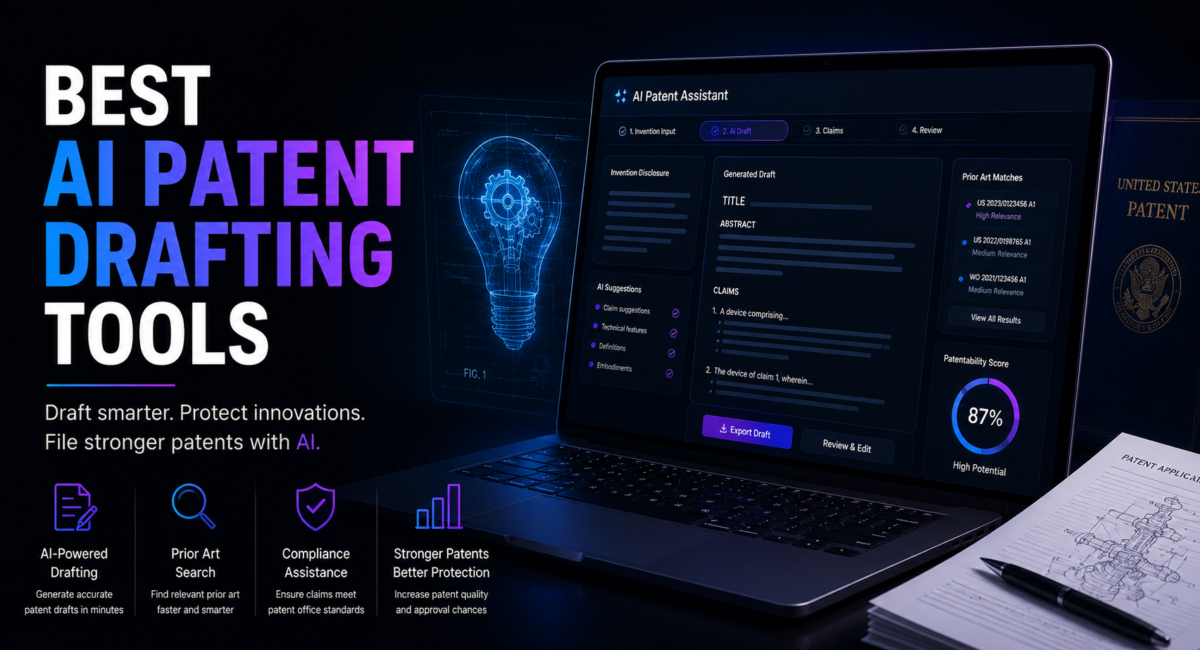
    AI patent drafting tools
    AI patent drafting tools
    Share
    Facebook Twitter LinkedIn Pinterest Email

    The definitive guide to every major AI patent drafting platform in 2026 — claim generation, specification writing, office action response, compliance checking, and which tool fits every team size and practice type.

    AI Patent Drafting — Key Numbers 2026

    40–100hHours to Draft One Patent Manually70–80%Time Saved with AI Drafting$40MPatlytics Series B Raised 2026SOC 2Required Security Standard3Lifecycle Stages AI Now Covers

    Table of Contents

    1. What Are AI Patent Drafting Tools?
    2. How to Evaluate AI Patent Drafting Platforms
      1. Draft Quality and Claccuracy
      2. Workflow Integration
      3. Jurisdictional Coverage
      4. Security and Data Handling
      5. Pricing and ROI
    3. The 10 Best AI Patent Drafting Tools 2026 (Full Reviews)
      1. ⚖️ Patlytics
      2. 🧠 Solve Intelligence
      3. 📝 DeepIP
      4. 🤖 PatentPal
      5. 🚀 Patentext
      6. 🔍 ABIGAIL
      7. ✅ ClaimMaster
      8. 🌐 Questel Orbit / Qatent
      9. ⚡ PowerPatent
      10. 💡 SenseIP
    4. Full Comparison Table
    5. Feature Matrix
    6. How to Choose the Right AI Patent Drafting Tool
      1. By Practice Type
      2. By User Type
      3. By Budget
    7. Implementation Guide
    8. Frequently Asked Questions
      1. What is an AI patent drafting tool?
      2. How much time do AI patent drafting tools actually save?
      3. Are AI patent drafting tools secure for sensitive inventions?
      4. Do AI patent drafting tools work for all technical fields?
      5. What is the USPTO’s position on AI-generated patent applications?
      6. Can AI drafting tools handle continuation and divisional applications?
      7. How do AI patent drafting tools handle claim hierarchy and antecedent basis?
      8. What does a two-tool AI drafting stack look like in practice?
      9. How do I calculate ROI from an AI patent drafting tool?
    9. Conclusion
      1. Key Takeaways

    1. What Are AI Patent Drafting Tools?

    AI patent drafting tools are software platforms that use large language models and patent-specific AI to assist patent attorneys, agents, and corporate IP teams in writing patent applications. Rather than requiring attorneys to draft every claim, embodiment, and specification section from scratch, these tools generate structured drafts from invention disclosures, figures, or natural language descriptions — preserving attorney strategic control while dramatically reducing time spent on repetitive drafting work.

    Preparing a single patent application can consume 40 to 100+ hours of attorney time — especially for complex inventions in biotechnology, software, or advanced engineering. For law firms managing hundreds of filings per year, this workload is unsustainable. AI patent drafting tools cut drafting phase time by 70–80%, freeing attorneys to focus on claim strategy, prosecution planning, and client counseling rather than document generation.

    In 2026, the strongest platforms support the full patent lifecycle: generating independent and dependent claims with proper hierarchy and antecedent basis, expanding claims into full specifications with supporting embodiments and examples, checking applications for consistency errors, drafting office action responses with claim amendment suggestions, and enabling team collaboration. The tools reviewed in this guide represent the current state of the art across all of these dimensions.

    💡 Pro TipAI patent drafting tools are precision drafting assistants — not filing services or replacements for patent attorneys. The best implementations use AI to generate the first draft and human attorneys to apply claim strategy, verify technical accuracy, and make the legal judgments that AI cannot make. Teams that treat AI as a replacement for attorney judgment consistently produce weaker patents than teams that use AI to amplify attorney productivity.

    2. How to Evaluate AI Patent Drafting Platforms

    Five dimensions determine which AI patent drafting tool fits your practice. Evaluate every platform across all five before committing.

    2.1 Draft Quality and Claim Accuracy

    Draft quality is the most important dimension. A tool that generates text quickly but produces claims with antecedent basis errors, unsupported limitations, or inconsistent language creates more work than it saves. Evaluate: claim hierarchy accuracy (independent and dependent claims correctly structured), antecedent basis consistency (all terms introduced before reference), specification support (every claim limitation described in the specification), and language consistency throughout. Request sample drafts in your technical field before committing to any platform.

    2.2 Workflow Integration

    Most patent attorneys work in Microsoft Word. A tool that requires switching to a separate browser platform for every task reduces adoption. Evaluate: Word plugin availability (does the tool work inside Word without copy-paste?), export formats (correct USPTO or EPO formatting?), IPMS integration (connects to your docketing system?), and collaboration features (multiple team members on the same draft simultaneously?).

    2.3 Jurisdictional Coverage

    Patent prosecution is global. A tool optimized only for USPTO practice may produce drafts requiring significant reworking for EPO, JPO, or CNIPA filings. Evaluate which jurisdictions the tool natively supports, whether claim formats and specification structures are automatically adjusted per jurisdiction, and whether the tool has been validated against examiner rejections in your target filing jurisdictions.

    2.4 Security and Data Handling

    Patent applications contain some of the most sensitive proprietary information a company possesses. Minimum security standards: SOC 2 Type II certification, data encryption at rest and in transit, zero data retention (your disclosures are not used to train the AI), and clear data processing agreements. For highly sensitive inventions, evaluate on-premise deployment options.

    2.5 Pricing and ROI

    AI patent drafting tool pricing ranges from free (ClaimMaster basic) to custom enterprise contracts. The ROI calculation is straightforward: if the tool saves 20 hours per application at $400/hour attorney billing rate, that is $8,000 per application saved. A $2,000/month platform paying for itself with 2–3 applications monthly is compelling. Evaluate total cost of ownership: platform subscription, training time, workflow integration costs, and per-application fees.

    💡 Pro TipBefore selecting a platform, run a structured pilot: take three recent applications, feed the invention disclosures into your top two candidate platforms, and compare draft quality against what your team produced. The platform that requires the least attorney correction time to reach filing quality is the right one for your practice — regardless of marketing claims.

    3. The 10 Best AI Patent Drafting Tools 2026 (Full Reviews)

    Tools are ordered by overall production readiness, drafting quality, and adoption among patent professionals in April 2026.

    1. ⚖️ Patlytics

    Best Overall — End-to-End Drafting and Prosecution, SOC 2, $40M Series B

    Patlytics is the most comprehensive AI patent drafting and prosecution platform in 2026, having raised a $40 million Series B and earned the trust of Asahi Kasei, Rivian, Quinn Emanuel, Susman Godfrey, McDermott Will & Emery, and Foley & Lardner. It is the only tool built from the ground up to support the complete patent lifecycle in a single environment: claim generation and editing, specification drafting aligned to claim strategy, automatic consistency checking, office action response drafting, invalidity strategy, and team collaboration. Patlytics generates independent and dependent claims while preserving full attorney control — claims can be edited, reordered, amended, and restructured with hierarchy and antecedent basis maintained throughout. The specification expands claims into detailed systems, methods, embodiments, and examples that meaningfully support the claims rather than boilerplate filler. SOC 2 compliance with 24/7 monitoring and zero training on client content make it the enterprise security standard. For law firms and in-house teams needing the strongest production-grade tool across the full lifecycle, Patlytics leads the field.

    Key Features

    FeatureDetailBenefit
    End-to-EndDrafting + prosecution + invalidityFull lifecycle in one platform
    Claim GenerationIndependent and dependent, hierarchy maintainedFull attorney control preserved
    Consistency CheckAntecedent basis, support, dependenciesCatches errors before filing
    Office Action AIRejection analysis and amendment draftingSpeeds prosecution response
    SOC 2 Compliant24/7 monitoring, zero client data trainingEnterprise security standard

    Pricing

    Custom enterprise pricing. Contact Patlytics for quote based on firm size and filing volume.

    Free Tier

    Demo and trial available for qualified law firms and in-house IP teams.

    ProsCons
    Most comprehensive platform — full lifecycle coverageTrusted by elite law firms (Quinn Emanuel, Foley)SOC 2 and zero training on client dataBest claim hierarchy and consistency toolsOffice action response and invalidity strategy built-inCustom pricing — no transparent rate cardEnterprise focus — may be over-built for solo practitionersRequires onboarding investment for full adoptionBrowser-based — no native Word plugin

    🔗 https://www.patlytics.ai/

    2. 🧠 Solve Intelligence

    Best for Full Workflow Control — Interactive AI, Multi-Jurisdictional Drafting

    Solve Intelligence gives patent professionals the most control over where and how AI steps into the workflow. Its interactive approach lets attorneys decide exactly which sections to AI-assist and which to draft manually — whether they need light support on specific paragraphs or comprehensive help across the full application. Solve handles full application drafting, figure generation, and jurisdiction-specific compliance across US, European, and Asian patent offices. A claim charting product launched in December 2025 adds litigation and licensing workflow support. The platform is used by IP firms across the US, Europe, and Asia for multi-jurisdictional filings — a key differentiator for practices with international portfolios. The main tradeoffs are onboarding complexity and the absence of a native Word plugin.

    Key Features

    FeatureDetailBenefit
    Interactive AIChoose where AI steps inAttorney controls every AI contribution
    Multi-JurisdictionalUS, EPO, JPO complianceAutomatic jurisdiction-specific formatting
    Figure GenerationAI-assisted patent figure creationReduces figure preparation overhead
    Claim ChartingLitigation and licensing workflows (Dec 2025)Full prosecution and post-grant coverage
    Global ValidationUS, Europe, Asia IP firmsValidated across multiple patent offices

    Pricing

    Subscription pricing — contact Solve Intelligence for current rates based on seat count.

    Free Tier

    Trial available. Demo with sample invention disclosure on request.

    ProsCons
    Best control over AI contribution levelMulti-jurisdictional drafting supportFigure generation capabilityClaim charting for litigation and licensingTrusted by international IP firmsFeature overload for smaller teamsIn-browser interface has learning curveNo native Microsoft Word integrationLess intuitive for first-time users

    🔗 https://www.solveintelligence.com/

    3. 📝 DeepIP

    Best Microsoft Word Integration — Enterprise Security, USPTO Compliance

    DeepIP is the AI patent drafting assistant designed to live inside Microsoft Word — where most patent attorneys already work. Rather than requiring a platform switch, DeepIP slots directly into Word as a plugin, letting attorneys draft, edit, and review within their existing environment. It automates repetitive drafting tasks — claim language generation, section drafting, consistency checking — while keeping attorneys in control of strategy. DeepIP’s enterprise-grade security handles the requirements of law firms working with the most sensitive corporate inventions. For practices where workflow disruption is a major adoption barrier, DeepIP’s Word-native approach is the most frictionless path to AI patent drafting. USPTO compliance formatting is built in, reducing the formatting overhead that consumes attorney time in manual workflows.

    Key Features

    FeatureDetailBenefit
    Word PluginNative Microsoft Word integrationZero workflow disruption for attorneys
    USPTO ComplianceAutomatic formatting standardsReduces pre-filing formatting work
    Enterprise SecurityData handling for sensitive IPMeets law firm security requirements
    Claim AutomationRepetitive task handlingFrees attorneys for strategic work
    Error ReductionAccuracy and compliance checksFewer office actions from formatting errors

    Pricing

    Contact DeepIP for enterprise pricing. Subscription model based on seat count.

    Free Tier

    Demo available. Trial period for qualified law firms.

    ProsCons
    Native Word integration — zero platform switchBest for firms resistant to new toolsEnterprise-grade security for sensitive IPUSPTO compliance formatting built-inMinimal learning curve for Word-proficient teamsWord plugin limits browser-based collaborationLess comprehensive than Patlytics for full lifecyclePrimarily USPTO-focused — less EPO or JPO coverageCustom pricing requires sales engagement

    🔗 https://www.deepip.ai/

    4. 🤖 PatentPal

    Best for Speed — Specification and Diagrams Generated from Claims

    PatentPal automates patent drafting by generating complete specifications, flow chart diagrams, and summaries from a set of input claims. If you have claims already drafted or a claim skeleton prepared, PatentPal expands them into a full application automatically. Export options to Word, Visio, and PowerPoint make it compatible with existing firm workflows. Customizable language profiles maintain consistent firm-specific or client-specific style across applications. For attorneys who prefer to write claims first and then need the specification generated rapidly, PatentPal’s claim-first workflow is uniquely well suited — particularly fast for mechanical, electrical, and software applications following standard specification structures.

    Key Features

    FeatureDetailBenefit
    Claim-First WorkflowInput claims, generate full specificationFastest path when claims are already drafted
    Diagram GenerationFlow charts from claim structureEliminates manual figure preparation
    Word/Visio/PPT ExportMultiple format optionsCompatible with existing firm workflows
    Custom LanguageFirm-specific style profilesConsistent drafting style across applications
    Summary GenerationAbstract and brief description automatedReduces repetitive section writing

    Pricing

    Subscription pricing — contact PatentPal for current rates. Per-application pricing available.

    Free Tier

    Free trial available. Limited applications per month on trial tier.

    ProsCons
    Fastest specification generation from claimsDiagram and figure generation built-inWord, Visio, PowerPoint export optionsCustom language profile for firm consistencyIdeal for claim-first drafting workflowsRequires claims as input — not a standalone drafting toolLess comprehensive than end-to-end platformsSpecification quality varies by technical fieldLimited jurisdiction-specific formatting

    🔗 https://www.patentpal.com/

    5. 🚀 Patentext

    Best for Technical Founders — AI Drafting Plus Attorney Review at Startup Pricing

    Patentext occupies a unique market position: designed for technical founders, startup teams, and inventors who need professional-quality patent drafts without the cost of traditional law firm engagement. The AI handles strategic heavy lifting — analyzing the invention, building comprehensive claim sets, identifying embodiments and alternatives, and drafting complete specifications. Experienced patent practitioners then review everything for accuracy, claim strategy, and USPTO compliance before filing. This hybrid model delivers law firm quality at a fraction of the cost. For startups that cannot afford $15,000+ per application at traditional law firms but need defensible patents, Patentext is the recommended starting point. For established law firms, Patentext is less applicable — it is optimized for inventor-facing workflows rather than attorney-controlled production environments.

    Key Features

    FeatureDetailBenefit
    AI Plus AttorneyAI drafts, attorney reviewsLaw firm quality at startup pricing
    Full Claim AnalysisAI builds comprehensive claim setsCovers embodiments attorneys might miss
    Founder-FriendlyNo patent law background requiredGuided invention disclosure process
    USPTO ComplianceAttorney-verified before filingDefensible applications from non-lawyers
    Visual MappingGraphical invention structureUseful for complex mechanical inventions

    Pricing

    Project-based pricing — significantly lower than traditional law firm rates. Contact for current pricing.

    Free Tier

    Patentability assessment available. Initial consultation before committing to full draft.

    ProsCons
    Best for technical founders without patent budgetAI and attorney hybrid delivers law firm qualityNo legal background required to startSignificantly cheaper than traditional law firmsVisual invention mapping for complex technologyNot a self-serve tool — attorney review adds timeLess suitable for established law firm production workflowsProject-based pricing less predictable than subscriptionAttorney review turnaround time varies

    🔗 https://www.patentext.com/

    6. 🔍 ABIGAIL

    Best for Office Action Response — Claims Visualizer, Examiner Intelligence, Pay-Per-Use

    ABIGAIL differentiates with two standout capabilities: an interactive Claims Visualizer that maps claim relationships graphically, and examiner intelligence that provides data on how specific USPTO examiners have handled similar applications historically. The Claims Visualizer makes it faster to identify claim dependency issues, missing fallback positions, and scope gaps — visually rather than through linear document review. Examiner intelligence lets attorneys tailor prosecution strategy to the specific examiner assigned, improving allowance likelihood. ABIGAIL’s pay-as-you-go pricing — no subscription commitment required — makes it accessible for firms wanting to evaluate before committing. For prosecution-heavy practices dealing with high volumes of office actions, ABIGAIL delivers significant efficiency gains.

    Key Features

    FeatureDetailBenefit
    Claims VisualizerGraphical claim relationship mappingSpot scope gaps and dependency issues visually
    Examiner IntelligenceHistorical examiner pattern dataTailor prosecution strategy per examiner
    Office Action AILLM-propose / validator-dispose pipelineReduces hallucinations in response drafting
    Pay-Per-UseNo subscription requiredEvaluate before long-term commitment
    Prosecution FocusBuilt for office action workflowsStrongest for prosecution-heavy practices

    Pricing

    Pay-as-you-go per document. No subscription required. Contact ABIGAIL for current per-use rates.

    Free Tier

    Pay-per-use model allows low-commitment evaluation. Evaluation period available.

    ProsCons
    Claims Visualizer unique in the marketExaminer intelligence for prosecution strategyPay-per-use — no subscription commitmentValidator pipeline reduces hallucination riskBest for prosecution-heavy office action workLess comprehensive for initial drafting vs PatlyticsPay-per-use becomes expensive at high volumeNewer platform — smaller user communityLess suited for full lifecycle tool requirements

    🔗 https://abigail.app/

    7. ✅ ClaimMaster

    Best Proofreading Tool — Antecedent Basis, Consistency, USPTO Compliance Checking

    ClaimMaster is the most widely used patent proofreading and compliance checking tool in the US market, trusted by thousands of patent practitioners for catching technical errors that human review misses. It automatically scans patent applications for missing antecedent basis, lack of specification support for claim limitations, inconsistent claim numbering and dependencies, wrong amendment status indicators, and dozens of other issues that trigger office actions or create prosecution history vulnerabilities. ClaimMaster is not a primary drafting tool — it is the quality control layer that goes on top of any drafting workflow. For practices already using another AI drafting tool, ClaimMaster is the natural companion for pre-filing quality assurance. The basic version is free, making it the lowest-barrier tool in this guide to add to any practice.

    Key Features

    FeatureDetailBenefit
    Antecedent BasisAutomatic detection of missing introductionCatches the most common claim error type
    Spec Support CheckClaims vs specification cross-referenceIdentifies unsupported limitations
    Consistency CheckNumbering, dependencies, status indicatorsPrevents prosecution history problems
    Word IntegrationRuns inside Microsoft WordNo platform switch required
    USPTO StandardsFormatting compliance verificationReduces examiner formality rejections

    Pricing

    Annual subscription from approximately $400–$800/year per user. Volume discounts available.

    Free Tier

    Free basic version with limited checks available. Full version requires paid subscription.

    ProsCons
    Industry standard — used by thousands of practitionersCatches errors that attorney review missesAffordable annual subscriptionRuns inside Microsoft WordFree basic version for evaluationNot a drafting tool — quality control onlyBasic drafting features limited vs dedicated platformsLess AI-forward than newer competitorsPrimarily USPTO-focused formatting checks

    🔗 https://claimmaster.net/

    8. 🌐 Questel Orbit / Qatent

    Best for Corporate IP Departments — Portfolio Analytics Plus AI Drafting

    Questel Orbit combined with Qatent (Questel’s AI drafting module) is the best choice for large corporate IP departments managing massive patent portfolios that need both portfolio analytics and AI drafting in a single integrated platform. Questel’s patent database covers over 150 million patent records with analytics for portfolio valuation, competitive intelligence, and filing strategy. Qatent adds AI-assisted drafting that works within Questel’s existing data environment — the AI drafting tool has access to the company’s entire patent portfolio for context, prior art awareness, and claim language consistency across the portfolio. For corporate patent counsel managing hundreds of active applications across multiple jurisdictions, this integrated analytics-plus-drafting approach provides capabilities standalone drafting tools cannot replicate.

    Key Features

    FeatureDetailBenefit
    Portfolio IntegrationDrafting with full portfolio contextAI aware of existing patent language
    150M RecordsQuestel patent database accessBuilt-in prior art awareness during drafting
    Analytics Plus DraftingSingle platform for strategy and executionReduces context-switching for IP teams
    Multi-JurisdictionalGlobal patent office coverageUS, EP, JP, CN and more
    Enterprise ScaleBuilt for large corporate IP departmentsHandles high-volume portfolio management

    Pricing

    Enterprise subscription pricing. Contact Questel for custom quote based on portfolio size.

    Free Tier

    Demo available. Questel Orbit trial accounts for database access evaluation.

    ProsCons
    Best for corporate IP with large portfoliosIntegrated analytics and drafting — unique combination150M record database for prior art awarenessMulti-jurisdictional global coverageAI drafts with portfolio language consistencyEnterprise pricing — not for solo or small practicesDrafting features less specialized than PatlyticsRequires full Questel subscription for valueComplexity high for teams wanting drafting only

    🔗 https://www.questel.com/

    9. ⚡ PowerPatent

    Best for High-Volume Law Firms — Template-Based Production at Scale

    PowerPatent is designed specifically for law firms handling high production volumes of patent applications. Its template and boilerplate management system lets firms build a library of claim language, specification sections, and alternative embodiments that the AI reuses and adapts across similar applications — ensuring consistency and speed across large production teams. For firms specializing in specific technical areas — automotive, semiconductor, medical device — PowerPatent’s template-first approach delivers exceptional efficiency once the library is built. The initial investment in template development pays back rapidly at scale. Real-time draft preview lets attorneys see the draft as it generates, enabling immediate quality feedback during the drafting session.

    Key Features

    FeatureDetailBenefit
    Template LibraryCustom boilerplate managementReuse validated language across applications
    Client-Specific TemplatesPer-client or per-technology profilesMaintains client-specific terminology
    High VolumeBuilt for production law firm scaleHandles hundreds of applications per month
    Team CollaborationShared template library across teamConsistent drafting style firm-wide
    Real-Time PreviewSee draft as it generatesImmediate quality feedback during drafting

    Pricing

    Subscription pricing for law firms. Contact PowerPatent for current rates. Volume discounts available.

    Free Tier

    Demo and trial available for qualified law firms.

    ProsCons
    Best template and boilerplate managementExcellent for high-volume production law firmsClient-specific and technology-specific profilesTeam-wide consistency via shared libraryReal-time draft previewInitial template library setup requires time investmentLess useful for low-volume or diverse practicesLess flexible for novel technology areasLimited prosecution features vs Patlytics

    🔗 https://www.powerpatent.com/

    10. 💡 SenseIP

    Best for Inventors — Idea to Filed Patent Without Legal Background Required

    SenseIP is an AI-powered IP protection platform designed for inventors, startups, and R&D teams that want to protect new ideas quickly without needing a legal background or engaging expensive patent attorneys for initial drafts. The platform guides users through idea development, prior art research, freedom-to-operate checks, patent drafting, patent filing, and portfolio management in an integrated workflow. SenseIP is not designed for patent attorneys and does not compete with Patlytics or Solve Intelligence on draft quality for prosecution-grade applications. Its value is democratizing access to patent protection for innovators who would otherwise not file, or who need a fast, affordable initial draft before engaging attorneys for final review and prosecution strategy.

    Key Features

    FeatureDetailBenefit
    Full LifecycleIdea to filing in one platformNo separate tools for each stage
    No Legal BackgroundGuided non-attorney workflowAccessible for inventors and founders
    Prior Art ResearchBuilt-in novelty assessmentIdentifies conflicts before drafting
    FTO CheckFreedom-to-operate analysisReduces downstream infringement risk
    Portfolio ManagementTrack and manage multiple applicationsSuitable for R&D teams with active pipelines

    Pricing

    Subscription pricing accessible to startups and individual inventors. Contact SenseIP for current plans.

    Free Tier

    Initial idea assessment available. Trial period for first application.

    ProsCons
    Best for inventors without legal backgroundGuided workflow from idea to filingPrior art and FTO built-in before draftingFull portfolio management for R&D teamsMost accessible pricing for non-law firm usersDraft quality not at prosecution-grade attorney standardAttorneys should review before filing complex applicationsLess suitable for law firm production environmentsLimited customization vs professional platforms

    🔗 https://www.senseip.ai/

    4. Full Comparison Table

    ToolPrimary UserClaim GenSpec DraftOffice ActionWord PluginBest For
    PatlyticsLaw Firms / CorpYesYesYesNoFull lifecycle platform
    Solve IntelligenceIP Firms GlobalYesYesYesNoMulti-jurisdictional
    DeepIPLaw FirmsYesYesLimitedYesWord-native drafting
    PatentPalAttorneysLimitedYesNoVia exportClaim-to-spec speed
    PatentextFounders / StartupsYesYesNoNoNon-attorney filing
    ABIGAILProsecutorsLimitedLimitedYesNoOffice action response
    ClaimMasterAll Patent TeamsNoNoNoYesProofreading and QA
    Questel OrbitCorporate IP DeptsYesYesLimitedNoPortfolio and drafting
    PowerPatentHigh-Vol Law FirmsYesYesLimitedNoTemplate-based volume
    SenseIPInventors / StartupsYesYesNoNoGuided inventor filing

    5. Feature Matrix

    ToolMulti-JurisFigure GenCollabSOC 2FTOProsecutionPricing
    PatlyticsLimitedNoYesYesNoYesCustom enterprise
    Solve IntelYesYesYesYesNoYesSubscription
    DeepIPUSPTONoLimitedYesNoLimitedSubscription
    PatentPalLimitedYesNoLimitedNoNoSubscription
    PatentextUSPTONoNoLimitedNoNoProject-based
    ABIGAILUSPTONoNoLimitedNoYesPay-per-use
    ClaimMasterUSPTONoNoNoNoLimitedAnnual subscription
    QuestelYes (global)NoYesYesYesLimitedEnterprise
    PowerPatentLimitedNoYesLimitedNoLimitedSubscription
    SenseIPLimitedNoNoLimitedYesNoSubscription

    6. How to Choose the Right AI Patent Drafting Tool

    6.1 By Practice Type

    • Large law firm or elite IP boutique: Patlytics — most comprehensive, trusted by Quinn Emanuel and Foley & Lardner
    • International multi-jurisdictional practice: Solve Intelligence — US, EPO, JPO support with jurisdiction-specific compliance
    • Word-native practice resistant to new platforms: DeepIP — works inside Microsoft Word, zero workflow disruption
    • High-volume production firm (50+ applications/month): PowerPatent — template library for consistency and speed at scale
    • Prosecution-heavy practice (high office action volume): ABIGAIL — Claims Visualizer, examiner intelligence, pay-per-use
    • Corporate IP department with large portfolio: Questel Orbit / Qatent — analytics and drafting with full portfolio context
    • Quality assurance layer on top of any tool: ClaimMaster — industry standard proofreading companion for all teams

    6.2 By User Type

    • Patent attorney or agent in law firm: Patlytics, Solve Intelligence, DeepIP, PowerPatent
    • In-house patent counsel at corporation: Questel Orbit, Patlytics — portfolio management plus drafting in context
    • Technical founder or inventor without patent background: Patentext, SenseIP — guided accessible workflows
    • IP paralegal or patent agent: ClaimMaster, PatentPal — complementary tools for assistance roles

    6.3 By Budget

    • Free to start: ClaimMaster basic (free), SenseIP trial, ABIGAIL pay-per-use evaluation
    • Under $1,000/month: ClaimMaster annual subscription ($400–$800/year), PatentPal subscription
    • $1,000–$5,000/month: PowerPatent, DeepIP, Solve Intelligence — production law firm tools
    • Enterprise custom: Patlytics, Questel Orbit — full-featured platforms with dedicated support
    💡 Pro TipThe best AI patent drafting stack for most law firms in 2026 is two tools: a primary drafting platform (Patlytics, Solve Intelligence, or DeepIP) plus ClaimMaster as the quality assurance layer before every filing. The primary tool generates the draft efficiently; ClaimMaster catches the antecedent basis errors and inconsistencies that attorney review misses. This two-tool combination consistently outperforms either tool alone.

    7. Implementation Guide

    The step-by-step deployment guide used by patent practices achieving the fastest time-to-value with AI drafting tools in 2026.

    1. Run a structured pilot before buying: Select three recent applications — one simple, one moderate, one complex. Feed invention disclosures into your top two candidate platforms. Measure draft quality and attorney hours needed to bring each draft to filing quality. This pilot takes one week and eliminates months of wrong-platform regret.
    2. Start with your highest-volume application type: Implement AI drafting in your highest-volume technical field first. Build quality and speed metrics before expanding to other areas.
    3. Build your knowledge base first: For template-based tools (PowerPatent), invest two weeks building your boilerplate library before taking client applications through. For disclosure-based tools (Patlytics, Solve Intelligence), develop a standard invention disclosure template that captures what the AI needs for quality output.
    4. Establish attorney review checkpoints: Define which sections require mandatory attorney review before client delivery. Minimum checkpoints: independent claim scope, antecedent basis via ClaimMaster, specification support for all claim limitations, and jurisdictional compliance for non-US filings.
    5. Measure before and after: Track average attorney hours per application in the drafting phase and rejection rate on first USPTO action. AI drafting should reduce hours by 50–70%. If rejection rate increases, review AI draft quality standards.
    6. Prioritize continuation and divisional applications: These deliver the fastest ROI because the AI can leverage existing specification language. A continuation that would take 10 hours manually takes 2–3 hours with AI assistance.
    7. Comply with disclosure obligations: The USPTO’s AI Disclosure Pilot Program (2024) created obligations to disclose AI use in certain patent filings. Confirm your platform’s compliance guidance and establish internal protocols.
    💡 Pro TipThe fastest ROI from AI patent drafting comes from continuation and divisional applications — not original filings. Continuations share specification language with the parent application. The AI can leverage the existing specification to generate new claim sets and adapted specifications in a fraction of the time required for an original application. For practices with large continuation portfolios, this single use case can pay for the platform in the first month.

    8. Frequently Asked Questions

    What is an AI patent drafting tool?

    An AI patent drafting tool is a software platform that uses large language models and patent-specific AI to assist patent professionals in writing patent applications. These tools generate claims, specifications, embodiments, and abstracts from invention disclosures or existing claim skeletons — reducing the attorney time spent on repetitive drafting while preserving attorney control over claim strategy and prosecution decisions. In 2026, the best platforms also handle office action responses, consistency checking, and team collaboration across the full prosecution lifecycle.

    How much time do AI patent drafting tools actually save?

    Independent evaluations in 2026 report 70–80% reductions in attorney drafting time for routine applications. A mechanical patent application typically requiring 20 hours of attorney drafting time can be completed with AI assistance in 4–6 hours of review and refinement. Complex biotechnology or software applications show smaller savings of 40–60% because they require more attorney judgment on claim scope. The highest savings consistently come from continuation and divisional applications where the AI can leverage existing specification language.

    Are AI patent drafting tools secure for sensitive inventions?

    Security varies significantly by platform. Production-grade platforms (Patlytics, DeepIP, Solve Intelligence) are SOC 2 Type II certified with encryption at rest and in transit, zero data retention — client inventions are not used to train the AI — and clear data processing agreements. Before using any platform for client inventions, verify: SOC 2 Type II certification, data retention policy, whether the platform uses client data for AI training (it should not), and whether on-premise deployment is available for the most sensitive work.

    Do AI patent drafting tools work for all technical fields?

    Performance varies by field. Software, computer hardware, electrical, and mechanical applications consistently produce the highest-quality AI drafts. Biotechnology, chemistry, and pharmaceutical applications require more attorney intervention — particularly for chemical structures, biological sequences, and Markush groups. Emerging technology areas (quantum computing, gene editing, novel materials) can produce lower-quality initial drafts because the training data is less dense. Always pilot in your specific technical field before committing to a platform.

    What is the USPTO’s position on AI-generated patent applications?

    The USPTO has clarified that AI cannot be named as an inventor — inventorship remains with the human inventors who made the claimed invention. The USPTO’s AI Disclosure Pilot Program creates obligations to disclose AI use in certain patent application situations. Patent attorneys have professional responsibility to review and take responsibility for AI-generated content before filing. AI drafting tools are permitted in patent practice; undisclosed AI use in contexts requiring disclosure is not. Confirm your platform’s compliance guidance and maintain internal records of AI use.

    Can AI drafting tools handle continuation and divisional applications?

    Yes, and this is one of the highest-ROI applications. Continuation applications share specification language with the parent — the AI can leverage the existing specification to draft new claim sets and adapted specifications rapidly. Divisional applications similarly benefit because the specification is already written and the AI task is primarily claim drafting and reorganization. Practices with large continuation portfolios consistently report the fastest ROI from AI patent drafting tools by prioritizing continuations before expanding to original applications.

    How do AI patent drafting tools handle claim hierarchy and antecedent basis?

    The best platforms (Patlytics, Solve Intelligence) maintain claim hierarchy and antecedent basis automatically as claims are drafted and edited — the AI tracks which limitations have been introduced and ensures subsequent dependent claims reference them correctly. Lesser platforms may generate claims with antecedent basis errors requiring attorney correction. This is why ClaimMaster should be used as a quality assurance layer regardless of which primary drafting tool you use — even the best AI platforms occasionally miss antecedent basis issues, and ClaimMaster catches them reliably before filing.

    What does a two-tool AI drafting stack look like in practice?

    The most effective 2026 patent drafting workflow for law firms: use Patlytics, DeepIP, or Solve Intelligence to generate the first draft from the invention disclosure (saving 70% of drafting time), then run ClaimMaster on the AI-generated draft before attorney review (catching antecedent basis errors and consistency issues automatically), then have the attorney review focuses on claim strategy, scope, and prosecution considerations rather than mechanical errors. This stack consistently outperforms either single tool and keeps total attorney time at 20–30% of pre-AI levels.

    How do I calculate ROI from an AI patent drafting tool?

    The ROI calculation for AI patent drafting is straightforward. If the tool saves 20 hours per application at a $400/hour billing rate, that is $8,000 saved in attorney time per application. A $2,000/month platform subscription pays for itself with 2–3 applications per month — common in even small practices. Additional ROI comes from faster turnaround (more applications handled without headcount increase), improved consistency (fewer office actions from drafting errors), and attorney satisfaction (less time on repetitive drafting means more time on strategic work). Track time per application before and after implementation for three months to calculate your actual ROI.

    9. Conclusion

    AI patent drafting tools have crossed from experimental to essential in 2026. A single application that once required 40–100 hours of attorney drafting now reaches first-draft quality in 8–20 hours with the right AI assistance — reshaping the economics of patent practice. Law firms handling high volumes can serve more clients without proportional headcount increases. Corporate IP departments can accelerate filing timelines without expanding staff. And startups with limited budgets can access professional-quality patent protection previously available only to well-funded organizations.

    The right tool depends on your starting point. Patlytics leads for law firms and in-house teams needing comprehensive lifecycle support. Solve Intelligence leads for multi-jurisdictional international practices. DeepIP is best for Word-native practices. PowerPatent is optimal for high-volume production environments. ABIGAIL and ClaimMaster are the best prosecution and quality assurance companions. Patentext and SenseIP democratize patent drafting for technical founders. The common thread: AI accelerates drafting significantly, but attorney judgment remains the irreplaceable element for strategic claim scope and prosecution success.

    Key Takeaways

    • AI patent drafting tools cut attorney drafting time by 70–80% on routine applications
    • Best overall: Patlytics — end-to-end lifecycle, SOC 2, trusted by Quinn Emanuel and Foley & Lardner
    • Best Word-native: DeepIP — works inside Microsoft Word with zero workflow disruption
    • Best for prosecution: ABIGAIL — Claims Visualizer, examiner intelligence, pay-per-use pricing
    • Best proofreading companion: ClaimMaster — industry standard, free basic version available
    • Best for technical founders: Patentext — AI and attorney hybrid at startup-accessible pricing
    • SOC 2 Type II and zero data retention are non-negotiable security requirements
    • Continuation and divisional applications deliver fastest AI drafting ROI — prioritize these first
    • Best practice stack: primary AI drafter plus ClaimMaster as mandatory quality assurance layer
    • AI cannot be named as inventor — comply with USPTO AI disclosure guidance on all filings
    Share. Facebook Twitter Pinterest LinkedIn Tumblr Email
    Previous ArticleBest AI Patent Research Tools 2026
    Next Article LLMEO Strategies: Complete Guide 2026
    TechieHub

      Related Posts

      Best AI Tools for YouTube Automation: Complete Guide 2026

      February 28, 2026

      Best Agentic AI Tools: Complete Guide 2026

      February 25, 2026

      What is Claude AI: Complete Guide 2026

      February 24, 2026
      Add A Comment
      Leave A Reply Cancel Reply

      Editors Picks

      Best AI Search Monitoring Tools 2026

      May 10, 2026

      Best AI APIs: Complete Developer Guide 2026

      April 29, 2026

      What Are AI Hallucinations? Complete Guide 2026

      April 27, 2026

      What is Prompt Engineering? Complete Guide 2026

      April 27, 2026
      Techiehub
      • Home
      • Featured
      • Latest Posts
      • Latest in Tech
      • Privacy Policy
      • Terms and Conditions
      Copyright © 2026 Tchiehub. All Right Reserved.

      Type above and press Enter to search. Press Esc to cancel.

      We use cookies to ensure that we give you the best experience on our website. If you continue to use this site we will assume that you are happy with it.